Calculate Prices for Items
The service recalculates item prices from price-list formulas. One run, and thousands of positions get a new price worked out by a single rule rather than by hand.
Where to find it: Modules → Prices → Maintenances → Calculate Prices for Items
A worked example
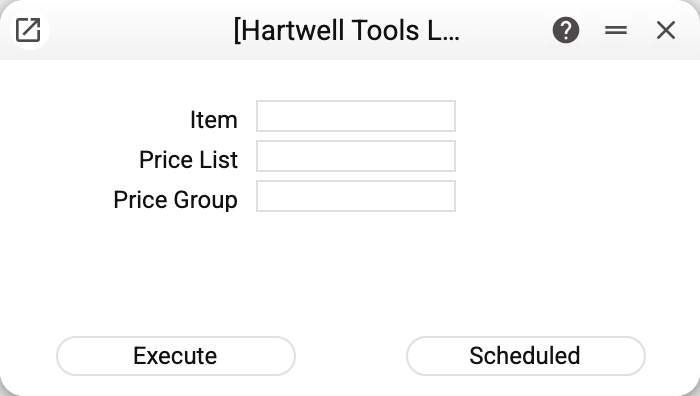
Three fields, each narrowing the work:
| Field | What it limits |
|---|---|
| Item | recalculate one position only |
| Price List | this price list only |
| Price group | items in this group only |
Empty fields mean "everything": all price lists, all groups, all items. That is the usual overnight run.
How a price is worked out
The rule is not one figure but a chain taken from the price formula:
- base ("Base value on") — what to start from: the item's cost, selling price or last purchase price, or its price from another price list;
- «Correction %» — what percentage of the base the price will be: 110 — ten percent up, 90 — ten percent off (not a markup: 20 gives a fifth of the base);
- first addition — a fixed amount before rounding;
- rounding — to decimal places, or to tens and hundreds (a negative value);
- second addition — a fixed amount after rounding.
This is exactly why shop prices read 199 rather than 200: the rounding goes to the hundred and then the last unit is taken off — all in a single pass of the formula.
When several rows of one price list cover an item, the price comes from the item's own row that is last in the price list's order, and without one — from the last of its group rows and general rows. The rule is the same for a new price and an existing one.
Typical situations
Prices did not change. Check that the price list has a row with a formula that covers the item: a row for its price group, a row for the item itself or a general row with neither group nor item — and that the formula named in the row exists. Without such a row there is nothing to compute from. If the formula takes its base "From price list" and the item has no price there, with "Do not add price" the service skips that price entirely — it neither creates a new one nor changes an existing one. One more reason: the price has the "Do Not Recalculate" checkbox set — the service leaves such a price alone under any price list row; the checkbox can be cleared in the price window.
A refusal about a register shared from another company. If your company uses prices shared from another company, the service refuses: shared prices are calculated only by the company that owns them, with its own price lists and formulas.
One item's purchase price changed. Run the service for that item alone — it is quick.
The service takes a long time. On large databases it is run overnight: one pass refreshes every position in every price list.
Where to look next
- Price lists — where groups and formulas are set.
- Price formulas — the markup arithmetic itself.
- Price list report — to check the result.