Rozetka Get Categories
The service pulls the marketplace's section tree into the categories register. It is a reference list: the module does not create product cards on Rozetka (they are set up in the seller cabinet, and the module sends only prices and stock), so categories from the register are tied to nothing in ERPJS, and the module's other maintenances do not need them.
Where to find it: Modules → Rozetka → Maintenances → Rozetka Get Categories
A worked example
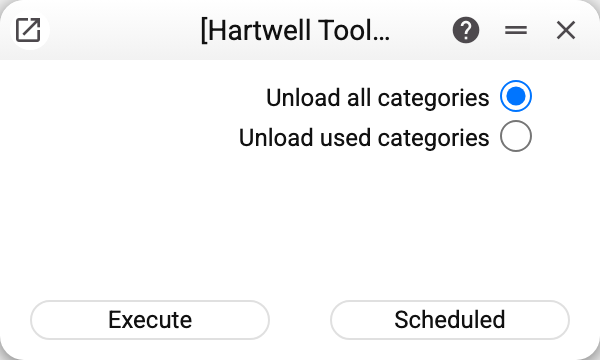
A choice of two:
- Unload all categories — the marketplace's full tree;
- Unload used categories — only the sections you actually have products in.
The second is usually what you want: Rozetka's full catalogue runs to tens of thousands of sections, which is unwieldy in a list.
What the service does
It signs in to the Rozetka portal with the stored credentials, fetches the categories and rewrites the register within the current company — other companies' data in a shared database is untouched. If the category register is shared from another company and yours is a subscriber, the service refuses before any exchange: only the main company updates a shared register.
Categories come in pages, and all pages are collected before writing: a Rozetka failure on any of them leaves the register unchanged — the previous list stays, and the service refuses ("API request failed. Contact the administrator!" or "MAINTENANCE ERROR!").
If the settings hold no login or password, the service refuses straight away — "Rozetka login is empty" or "Rozetka pass is empty"; it says "Rozetka options are empty" only when the setting itself is missing. No exchange happens without access.
Typical situations
The category list is empty after a run. Check the access in the settings, and that products really are mapped to categories (for the "used" mode).
Far too many categories loaded. Re-run in "used categories" mode: the previous list is replaced by the categories of your products. If the Rozetka cabinet has no products yet, this mode changes nothing — the previous list stays.
The marketplace rejects a product. The module does not send product cards or categories — those are edited in the Rozetka cabinet; refreshing this tree will not help.
Where to look next
- Rozetka categories — what appears after a run.
- Download items — the next step of the exchange.