NP Warehouse Types
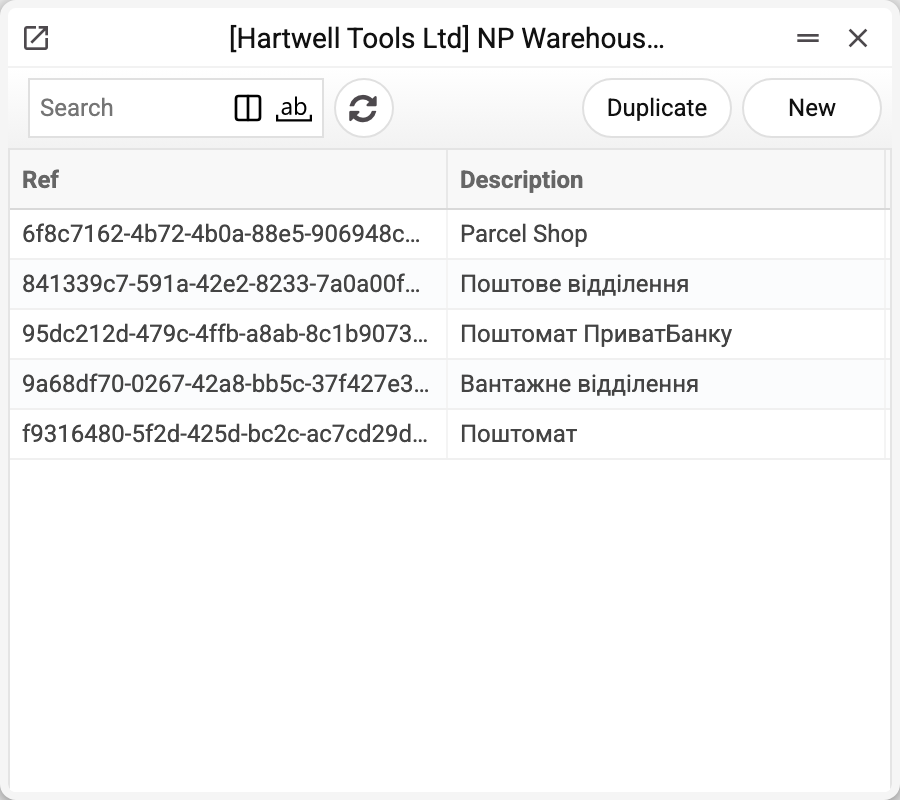
Five rows that explain what exactly hides behind the word "branch": an ordinary postal office, a cargo branch, a parcel locker, a receiving-and-handing-out point. Every record in the branch book keeps the code of its type from this book, but the system itself never shows or checks that link: the book is a key for people.
Where to find it: Modules → Nova Poshta → Registers → NP Warehouse Types
The book is filled by the data download service.
Menu: Modules → Nova Poshta → Registers → NP Warehouse Types.
A worked example
The type is not a formality: it decides what may be delivered there. A parcel locker will not take two hundred kilograms, a receiving point has a weight limit per place, and a cargo branch accepts pallets. So when a customer asks for delivery "to the branch", look at both the type and the weight limits — Nova Poshta writes them into the branch name itself (for example, up to 30 kg per place). The system has no branch card where they could be viewed separately.
Documents neither pick nor check a type: no document, field picker or check reads this book — only its own list shows it.
Where the data comes from
- Filled by the "Nova Poshta" service — by a full run or with the "Download Branch Types Only" checkbox.
- The records are replaced within the company once Nova Poshta has returned the list; if it refused or returned an empty one, the previous records stay.
- There are always only a few records and they rarely change — this book is seldom refreshed on its own.
Fields
| Field | Description |
|---|---|
| Ref | Nova Poshta's type code — every branch keeps it |
| Description | The type name in Ukrainian; the Russian name is stored too, but the list does not show it |
Nearby
- NP Warehouses — branches with their weight and dimension limits
- NP Cities — delivery cities
- Nova Poshta data download — the service that fills the book
Print variables
Values available in this document's printed form templates. How to write a variable in a template — see Print Forms.
Header fields:
| Variable | What it holds |
|---|---|
| NPWarTyp_Ref | Ref |
| NPWarTyp_Desc | Description |