Main warehouse
A single-field setting: which of the company's warehouses counts as the main one. It does not fill a location into documents — the only thing that puts it to work is the inventory accounting form.
Where to find it: Modules → Stock → Settings → Main warehouse
A worked example
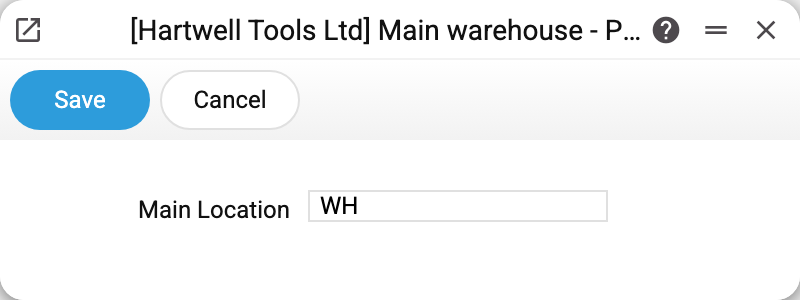
In the demo company the main location is WH ("Main warehouse"). The lookup only offers locations that are not closed.
Where the field takes effect — and where it does not
In the inventory accounting form, and only there. If no location is chosen in the form's parameters, the place of sale in the header — the warehouse's name and address — comes from this setting. It does not decide which documents go into the table: filtering by location is set only in the form's own parameters.
It does not fill the location into documents. A new document takes its location from the user card of whoever creates it — the "Location" field; a document created from another one (a shipment from an order, say) takes the location of its source. If the card has no location, it is picked on the document itself. This is by design: a document's location is either the one set for that user or the one chosen on the document. A company-wide fallback location is easy to overlook, and the goods then leave from the wrong warehouse.
It does not stand in for a missing location. A stock document without a location does not go through: shipments, goods receipts, write-offs and returns cannot be saved without one, a stock movement needs both locations, and an invoice that takes goods out of stock will not be approved without one.
It does not take on orders without a location. If a sales order names a location neither on the line nor in the header, its quantity in the "Qty in orders" figure is not added to the main warehouse; it is kept on a separate line with an empty location. In the item status report that line is labelled "No location": no warehouse receives someone else's quantity, the item total stays right, and you can see that some orders still have no location.
The main warehouse cannot be deleted. While it is set in this setting, its location card cannot be deleted — make another location the main one first.
Typical situations
The setting will not save: "Location is not found". It saves only with the code of an existing location that is not closed; the field cannot be left empty. If the main warehouse has since been closed, pick another one.
The warehouse is missing from the list. Then its card is marked "Is closed" — closed locations are not offered here.
We changed the main warehouse — what happens to old documents. Nothing: documents keep their own location. The only thing that changes is the place of sale in the header of an inventory accounting form built without a chosen location.
A new document has the wrong location, or none. This setting is not involved: the location comes from the user card. Correct it there and that user's new documents will use it. If every salesperson works from their own warehouse, each has it on their own card.
Where to look next
- Locations — the storage places themselves and their stock accounts.
- Users — the location that is filled into new documents.
- Location report — the balance of a single warehouse.