Vendor Category
The reference answers two questions at once: how to group suppliers for reports and which ledger account to post settlements with them to.
Where to find it: Modules → Purchase Ledger → Registers → Vendor Category
A worked example
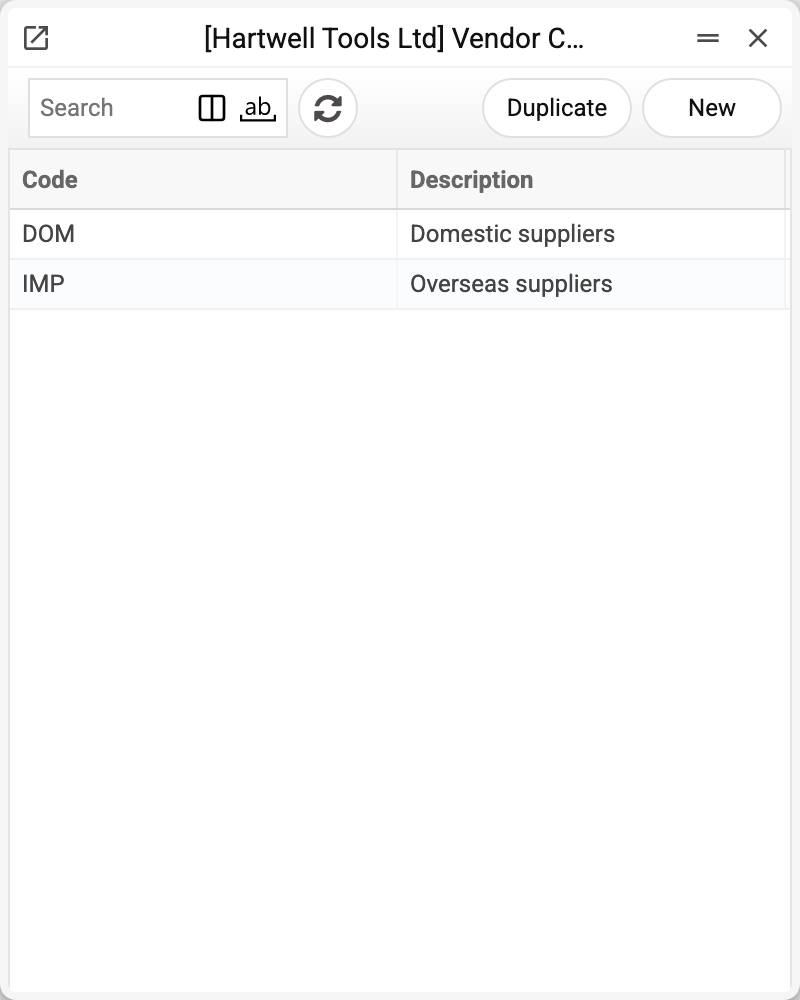
Two working categories are set up on the demo — "Domestic suppliers" and "Overseas suppliers". Let us open the first one:
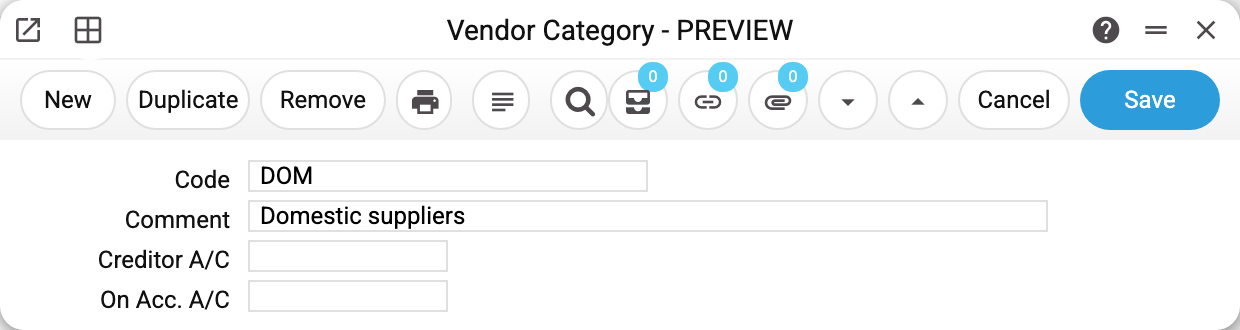
The whole card is a code, a comment (what the user sees) and two ledger accounts:
| Field | What it is for |
|---|---|
| Creditor A/C | The payables account for suppliers of this category — instead of the general one |
| On Acc. A/C | The account for advances paid — instead of the general one |
The "Overseas" category carries 632 in "Creditor A/C": settlements with foreign suppliers are kept on a separate account, and a single line in this reference is enough for all their documents to go there by themselves.
The code and comment are required, and an account missing from the chart of accounts is refused. The code of a saved category cannot be changed — "Can't change code": supplier cards refer to it.
How the category reaches a document
The category is set on the supplier's card. Documents do not store the category: they take accounts from it when the card has no account of its own (steps below). When the category is picked on the card, the system at once copies its accounts into the card's empty fields — "Account payable" and "Prepayment account". So a supplier whose category was set in the window then takes the account from its own card: change the account in the category later and that card will not see it — it is corrected separately.
A supplier's ledger account is found in three steps:
- the field on the supplier's own card;
- the field on their category;
- the general account usage setting.
The first value found wins. This is how a vendor invoice gets its "Cred. acc." — at the moment the supplier is chosen — and keeps it from then on: a payment to a supplier against that invoice takes the account from the invoice, not from the card or the category. The payment runs the three steps itself only for an advance — a row without an invoice. So the category is a convenient middle ground: no need to describe the account for every supplier separately, and no need to force everyone onto one general account either.
Where else the category works
The category is a filter in the debt reports: the aging report and the vendor cred report can show suppliers of one category only. That is how imports alone are carved out of the total debt. The same filter exists in the contacts report, the vendor prepayments history, the purchase orders journal, the vendor payments information and the contact change history.
The category is also visible in the vendor information report, in the top block next to the payment terms.
Print variables
Values available in this document's printed form templates. How to write a variable in a template — see Print Forms.
Header fields:
| Variable | What it holds |
|---|---|
| VendCat_Code | Code |
| VendCat_Comment | Comment |
| Acc_No | Creditor A/C (code) |
| Acc_Comment | Creditor A/C (name) |
| VendCat_OnAccAC | Account |
The records the document refers to through its form fields (location, customer, currency…) also expose the rest of their variables — code and name are already listed in the tables above, the rest is described in the register's article:
- Creditor A/C — Accounts
Common situations
Postings went to the wrong account. Check all three steps: the supplier card first, then the category, then the general setting. Most often an old value left on the card overrides the category — picking the category is what copied it there.
The category was changed but old documents did not follow. The ledger account is fixed at the moment of approval. To recalculate, remove the OK flag and approve the document again.
The category filter in a report finds nothing. That means the category is not set on the supplier cards: the reference itself is filled in, but the link is missing.
The category will not delete. A supplier card or a row of the number ranges holds it — the refusal says where: «A record of «Vendor Category» is used in: Contacts!». Without the category such a card could no longer be saved, and the accounting accounts would silently fall back to the general ones from the setting. Move the suppliers to another category — then the deletion goes through.