VAT Invoice Types
The register of VAT invoice types — the official document codes under which a VAT invoice or an adjustment calculation is filed with the tax authority. Each entry is a code and its wording from the statutory list; you do not invent your own, they arrive as a ready-made set.
Where to find it: Modules → Sales Ledger → Registers → VAT Invoice Types
What is inside
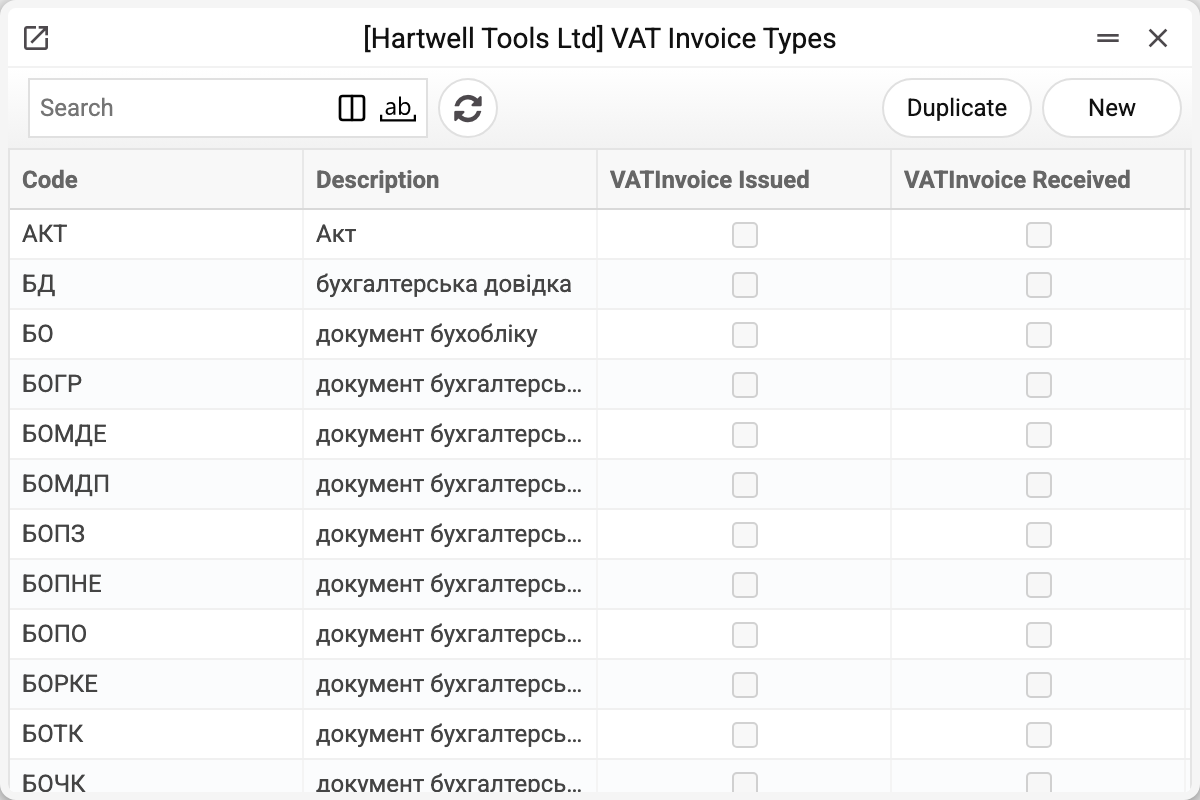
Two or three dozen entries per company: ПНЕ is the electronic VAT invoice, РКЕ the electronic adjustment calculation, and beside them codes for acts, accounting certificates and the other documents that also enter the VAT register.
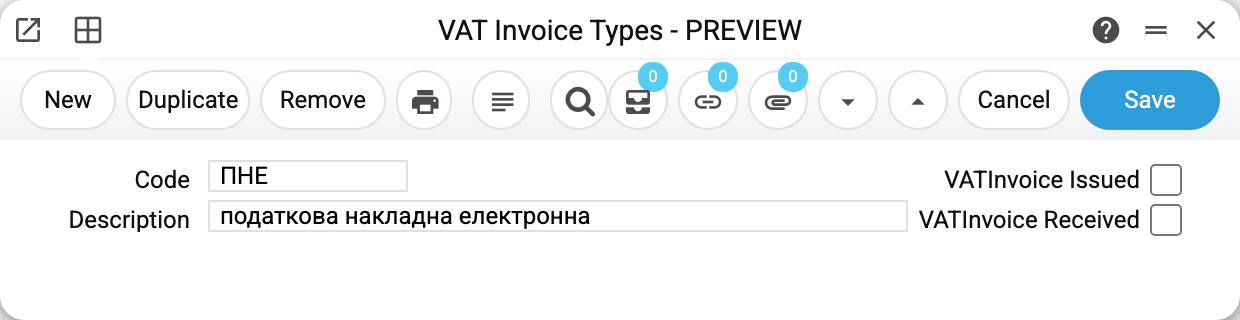
The card holds three things:
- Code — what sits in the invoice's "VAT invoice type code" field and is printed on the issued VAT invoice form (
VatType_No). The type does not go into the file for the tax authority (the M.E.Doc XML): the file's form depends only on the invoice's "Corrective" flag; - Description — the official wording;
- two flags, "VATInvoice Issued" and "VATInvoice Received" — which direction the type is meant for. The type picker on VAT invoices issued, VAT invoices received and in the VAT setting is not filtered by them: every type is offered, and the flags show as the "Issued" and "Received" columns. They also go to print (
VatType_Issued,VatType_Rec). Some codes serve both.
Where the type comes from
You rarely pick it by hand: a new document takes its type from the VAT setting — one default for an ordinary VAT invoice (ПНЕ) and another for an adjustment (РКЕ). Day-to-day work never touches this register; it matters when a non-standard case turns up or the statutory list changes.
Print variables
Values available in this document's printed form templates. How to write a variable in a template — see Print Forms.
Header fields:
| Variable | What it holds |
|---|---|
| VatType_No | Code |
| VatType_Issued | Type for issued VAT invoices (yes/no) |
| VatType_Desc | Description |
| VatType_Rec | Type for received VAT invoices (yes/no) |
Common situations
The type on a new VAT invoice is empty. No default is set in the VAT setting. The type is not mandatory: the document saves and is approved without it, so fill it in by hand or set a default. A type that is filled in must exist in the register — otherwise an issued VAT invoice will not save: "This VAT invoice type was not found!".
The code you need is missing. Add it: the code and the wording come from the current rules for completing a VAT invoice. Codes are unique within a company.
The "VATInvoice Issued" / "VATInvoice Received" flags restrict nothing. A type without "VATInvoice Issued" is still offered and accepted on an issued VAT invoice: the flags are only shown in the picker and in print.