Deferred Expenses
The register of "how to spread an amount over future periods" schedules. The classic case: a subscription or insurance is paid up front with one invoice, but it must reach expenses in parts — month by month. A record here is exactly that schedule: a holding account plus a list of portions saying "in how many months/days, what share to write off".
Where to find it: Modules → Nominal Ledger → Registers → Deferred Expenses
Walkthrough
The "3-month subscription" schedule in the demo:
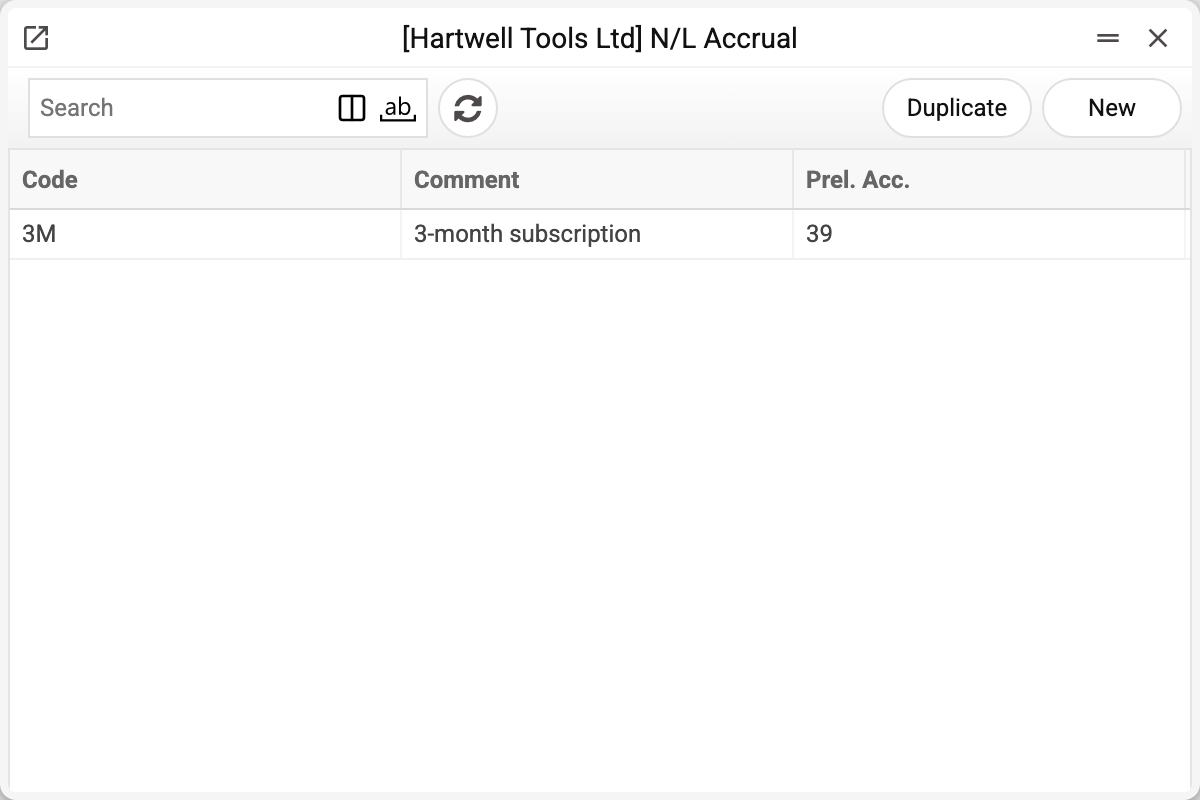
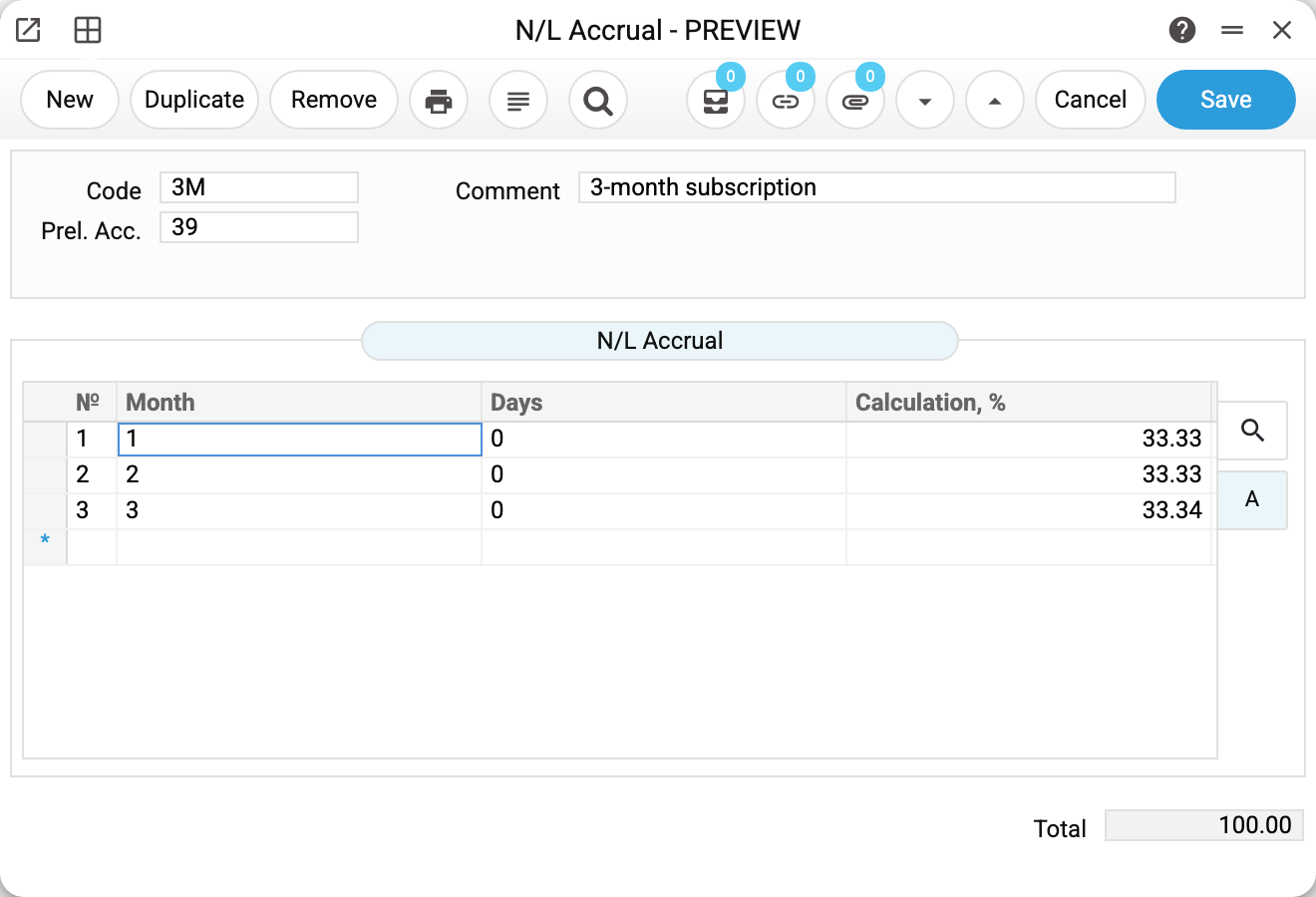
- Code and Comment — as in any register; the code is what you enter on a vendor invoice row.
- Prel. Acc. (the "preliminary account") — the holding account where the amount waits for its periods: here 39 "Deferred expenses". This is the account the vendor invoice posting will hit.
- The matrix holds the portions: Month and Days — the offset from the document date, Calculation, % — the share of the amount. The example has three rows: in 1, 2 and 3 months, 33.33 % each (the last one 33.34 so it adds up to 100).
- Total at the bottom is the sum of the percentages. The system does not enforce it, so watch it yourself: less than 100 — part of the amount hangs on 39 forever; more — you write off too much.
How a schedule works
- On a vendor invoice row you fill the "N/L Accrual" column with the schedule code. The expense account of the row stays the usual one (921 in the demo).
- When the invoice is posted, the row's whole net amount goes Dr 39 / Cr 631 — it does not reach expenses yet; account 921 does not appear in the posting at all.
- At the same time a simulation is created — the plan of future write-offs: one "Dr 921 / Cr 39" pair per schedule row, dated "document date + offset", for the portion's amount. Each portion is its own percentage of the amount, rounded separately; the last one does not absorb the difference. In the demo 9 000 split exactly: 2 999.70 / 2 999.70 / 3 000.60. The same portions of 10.00 would give 3.33 × 3 = 9.99 — a cent would stay on 39.
- When a portion's date arrives, the Create transactions from simulations maintenance turns it into a real transaction — the expense finally lands on 921.
All transactions of the demo example:
| When | Dr | Cr | Amount |
|---|---|---|---|
| vendor invoice is posted | 39 — the schedule's "Prel. Acc." | 631 — vendor account | 9 000.00 — the row's whole net amount |
| a portion's date arrives (Create transactions from simulations maintenance) | 921 — the row's expense account | 39 | portion: 2 999.70 / 2 999.70 / 3 000.60 |
Worth knowing
- A duplicate offset will not save: two rows with the same "month + day" pair raise "Matrix has duplicate". An empty row (no months, no days) is rejected too.
- Offsets combine: "Month 1, Days 15" means one month and 15 days later. Portions need not be equal — a "50 / 25 / 25" schedule is perfectly fine.
- The window's matrix has no "VAT Code" column — only "Month", "Days" and "Calculation, %"; the field of that name remains only in the data and does not reach the portion postings.
- "Prel. Acc." is required: without it, or without a single row, the schedule will not save — the system refuses at once, before the schedule ever reaches a vendor invoice.
- The "Prel. Acc." account must exist in the chart of accounts, otherwise the schedule will not save either; the standard demo had no account 39 — it was added precisely for this example.
Common situations
The invoice with a period code is posted, but reports show no expense. By design: the amount sits on 39 and waits. Expenses appear once the maintenance posts the portions that have matured.
A balance accumulates on 39 and never clears. Check the schedule's "Total": if the percentages add up to less than 100, the difference stays on the account forever. If "Total" is exactly 100 and cents remain, that is rounding: the schedule has no "remainder" portion, each portion is rounded on its own. Choose portions that split the amount into whole cents (for 10.00 — 50 / 50 or 25 / 25 / 25 / 25, not 33.33 / 33.33 / 33.34), or correct the last portion in the simulation while its status is "Active".
Different contracts need different holding accounts. Create a second schedule with another "Prel. Acc." — the schedule code is chosen per invoice row.
A schedule cannot be deleted: «A record of «Deferred Expenses» is used in: Vendor Invoices!» A schedule can be deleted only while its code is on no vendor invoice row. Deleted, the schedule would leave the invoice with a code that leads nowhere, and that invoice could no longer be saved. If you no longer need a schedule, keep it in the list and don't pick it in new invoices.