Vendor Aging Report
The report answers the question asked before every payment run: whom do we owe, and for how long. It is the ageing analysis of debt, seen from the supplier side.
Where to find it: Modules → Purchase Ledger → Reports → Vendor Aging Report
A worked example
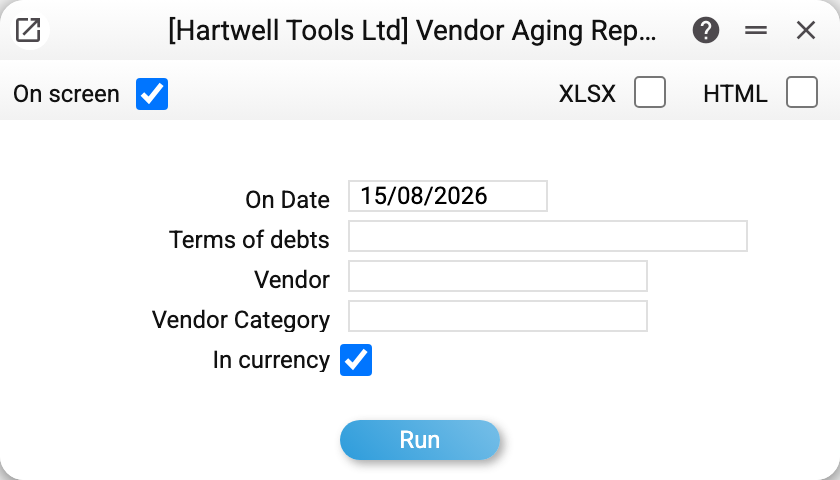
Run on 15/08/2026, brackets taken from the settings:
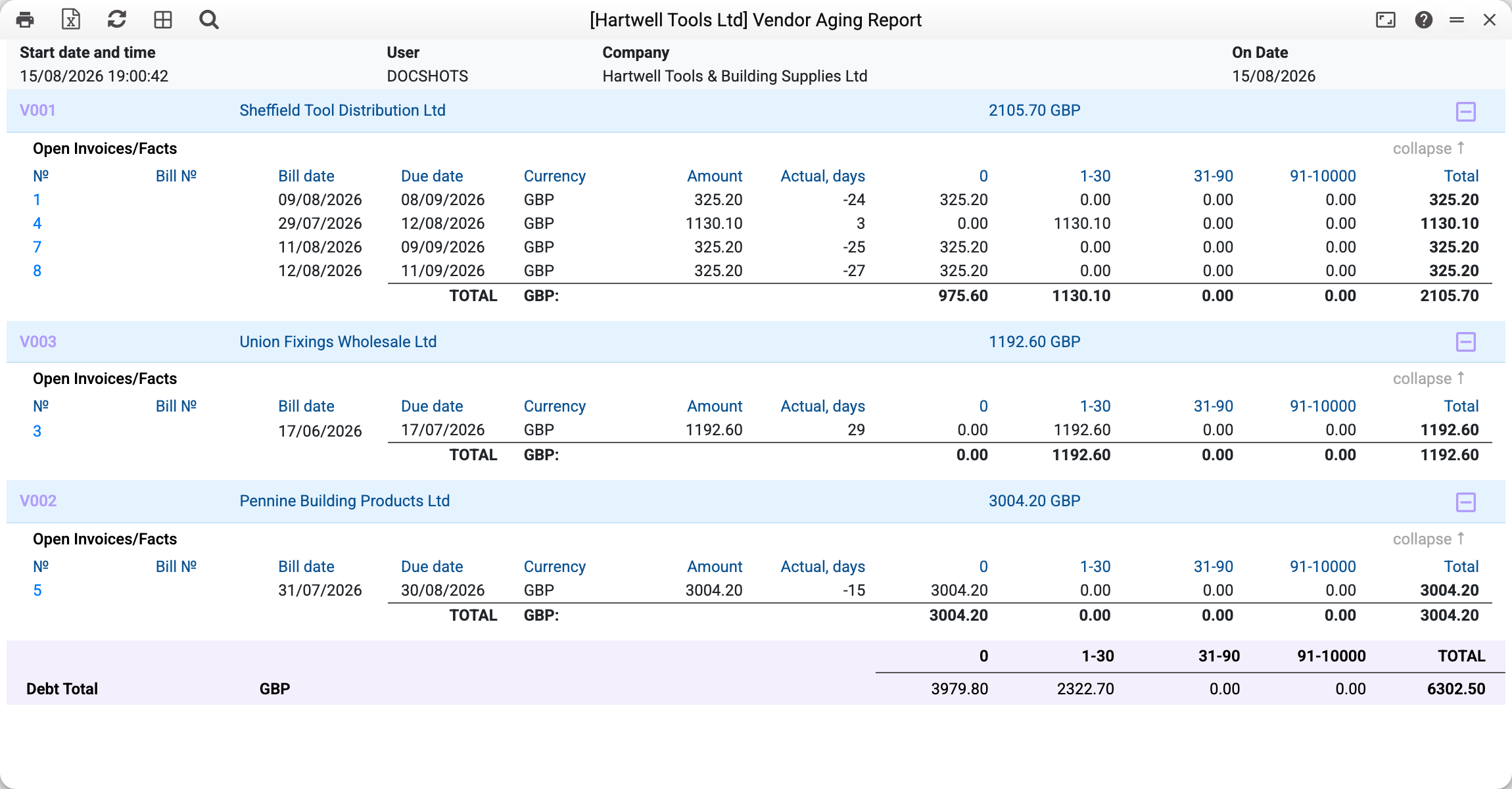
Every supplier is a block of its own with the total debt in its header: Sheffield Tool Distribution Ltd shows 2 105,70 GBP. Inside it there is one line per unpaid invoice, and the amount of the invoice is spread across the bracket columns.
Two different fates in the same block:
- invoice 4 dated 29/07/2026 is due on 12/08/2026 for 1 130,10. "Actual, days" is 3 — three days overdue at the report date, so the amount sits in the "1-30" column;
- invoice 1 dated 09/08/2026 and due on 08/09/2026 shows "Actual, days" of −24. The minus means the due date has not arrived yet — paying now would be early. Such invoices land in the "0" column.
Hence the totals: 975,60 in "0" — invoices still ahead of their due date, and 1 130,10 in "1-30" — the only genuinely overdue one. The bottom "Debt Total" line adds up all suppliers: 6 302,50, of which 2 322,70 is overdue.
Where the figures come from
Only approved documents count — both invoices and payments. A payment left as a draft does not reduce the debt: the supplier has not seen the money yet.
The balance of an invoice is its amount less any prepayments applied to it, less the payments made against it. A credit note is attached to the invoice it corrects and reduces its balance: no separate refund line appears.
A cash invoice creates no debt: it is paid at the moment of purchase, so without payments it is not in the report, and a payment made against such an invoice shows as a balance with a minus sign.
Overdue days are counted from the due date, not from the invoice date. The due date comes from the payment terms: "30 days" means the document date plus thirty. With no payment term the due date equals the invoice date, and overdue days are counted from it.
The "0" column means "not due yet, or due today". A negative figure is visible in the "Actual, days" column, but for the bracket split it is treated as zero.
The report date shifts the whole picture. Set "On date" a month back and you see the debt as it stood then: invoices issued later do not appear, and overdue days are recalculated to that date.
Window parameters
| Field | What it does |
|---|---|
| On Date | State of the debt on that day; today by default |
| Terms of debts | A one-off replacement for the brackets from the settings: a comma-separated list |
| Vendor | A single supplier instead of all |
| Vendor Category | Only suppliers of this category |
| In currency | On — amounts in document currency; off — everything converted to the base currency at the invoice rates |
Common situations
The report is empty although the debt exists. Check the filter by supplier or category. Brackets do not cause this: with no brackets in the bracket settings the report shows the debt with no breakdown — invoices and totals, without bracket columns, and an invoice whose age no bracket covers stands with zeros in those columns and its amount in "Total".
The figure differs from the "Vendor Cred Report". That is expected: this report sees invoices only, while vendor cred report can also subtract unapplied prepayments. The difference between the two is exactly the amount of advances you have paid but have not yet closed with any invoice.
Debt in foreign currency looks odd. Clear the "In currency" checkbox — amounts are brought to the base currency at the rates of the invoices themselves, and the total becomes comparable.
A single invoice needs explaining. Open the vendor invoice status: it shows every payment, applied prepayment and credit note for that invoice.