Object Type Control Settings
The rule "analytics is mandatory on this account". Objects are analytic tags on transaction rows: employees, departments, business lines. As long as a tag can be forgotten, analytic reports lie — half the costs are split by person, half hang untagged. This setting turns the habit into law: a transaction row on the listed account without an object of the required type simply will not save.
Where to find it: Modules → Nominal Ledger → Settings → Object Type Control Settings
Walkthrough
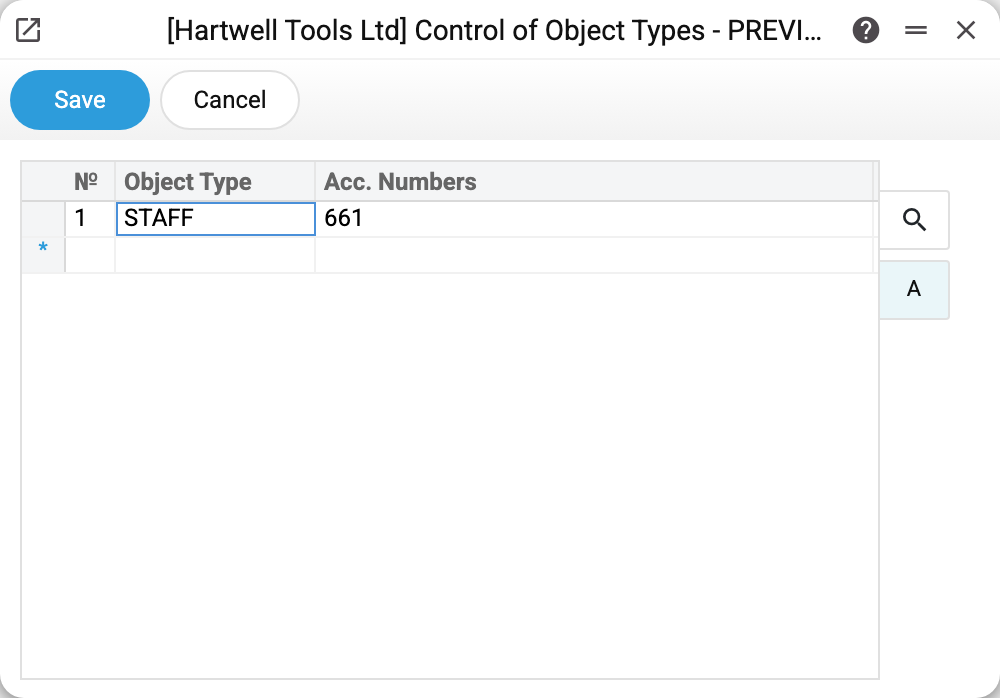
One rule in the demo: account 661 "Wages and salaries payable" requires an object of type STAFF. Payroll postings in the demo are already split by person — objects TAYLOR and WALSH; the rule guarantees they stay that way.
Matrix columns:
- Object Type — a type code from the Object Types register; several via comma mean an object of EACH listed type is required;
- Acc. Numbers — a single account (
661), a comma list (661,663) or a colon range (90:94— every account from 90 to 94 in the chart of accounts).
Where it fires
- Manual transactions: on save every row is checked — no object of the required type, no save: "Enter object with type STAFF!".
- Document posting: shipments, payments, stock depreciations, returns, personnel payments, VAT invoices — anything that posts to a controlled account must carry the object, or the document will not post.
- Document windows hint: the object picker shows which types are mandatory for the account — one selection row per type.
Worth knowing
- The rule acts from the moment it is set — old transactions stay untagged. Analytics on 661 is complete only from the date the rule appeared.
- The object mask overrides the control — in the transaction check: in a manual transaction and in one created by a document alike, a requirement for a type the mask does not allow on the account is dropped. Documents with their own control check (customer and vendor invoices, payments, cash, stock documents) run it earlier and without regard to the mask — for them such an object is still required. Advance reports, POS cash collection, currency revaluation and profit calculation in closing the books have no check of their own — for them the mask drops the requirement. The two settings work as a pair: the control says "must have", the mask says "only these".
- Two objects of one type in a row are always forbidden, with or without this setting: "TAYLOR,WALSH" in one row will not pass — whose salary would that be?
- The account in "Acc. Numbers" must exist in the chart of accounts, otherwise the row will not save.
Common situations
"Enter object with type …" when posting a document. The document posts to a controlled account. Open the row and set an object of the required type — the objects field is in the document's matrix (in invoices — on the row's flip).
Need to post without an object just once. Delete the rule row, post, put it back. The more honest answer is an object like "UNALLOCATED" of the required type: analytics stays complete and "just once" does not become "forever".
The rule is on, yet the objects report is incomplete. Check the dates: transactions created before the rule have no objects. They can be tagged by hand — open the transaction and fill the Objects column.