Encrypt integration secrets
The third maintenance of the same kind as Encrypt SMS secrets and Checkbox — for the API keys, tokens and passwords of the remaining integrations.
Where to find it: Modules → System → Maintenances → Encrypt integration secrets
A worked example
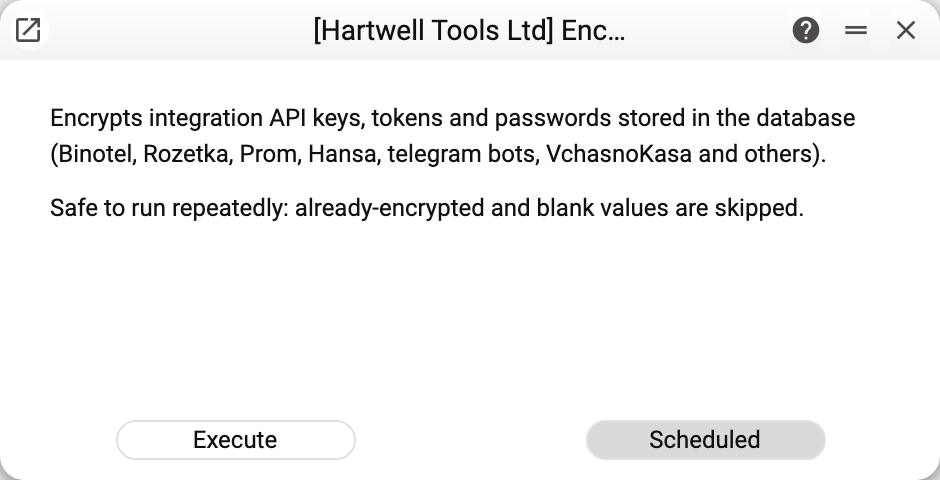
As with its sisters: an explanation and one working button, «Execute». «Scheduled» is inactive because the operation runs once. There are no parameters — what gets encrypted is listed below.
Why run it
Secret fields in integration settings are write-only: the value is stored encrypted in the database, is not sent to the window (a secret that is set shows as a mask of eight dots) and cannot be found by search. That is how values saved on the new version behave. Whatever was in the database before the update stays in plain text — both in the field itself and in the record's search fingerprint.
This maintenance brings the old values to the same state. Run it once after updating the database to the version with write-only fields. Scheduling is disabled for it: it is a one-off operation.
What exactly gets encrypted
- Binotel Connection — API key and secret;
- Account Usage — passwords and the bank key;
- SMS Notification — API token;
- Registers sync API — token and company key;
- Rozetka Options — token and password, Prom Options — token;
- Vchasno.Kasa Accounts — both tokens;
- Connected Telegram Bots — bot token and Google API key, Booking — Google API key;
- Nova Poshta — the sender's API key;
- Email Setting — password, Telegram Settings — token, Viber Config — token;
- Turbo SMS Settings — password; Atompark settings — two fields that are not in the window (the WEB password and the ePochta key);
- on deployments for Kenya — eTIMS Accounts — API key, M-Pesa Accounts — Daraja keys and the notification address secret (these are encrypted on save already; the service is only a safety net);
- "Ukrsibbank Business Settings" — the Client Secret and the signing key (also encrypted on save already);
- the Hansa API password and the licence password.
The Atompark password used to send SMS is not encrypted by this service — Encrypt SMS secrets does that, so run it too. The "Turbo SMS Settings" password is encrypted by both services, and each of them rebuilds the search fingerprint of both SMS settings, so either one removes an old plain-text password from it.
Values that are already encrypted or blank are skipped, so running it again is safe. The maintenance goes through all companies of the database at once, not just the current one: a secret forgotten in another company would stay in plain text.
Along the way the search fingerprint of every record in these registers is rebuilt — without the secret. This happens even when the secret itself is blank or already encrypted: plain text may have stayed in the fingerprint from an older save.
Encryption key and failures
- The encryption key is part of the server configuration; it is not in the database. If the key is changed or lost, or the database is moved to a server with a different key, the stored secrets can no longer be decrypted, integrations stop accepting their keys and passwords, and these have to be entered again in every setting.
- No key on the server — the service stops at the first plain-text secret with the message "The secret could not be encrypted on the server. Ask the administrator to check the encryption key"; plain-text values stay as they were.
- There is no reverse operation: secrets are never turned back into plain text; only the server decrypts them, at the moment it calls the integration.
- Rows are written one by one, not in a single transaction: if the service stops halfway, what is done stays done, and a repeat run finishes the rest.
How to tell it worked
Integrations keep working as before: the system decrypts the stored value by itself, as long as the server's encryption key stays the same. The settings window shows no difference — a secret that is set shows as a mask of eight dots both before and after the run.
After the run the service shows a summary on screen: how many rows were encrypted, in how many an open secret was found in the search text and removed, and in how many the search text was rebuilt without private fields. Separate summary lines with a warning triangle report: a register that could not be read; rows changed while the service was running (run it again); a row that could not be written — its secret stays in plain text. A register that does not exist in this database is skipped silently. Per-register details go to the server log.
Where to look next
- Encrypt SMS secrets and Checkbox — two older maintenances of the same kind.
- System — all maintenances of the module.