Brands
A register of manufacturers and trade marks. A brand does not affect postings, and it affects prices only through the discount matrix: a matrix row can set a discount on all of the brand's items. Its main point is filtering — when you need to see how much of one make was bought or sold across every supplier and every group at once.
Where to find it: Modules → Stock (also in modules: Service Orders) → Registers → Brands
A worked example
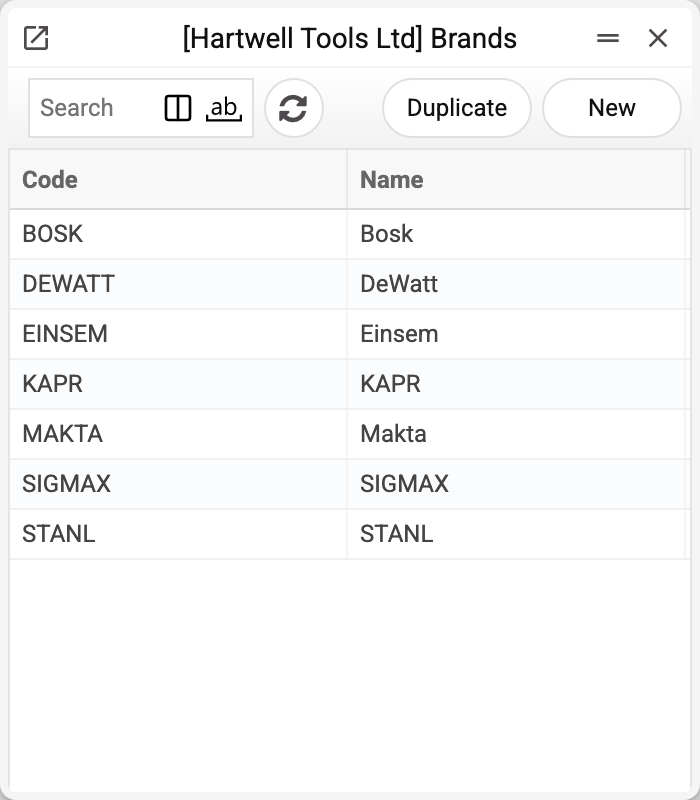
The demo company keeps the tool makes it trades in — Einsem, Bosk, Sigmax, Stanl, Kapr, DeWatt, Makta.
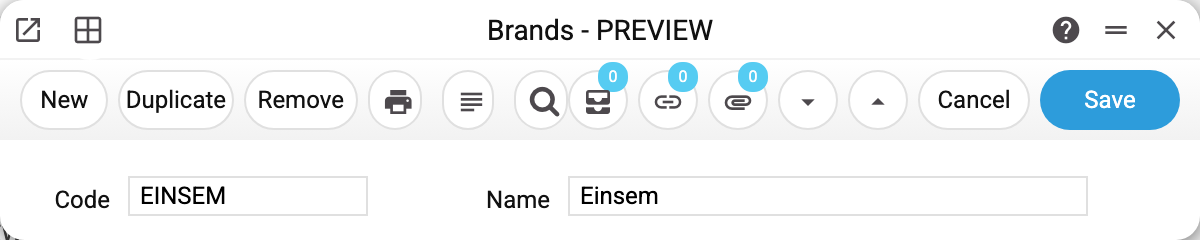
The card could hardly be shorter: a code and a name. The code is what sits in the "Brand" field of an item card and what you type into report filters; the name is what people read.
How to use it
Filtering in reports. The PO list report has a "Brands" field where codes are listed comma-separated. That answers "how much Einsem did we order this quarter" without going through the range by hand.
A brand in the name is not a brand. The commonest mistake: the item is called "Hammer drill Einsem HD-720" while the "Brand" field on the card is empty. To a human it is obvious; to a filter the item does not exist and never shows up in a brand report. Fill the field in even when the make is already in the name.
Brand and group are different cuts. The group answers "what is this" (power tools), the brand answers "whose is this" (Einsem). A single report can be filtered by both at once.
A brand that is already in use cannot be deleted. Before deleting, the system looks for the brand in items, service items, rental items, service orders, the discount matrix and quotation price lists. If it is found in even one place, the deletion does not go through, and the message names where: «A record of «Brands» is used in: Items!». Replace the brand there with another one or clear the field — then delete.
An item card will not save: "The entered brand is not in the brand list". A code just typed or changed in the "Brand" field is not in the register. Pick a brand from the list, or create a brand with that code in the register — and the card saves. A card that already held such a code saves anyway: the system checks only a new code.
A brand will not save: "Brand with this name exists". A brand name must be unique, and another brand already has this one. A similar message also appears when the brand's code matches another brand's name (upper and lower case are not told apart): change the code or the name.
Where to look next
- Items/Services — where the brand is chosen;
- Item groups — the other cut through the range;
- PO list report — an example of filtering by brand.
Print variables
Values available in this document's printed form templates. How to write a variable in a template — see Print Forms.
Header fields:
| Variable | What it holds |
|---|---|
| Brand_Code | Code |
| Brand_Name | Name |