Objects
Analytics tags for postings: an employee, a department, a project, a business line — any dimension you want revenue and costs sliced by without multiplying accounts. One posting row can carry several objects at once, and reports filter and detail by them later.
Where to find it: Modules → Nominal Ledger → Registers → Objects
Worked example
Object TAYLOR (staff):
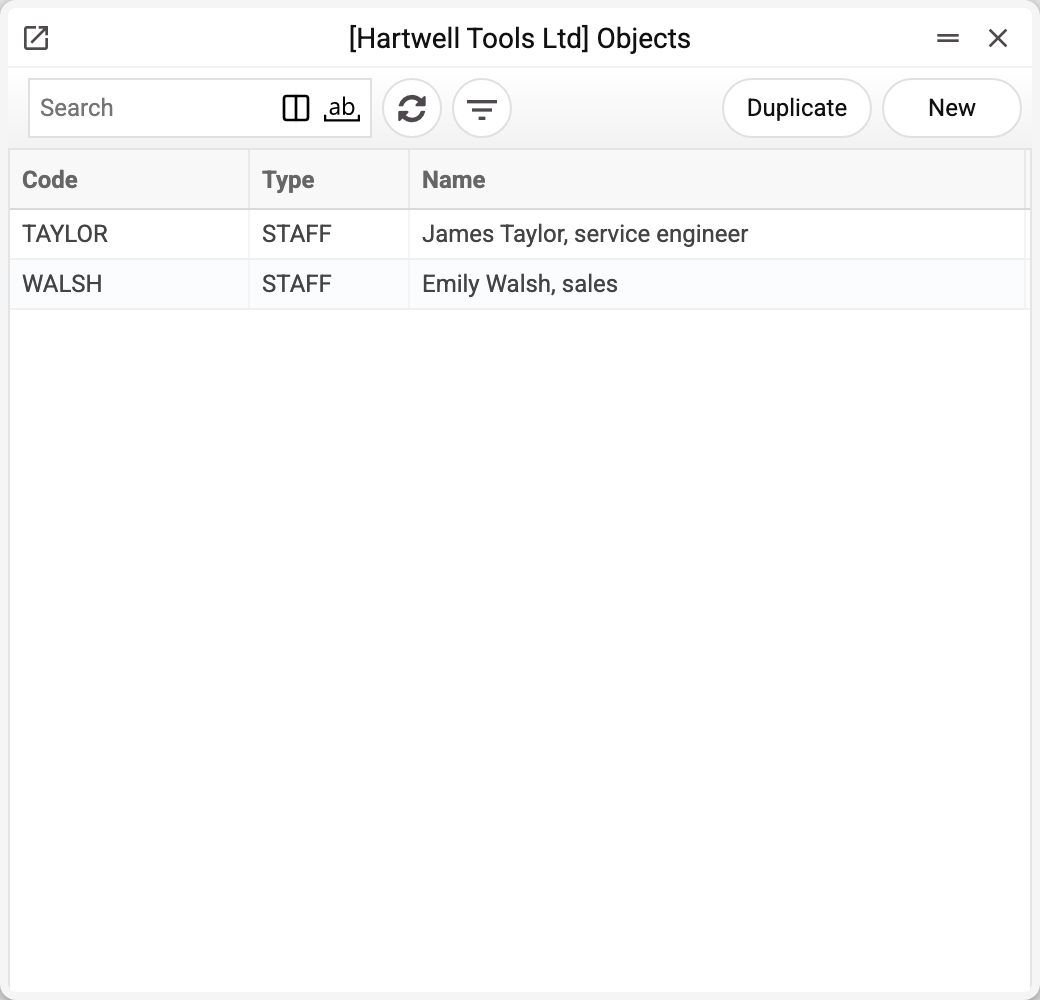
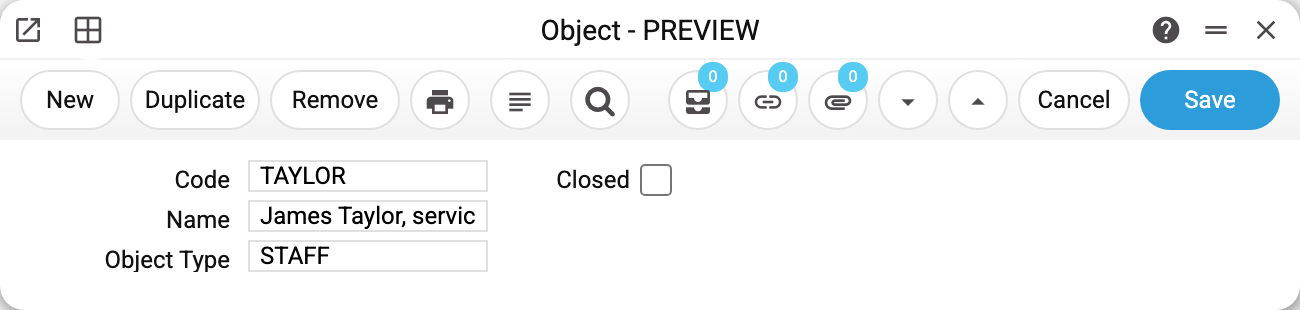
- A code, a name and the object type (here — STAFF, "Employee"): types group objects and give reports the "detail by type" dimension.
- With the filter "Objects: TAYLOR" the trial balance shows the costs of this very employee.
Where objects work
- They are set in documents (the "Objects" field of a work sheet or an expense document; on a sales order it is labelled "Tags/Objects") or directly in Transactions rows — comma-separated when several.
- The "Objects" filter exists in the trial balance, the general ledger, the P&L, the Analytical Balance; "Objects type detailing" in the P&L breaks amounts down by every object of the given type.
- In a report definition the row
361.TAYLORtakes only that object's postings. - The fast-balance store keeps aggregates per object combination — object-filtered reports are as fast as plain ones.
Fields
| Field | Purpose |
|---|---|
| Code, Name | The short code (written into postings) and the label |
| Object Type | The types reference: staff, departments, projects… |
| Closed | The object is no longer offered for selection, and a document, card or posting carrying it will not save: "Object TAYLOR is closed!" |
| The address a time sheet row stores when the object's code is in "Request from". The time sheet screen does not show it: no row tab has such a column. The field is shown only when "Use System Accounting" is on in the Time Sheet Settings |
Print variables
Values available in this document's printed form templates. How to write a variable in a template — see Print Forms.
Header fields:
| Variable | What it holds |
|---|---|
| OBJ_No | Code |
| OBJ_Comment | Name |
| OBJt_No | Object Type (code) |
| OBJt_Comment | Object Type (name) |
| OBJ_Closed | Closed |
| OBJ_Email |
The records the document refers to through its form fields (location, customer, currency…) also expose the rest of their variables — code and name are already listed in the tables above, the rest is described in the register's article:
- Object Types —
OBJt_No(code),OBJt_Comment(comment); all variables — Object Types
Common situations
An object-filtered report "lost" more than expected. The filter only takes postings where the object is present IN THE ROW. The exception is Forward Balances: the object in the document header counts for each of its rows, so the filter picks up a row even when the row itself has no object. Documents approved without the object never enter the slice — filling discipline decides everything.
An object or a separate account? When the dimension cuts across many accounts at once (an employee touches expenses, advances and payroll) — an object. A dedicated sub-account — when the dimension is single and permanent.
How many objects per row? Several, comma-separated, but no more than one of each type: two employees on one row are refused with "Objects of the same type are prohibited. Type: STAFF, objects: TAYLOR,BROWN". Remember too: an object filter matches the row by ANY of them.
An object cannot be deleted. While its code sits in any objects field — a posting row (also as one code of a comma-separated list), a document, a time sheet row, a contact or item card, a setting — the system refuses and names where it found it, for example: "A record of «Objects» is used in: Transactions!". Without the object, a posting carrying its code can no longer be corrected, and a document carrying it can no longer be approved. An object you no longer need — mark it Closed: it stops being offered for selection, and the history stays. But a document, card or posting carrying it — including a correction of an old one — will no longer save: "Object TAYLOR is closed!". Why it works this way and how to find the reference — see Why a record will not delete.