Company Workflow
A board on which tasks are laid out in stage columns: "waiting", "in progress", "done". Drag a card to another column and the task moves to the next stage. Which columns the board has is set in the Company Workflow setting.
Where to find it: the top bar on the right → the clock button.
What you need first
- Action Types — one for each stage.
- The Company Workflow setting (Modules → CRM → Settings): a process and its columns, each column with its own task type.
- The role right "Can open process manager" in the role's actions. It is granted by default; without it the button is inactive.
The board
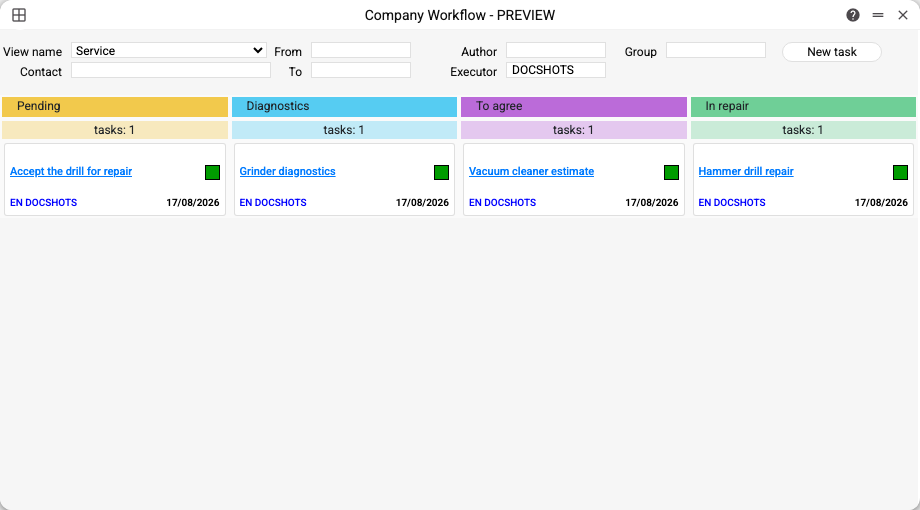
- View name — which board to show if the setting has several processes.
- Contact, Author, Executor, Group — filters; the value is picked from a list. On opening, Executor is you: the board shows only your tasks. Clear the field to see everyone's tasks.
- From / To — a period by the task's start date.
- Under each column header — how many tasks it holds.
A card shows the task name (a click opens it), the executors, the start date and a coloured square:
- red — the start date has already passed;
- yellow — today or tomorrow;
- green — later.
Completed tasks (with the Completed tick) are not shown on the board.
How to move work along
Drag a card to another column of the same process: the task's Type changes to that column's type, and the board refreshes. A card cannot be dragged into a column of another process.
New task opens an empty task card. For it to appear on the board, give it the type of one of the columns and an executor.
Example: a development process
The stages of team development — "Development request", "Development", "Testing", "Returned for rework", "Rejected tasks" — are set up as task types:
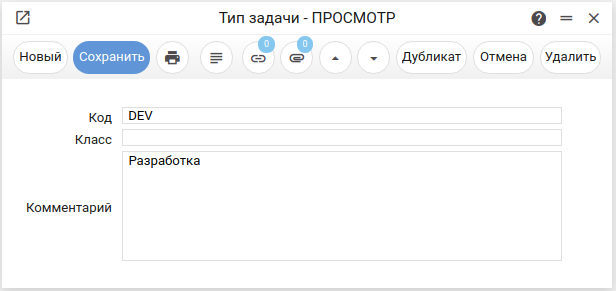
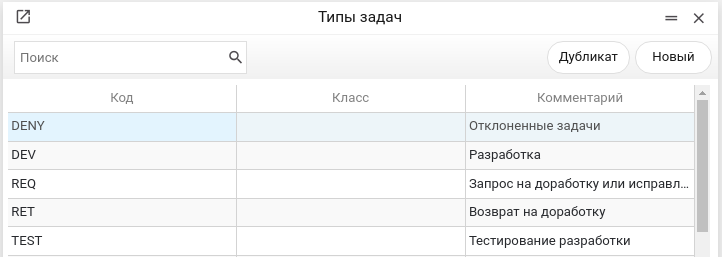
Then a "DEVELOPMENT" process with five columns, one per type, is created in the Company Workflow setting:
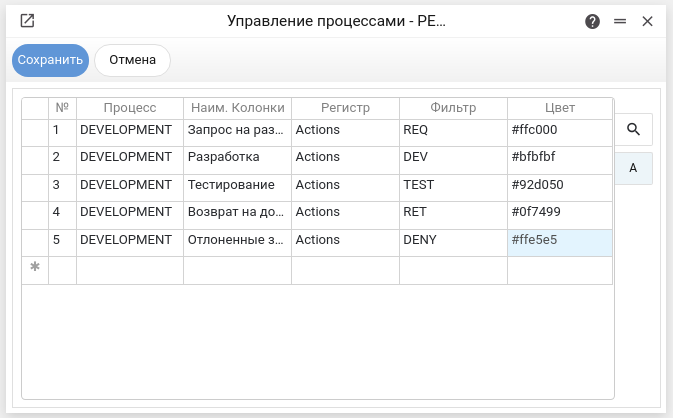
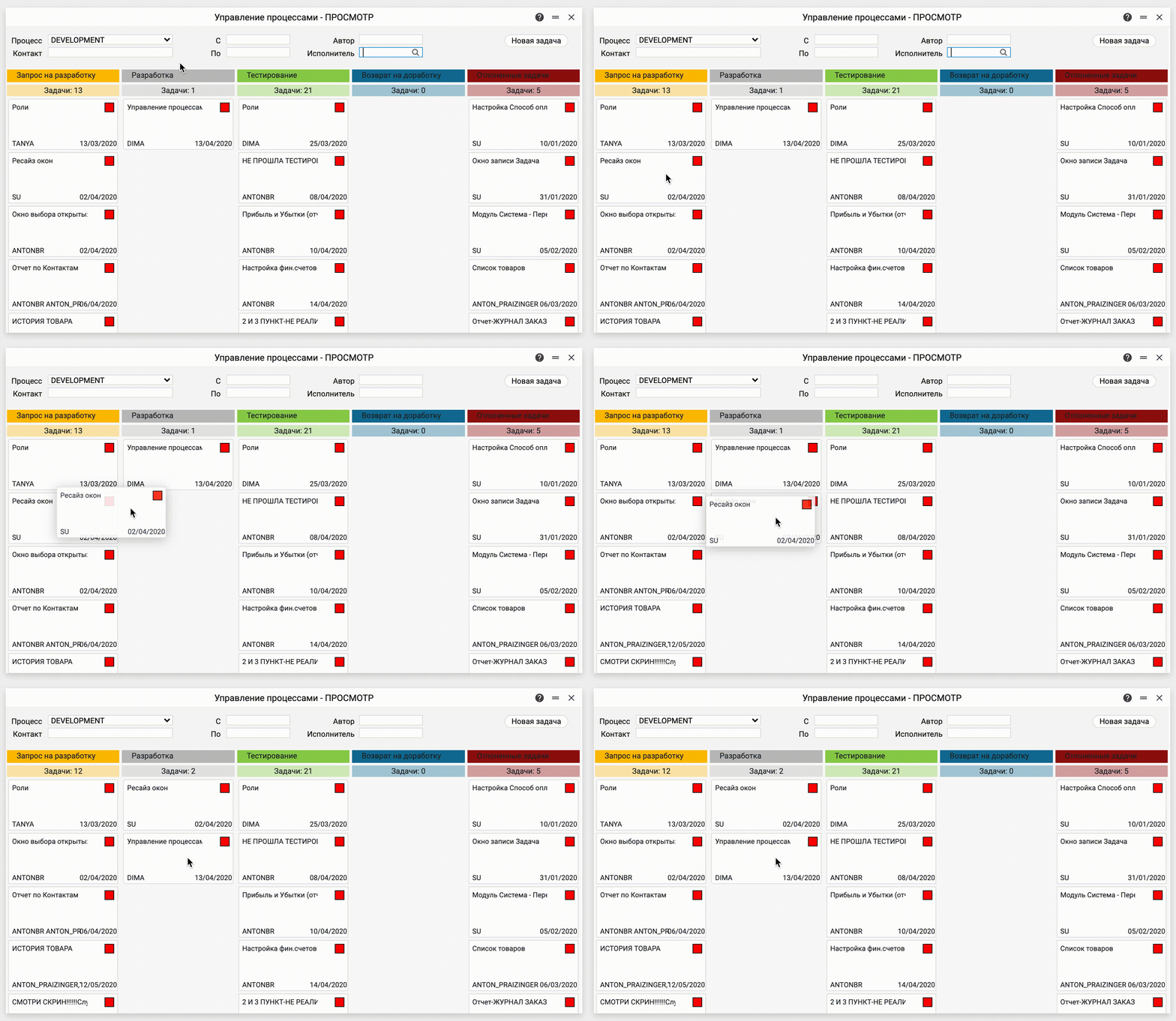
On the board tasks move from stage to stage by dragging — here from "Development request" to "Development":
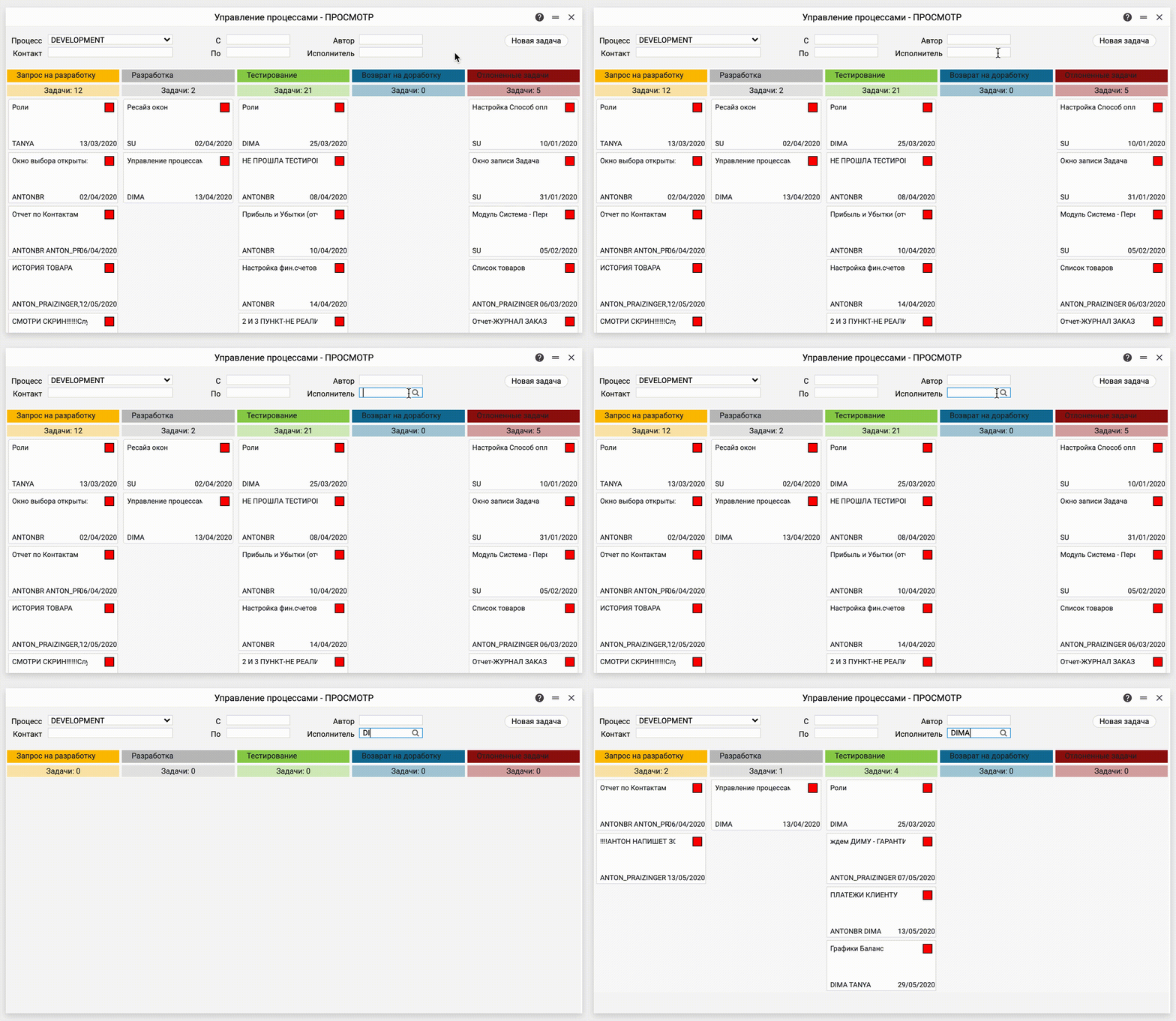
The executor filter leaves only that person's tasks on the board:
Typical situations
"Fill in the Company Workflow setting in the CRM module". The Company Workflow setting is not filled in yet — the board does not open without it.
The clock button is inactive. The role lacks the "Can open process manager" right.
A task is not on the board. Check in turn: whether Executor holds your login (while the task is someone else's); whether it is completed; whether its type is the type of one of this process's columns; whether its start date falls within From / To.
A card cannot be dragged into a column. The column belongs to another process: switch View name and work within one board.