NP Counterparties
The address book of your Nova Poshta cabinet: whom you have already shipped to and who may pay for delivery. Records are not entered by hand — they are brought in by the data download service from Nova Poshta itself. Creating an express waybill for a legal entity adds them too: if no recipient with that EDRPOU code is in the book yet, the system registers it in the Nova Poshta cabinet and writes it here.
Where to find it: Modules → Nova Poshta → Registers → NP Counterparties
What lives here are recipients and third parties — the counterparty types your Business Cabinet keeps. Senders live elsewhere: the "Get counterparty data" menu item pulls them straight into the cabinet card, onto its "Counterparties" tab.
Menu: Modules → Nova Poshta → Registers → NP Counterparties.
A worked example
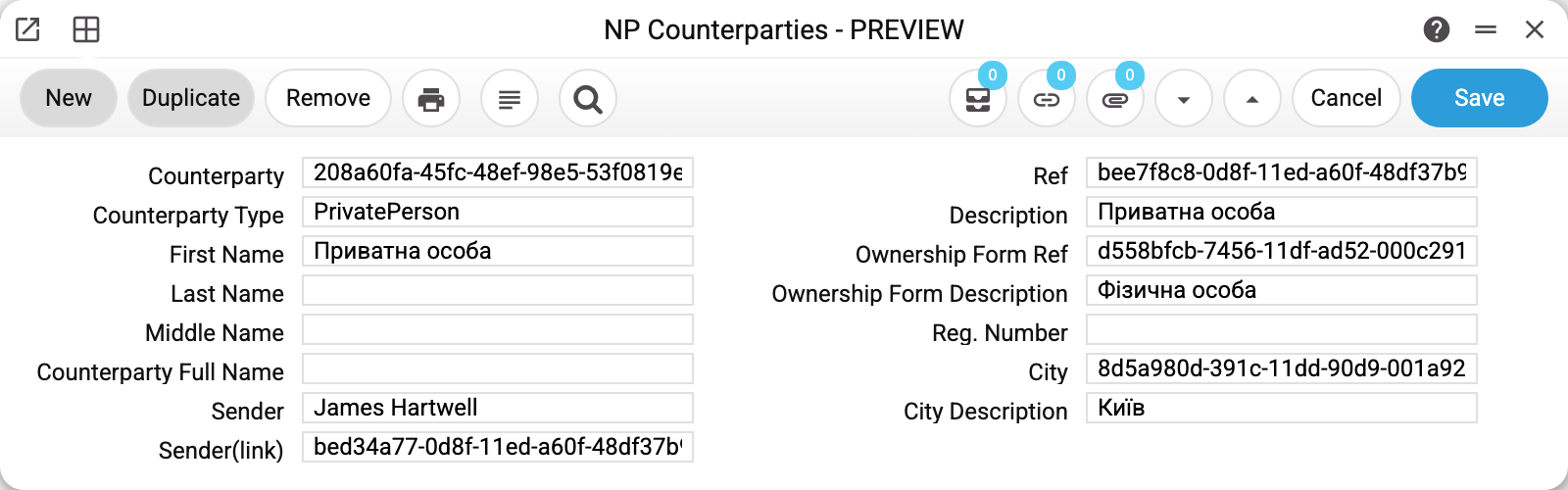
The demo record describes a private person: CounterpartyType PrivatePerson, Description and FirstName — "Приватна особа", OwnershipFormDescription — "Фізична особа", Reg. number empty (a private person has none), CityDescription — "Київ".
On the left, the Sender field reads "James Hartwell". That is not the recipient but a mark of origin: the record arrived under the cabinet whose sender is that person. With several cabinets in use, the list shows whose address book each row belongs to.
The fields holding long strings of letters and digits — Counterparty, Ref, OwnershipFormRef, City — are Nova Poshta's internal identifiers. They mean nothing to a human, yet they are exactly what the system quotes to the service when it creates a waybill.
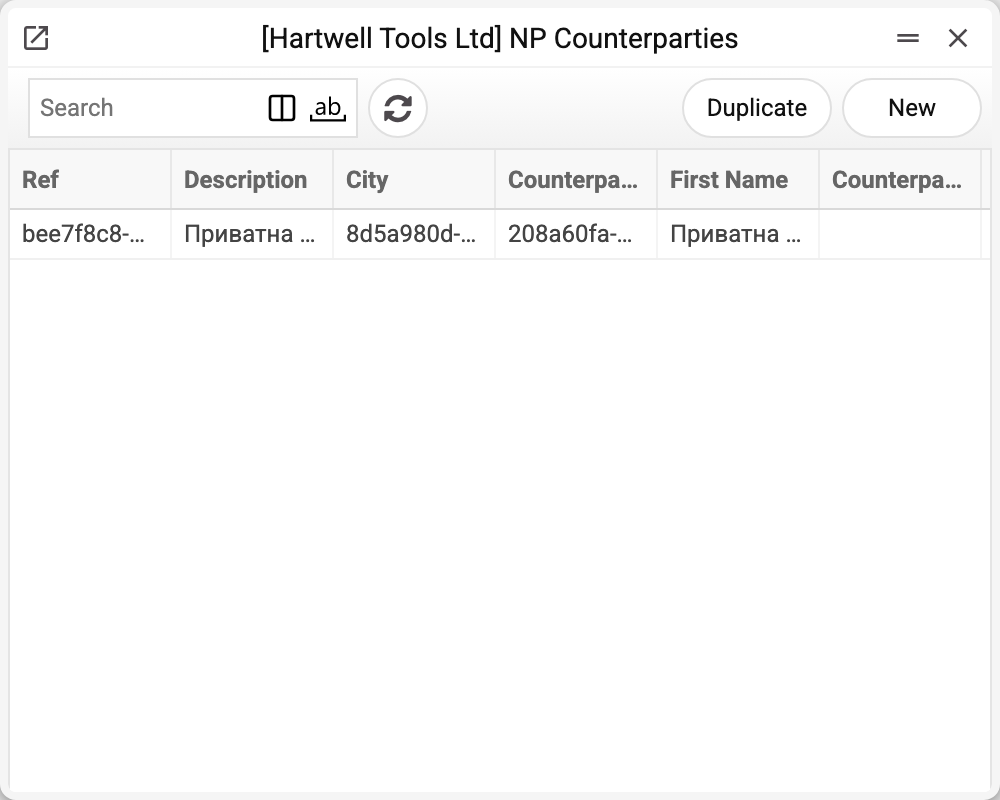
Where the data comes from
- The reference book is filled by the "Nova Poshta" service — either by a full run or by the dedicated "Download only Counterparties" checkbox.
- The service asks Nova Poshta for two counterparty types — recipients and third parties — and does so for every cabinet card in turn, page by page.
- The reference book is replaced as a whole within your company — but only when Nova Poshta has returned every page of every cabinet. Hand-made edits therefore disappear on the next successful run: this register mirrors the cabinet, it is not a place to keep your own data.
- Without a key in the first cabinet card the service does not start at all — it reports that the key must be set in the "Nova Poshta" register, even when other cards hold a key. Cards without a key are skipped while counterparties are loaded.
Fields
| Field | Description |
|---|---|
| Counterparty, Ref | Identifiers of the record in Nova Poshta |
| CounterpartyType | PrivatePerson or Organization |
| Description | How the counterparty is named in the cabinet |
| FirstName, LastName, MiddleName | Personal name for a private person |
| CounterpartyFullName | Full legal name of an organization |
| OwnershipFormRef, OwnershipFormDescription | Form of ownership (LLC, sole trader, private person) |
| Reg. number | Company registration code; empty for a private person |
| City, CityDescription | The counterparty's city |
| Sender, Sender(link) | Which cabinet card the record came from |
Print variables
Values available in this document's printed form templates. How to write a variable in a template — see Print Forms.
Header fields:
| Variable | What it holds |
|---|---|
| NPCounterp_Ref | Ref |
| NPCounterp_Description | Description |
| NPCounterp_City | City |
| NPCounterp_Counterparty | Counterparty |
| NPCounterp_FirstName | First Name |
| NPCounterp_LastName | Last Name |
| NPCounterp_MiddleName | Middle Name |
| NPCounterp_OwnershipFormRef | Ownership Form Ref |
| NPCounterp_OwnershipFormDescription | Ownership Form Description |
| NPCounterp_Sender | Sender |
| NPCounterp_Sender(link) | Nova Poshta sender link |
| NPCounterp_RegNumber | Reg. Number |
| NPCounterp_CounterpartyType | Counterparty Type |
| NPCounterp_CounterpartyFullName | Counterparty Full Name |
| NPCounterp_CityDescription | City Description |
Common situations
- The reference book is empty. First fill in the cabinet card with a key, then run the service — without a key there is nowhere to take the data from.
- Records changed after the service ran. That is by design: the service replaces the book with a fresh snapshot of the cabinet. If Nova Poshta refused or failed to return some page, the book stays as it was and the service warns which cabinet failed and why — simply run it again.
- There are a great many counterparties. Nova Poshta returns them in pages of one hundred; for a large cabinet the run is long, so it is better to launch it separately with "Download only Counterparties" rather than together with cities and branches.
- A recipient I have just shipped to is missing. The book is a snapshot of the cabinet as of the last download. New recipients appear only after the service runs again — except a legal entity the system has just registered itself while creating a waybill.
Nearby
- Nova Poshta — the cabinet card and its contact persons
- Nova Poshta data download — the service that fills this reference book
- NP Cities, NP Warehouses — the delivery address books
- NP Setting — the module switch and the default sender