Production Orders List
The question this report answers: what we planned to make over a period, and how much of it actually came out. The register shows orders one at a time; the report shows them all at once, with the ordered and the produced quantity side by side.
Where to find it: Modules → Production → Reports → Production Orders List
A worked example
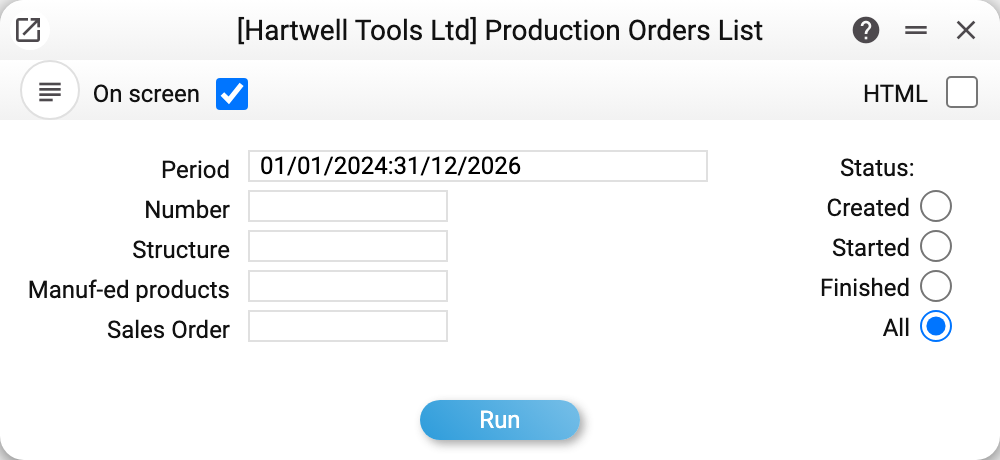
The parameters: Period and Status, while Number, Structure, Manuf-ed products and Sales Order narrow the selection. Sales Order finds the orders created from that sales order; with it, as with Number, the period is ignored.
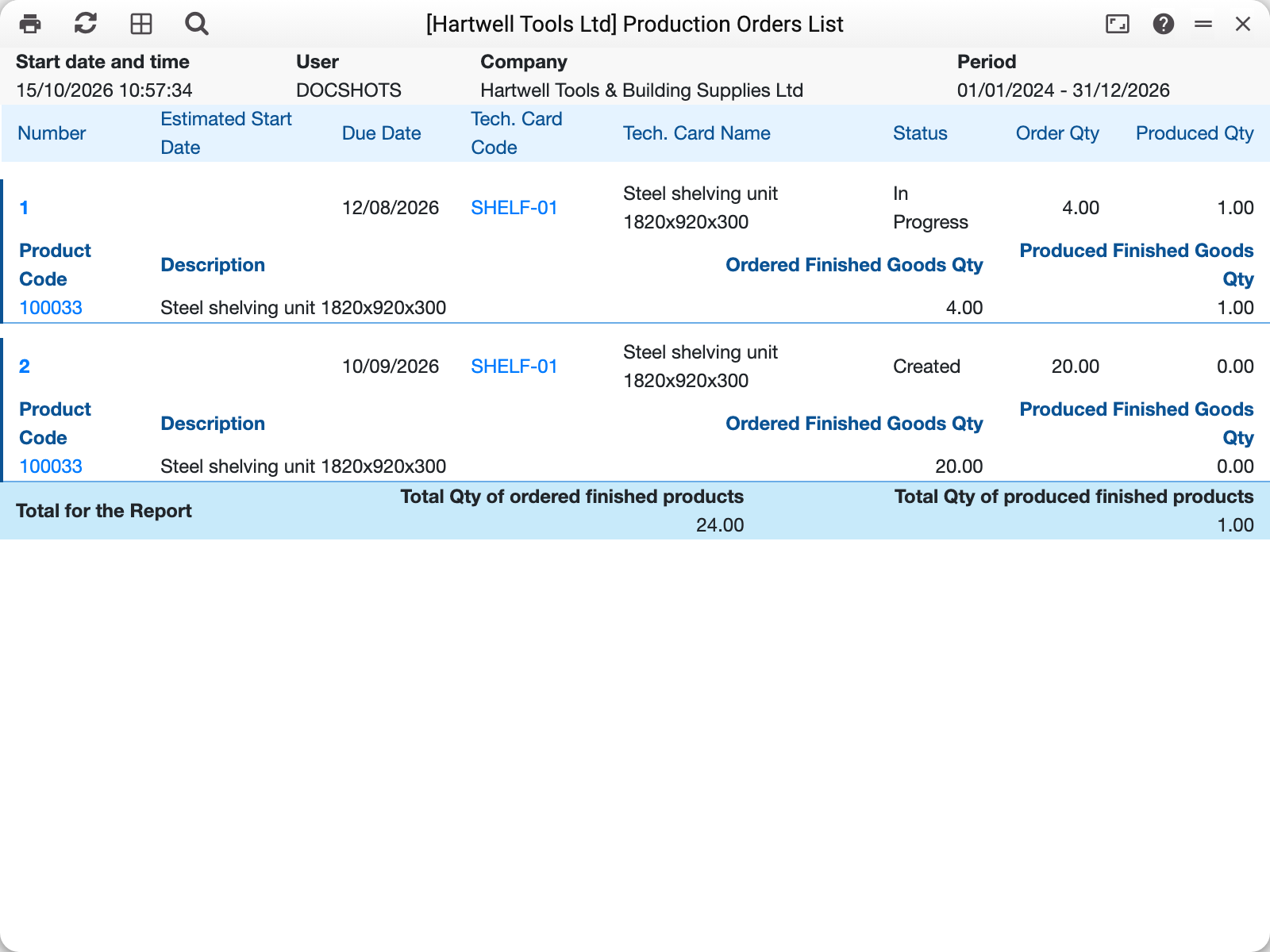
Over 2024–2026 the demo company has two orders:
| No. | Structure | Status | Order qty | Produced qty |
|---|---|---|---|---|
| 1 | SHELF-01 | In Progress | 4.00 | 1.00 |
| 2 | SHELF-01 | Created | 20.00 | 0.00 |
Under each order sits the finished-goods breakdown: code, description, ordered and produced. The footer totals it: 24.00 ordered, 1.00 produced.
The first line is the whole point of the report: the order is running, but one unit out of four is done. The second is a plan for twenty that nobody has started.
Reading the figures
The last two columns are plan and fact: the produced figure comes from the finished production documents booked against the order (a finished disassembly reduces it), not from anything typed into the header. The order's status follows the production documents too and is not set by hand: "Started" as soon as there is a started or finished production, "Finished" when exactly the ordered quantity has been produced (a disassembly reduces the output). So the gap between the columns of a "Started" order is the part of the plan not done yet.
The footer gives the same picture for the whole period: 24 ordered against 1 produced.
Typical situations
The report is empty. The period filters by the date that matches the chosen status: "Created" and "All" — by creation date, "Started" — by start date, "Finished" — by finish date. An order number lifts the period limit, while a structure only adds a condition to it.
What is happening with production for a sales order. The "Sales Order" field selects the orders created from that sales order with "Create Production Orders" and, like an order number, lifts the period limit. From the sales order itself the report is opened by "Production status" — the number is already filled in; likewise from a production order card, by "Production Order Status". The "Due Date" column shows the date by which each order must be done.
Only the open ones are wanted. Use the status filter: "Created" — not started, "Started" — under way.
Filtering by "Manuf-ed products". The report keeps the orders in which that item is a finished product, and the footer total counts only those. Before 01.11.2026 the filter also caught orders where the item was only consumed as a material, and the total added up all orders found, even those not shown.
More produced than ordered. That happens when several production documents were booked against one order. The report shows the actual sum — not an error, but a reason to check the link.
Where to look next
- Product orders — the document this report consolidates.
- Productions list — the same story from the fact side.
- Product orders deficit — whether the materials cover the plan.