Company Workflow
The setup of the board where tasks are laid out in columns — like sticky notes on a wall. A column = a task type, and dragging a card from one column to another changes the task type: that is how the work is moved along.
Where to find it: Modules → CRM → Settings → Company Workflow
A worked example
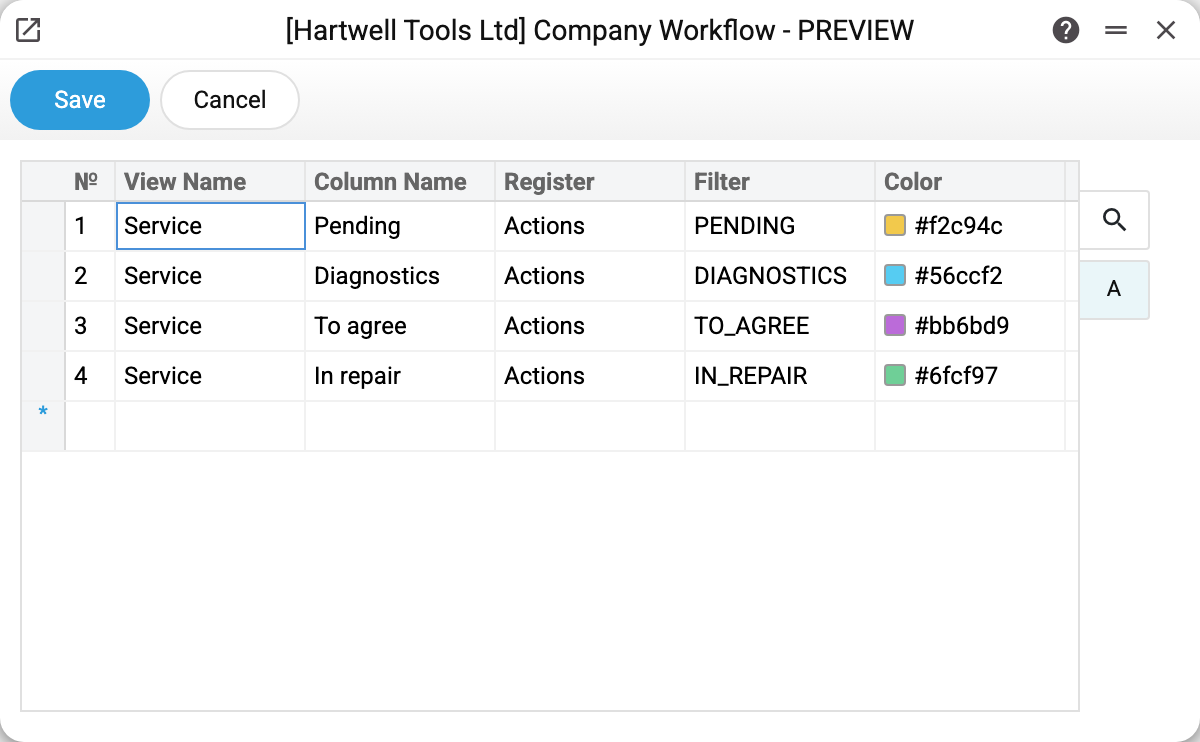
Every matrix row is one column:
| Field | What it sets |
|---|---|
| Process | The name of the view. Rows sharing a process make up one board; the window switches between processes with a drop-down |
| Column name | The heading of the column on the board |
| Register | Where the cards come from (usually Actions — tasks) |
| Filter | The code of the task type: tasks of this type land in the column |
| Colour | The fill of the column heading |
In the example the «Service» process is made of four repair states: pending → diagnostics → to agree → in repair.
How it looks in use
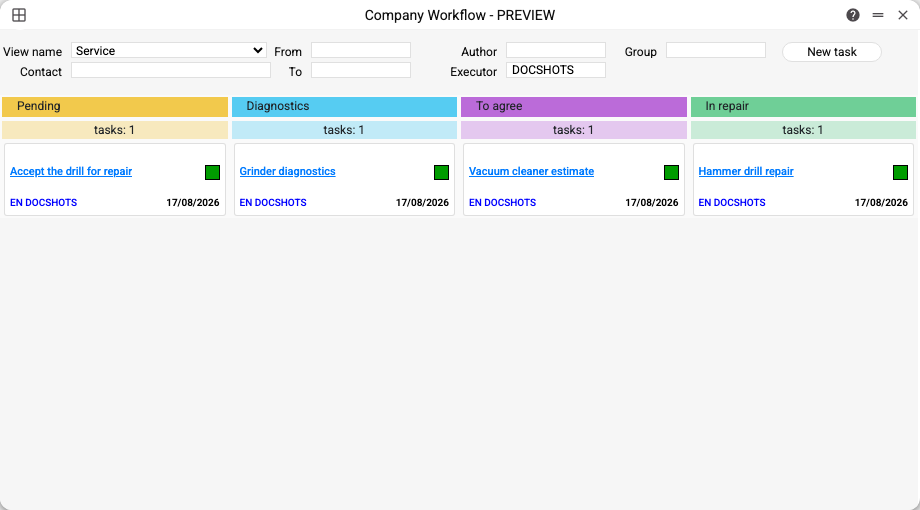
The board opens with the clock button in the top bar. Above are the filters: process, contact, period, author, executor and task group; the «New task» button opens an empty task card — you pick a column's type for it yourself. Details are in the board article.
Under each column heading is a task counter, below it the cards with the name, executors and date.
What is checked on saving
Every field of a row must be filled: process, column name, register, filter and colour. Otherwise — «Record №N filled incorrectly».
The «process + filter + register» triple is unique: two identical columns in one process are rejected — «Records №1 and №2 have the same name and filter».
The task type in the filter must exist: if the code is not in the register, saving stops with «Action type "X" does not exist».
Typical situations
The board button in the top bar is inactive. That is a permission: the user's role denies the action «Can open process manager» — by its own row or, when there is none, by the action row with an empty «for», with a code other than «Full access» or «run only (for action permission)». The button is also inactive when the user card names a role that no longer exists. Only when the role has neither of these two rows is the action allowed.
The board opened empty. Check the «Executor» filter: it defaults to the current user, so other people's tasks are hidden. The second reason is columns pointing at types no task uses.
I dragged a card and the task type changed. That is by design: the board does not merely show the work, it drives it.