Barcodes
The item card has a "Barcode" field — exactly one. In real life the same product carries several different codes: the manufacturer's on the packaging, the warehouse's own on the box, another one on a pallet or on a pack of ten. This register holds all those additional barcodes, each pointing at its item.
Where to find it: Modules → Stock → Registers → Barcodes
A worked example
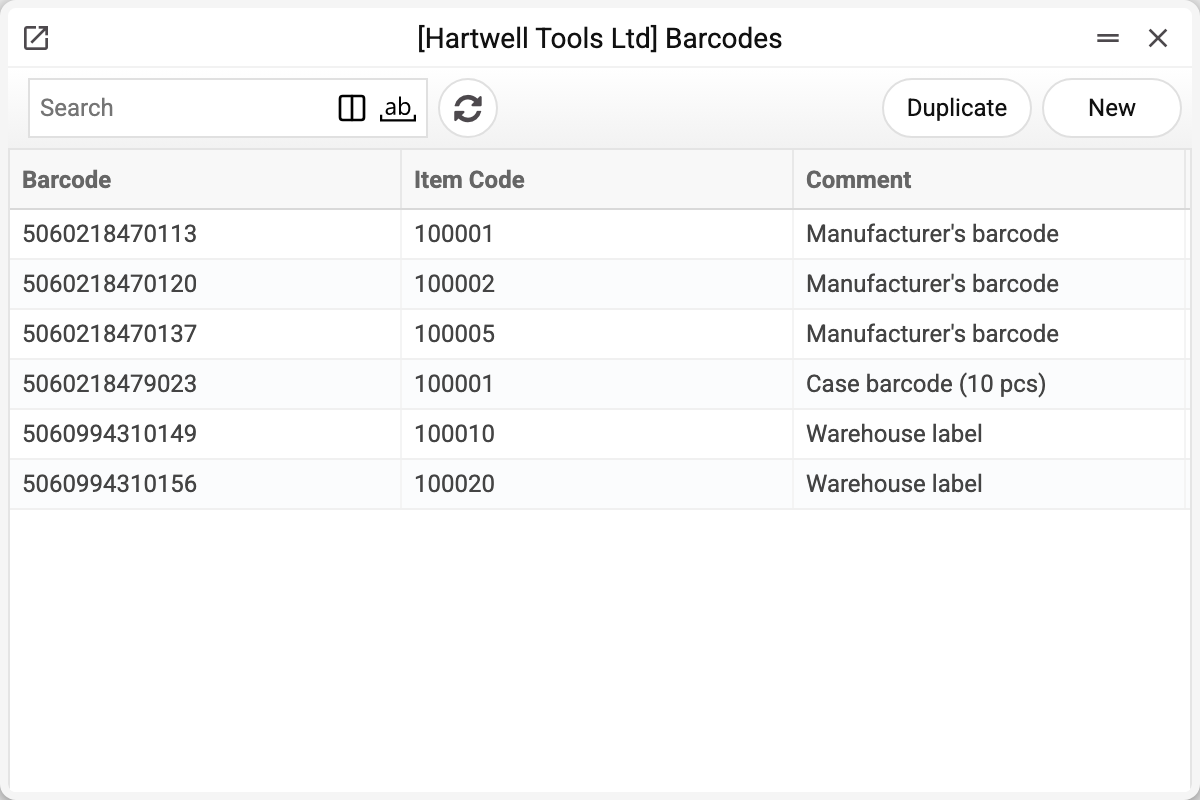
Six entries, and two of them lead to the same item 100001 — the drill from the item card example:
| Barcode | Item | Comment |
|---|---|---|
| 5060218470113 | 100001 | Manufacturer's barcode |
| 5060218479023 | 100001 | Case barcode (10 pcs) |
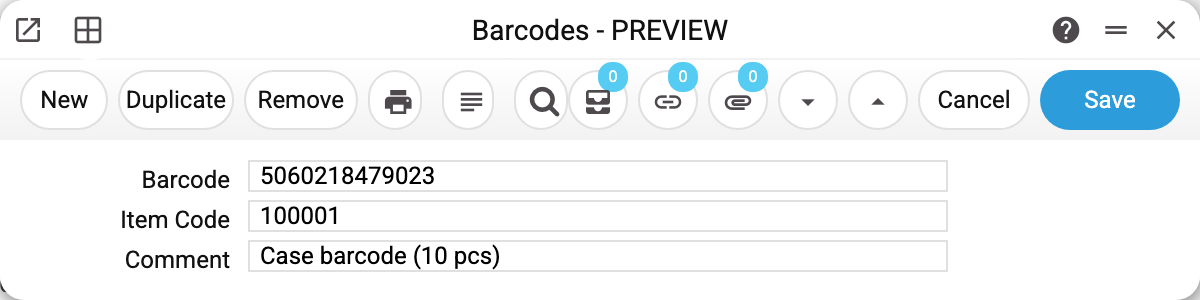
The card has just three fields: barcode, item code and comment. The comment tells the storekeeper where the code came from. When you pick the item, the system puts its name into the comment — rewrite it if the code needs explaining. Nothing is posted from the comment, but without it nobody will remember a year later how the warehouse label differs from the factory one.
What the system does
When a code is typed or scanned into a document line, the search runs in order:
- the item code;
- the barcode on the item card;
- the alt. code;
- this register — once an entry is found here, the item it points to goes into the line.
So a scanner recognises the drill equally well by the factory code and by the case code — item 100001 ends up in the document either way.
The register works in the rows of almost every document with items — among them sales orders, invoices, purchase orders, goods receipts, stock movements, stocktakes, stock depreciations, contracts — and at the POS till. Contracts search in their own way: they skip the alt. code (item code → card barcode → this register).
Typical situations
A barcode is unique. The same code cannot be attached to two items — the scanner would not know which one to use. One item, on the other hand, may carry as many codes as needed.
The item must exist. The system checks the item code on save: with no such card, the entry is not stored.
The item card will not delete. Barcodes are one of the reasons: while a single entry in this register still points at the item, its card cannot be deleted. Remove the barcodes first.
A case and a piece are not two items. If a box of ten is sold as one line at its own price, that is a separate card. If the box is simply opened and sold piece by piece, there is one item and the case barcode is a second entry in this register.
Where to look next
- Items/Services — the card's primary barcode;
- Sales orders, goods receipts — where scanning works;
- Items Labels — where the warehouse's own labels come from.