VAT invoices received
The register of VAT invoices issued to us by suppliers. The document has a single purpose: to confirm the input VAT credit we have already accrued through an invoice or an advance.
Where to find it: Modules → Purchase Ledger → Registers → VAT invoices received
Why it is entered
When you approve a vendor invoice or pay an advance, the system books the VAT to the unconfirmed input VAT credit account (6442). That is the state of "the right to the credit exists, the paperwork does not".
The paperwork is the supplier's VAT invoice registered with the tax authority. Once it arrives, it is entered here and approved. Approval moves the amount from the unconfirmed credit to VAT settlements — the right becomes confirmed.
A worked example
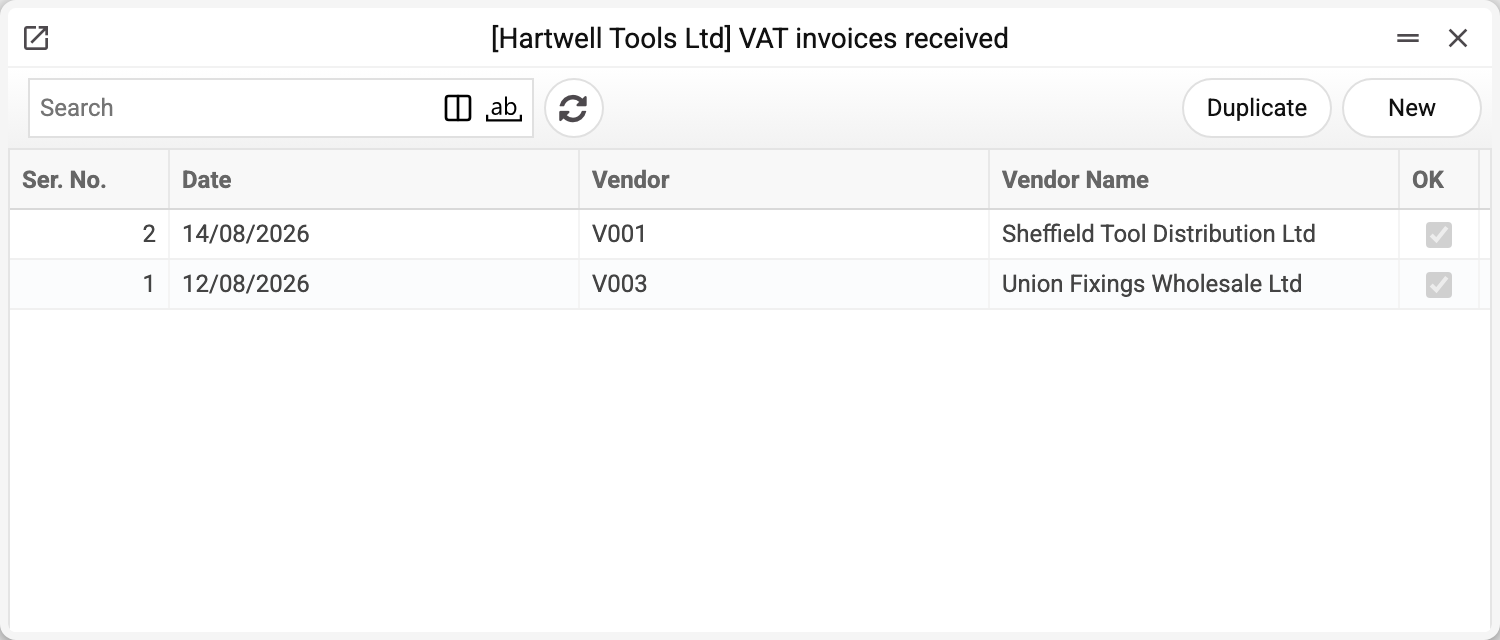
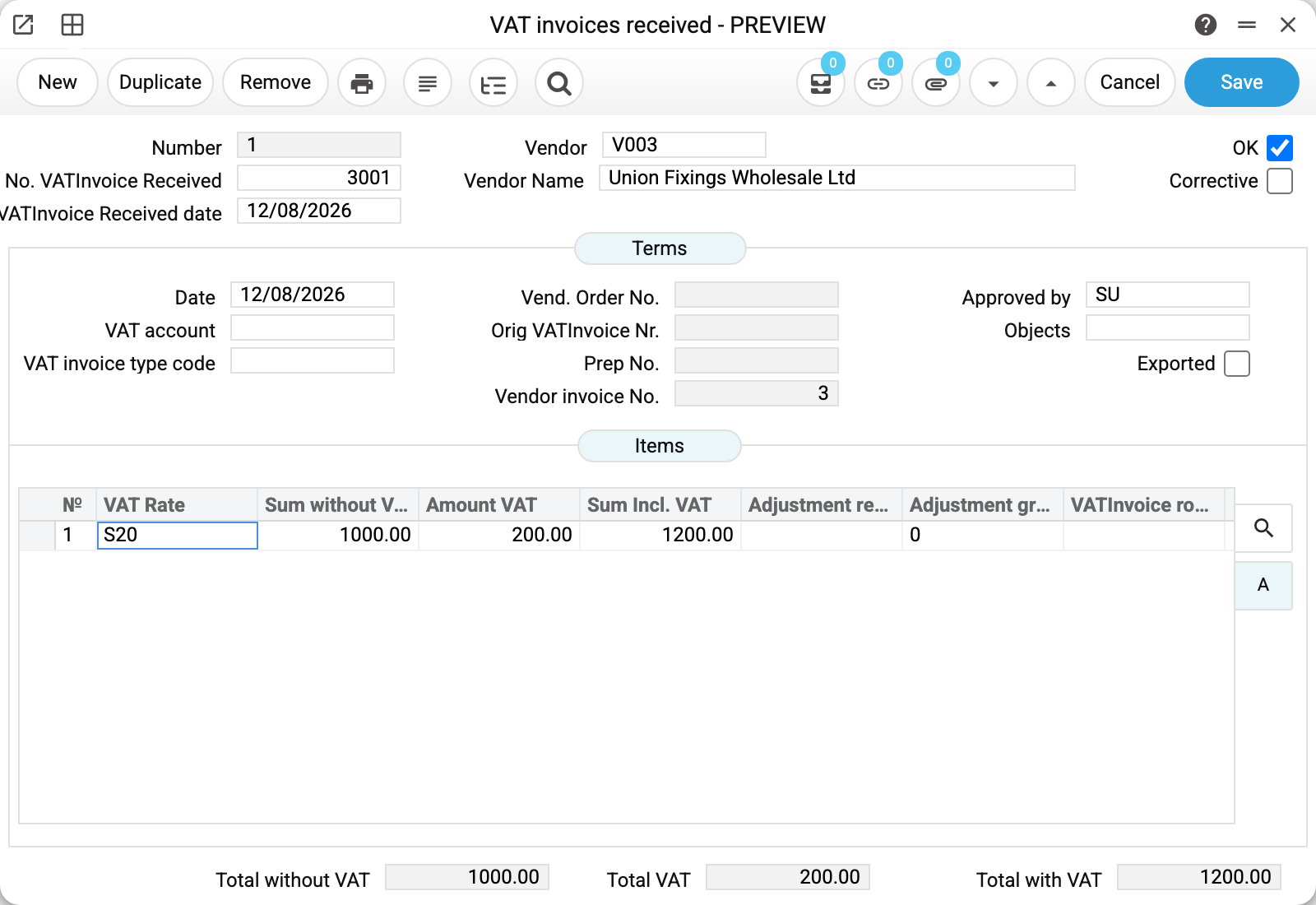
The top row holds our internal number (1) next to the supplier document's details: "No. VATInvoice Received" 3001 and the date 12/08/2026. Then the supplier's code and name.
On the "Terms" tab sits the key link field: "Vendor invoice No." = 3. That is the vendor invoice the VAT invoice was issued against. When the document arrives for an advance instead, "Prep No." is filled in — the prepayment number from the payment to the supplier.
Below it the "Items" table holds one line per VAT rate. The example has a single line at rate S20: 1 000,00 without VAT, 200,00 VAT, 1 200,00 in total — exactly the amount of invoice 3. The line totals are collected into the three fields at the bottom of the window.
What approval does
Approval (OK) creates one pair of postings per table line:
| Debit | Credit | Amount |
|---|---|---|
| 6412 "VAT settlements" | 6442 "Unconfirmed input VAT credit" | line VAT |
The accounts come from the VAT rates reference — the "VAT" (debit) and "Tax credit not confirmed" (credit) columns of the rate used on the line. If either is blank in that rate and the line VAT is not zero, the invoice will not post: "VAT code … has no account "…": the VAT row of the document cannot be posted" — fill the account in for the rate in Settings → VAT. A line with zero VAT makes no posting.
The resulting transaction can be viewed without leaving the document — the "Open NL transaction" button in the window's top menu.
A posted invoice is locked — in the window, through the API and for the AI agent: only the "Exported" flag can be changed. Any other change is refused with "A posted document cannot be edited!" — remove OK first (needs the "Can remove OK" right), correct and post again.
Corrective invoice
The "Corrective" checkbox marks an adjustment calculation — the document by which a supplier amends a VAT invoice issued earlier. There is no need to build it by hand: open the approved supplier credit note and choose "Create VAT invoice" in the window menu — the system fills a corrective invoice against the VAT invoice of the original invoice, or against the one issued for a prepayment on that invoice. If neither is found, the refusal "VAT invoice not found for this invoice" comes back.
Common situations
It will not save: "VAT rate is required". No rate is selected on the table line — without it the system does not know which accounts to use in the posting.
The line VAT differs from the supplier's invoice. The VAT amount and the gross amount of a line are always derived from "Sum without VAT" at the line's rate — when the rate is entered, when the net amount is edited and even when the VAT or gross amount itself is edited: a value typed by hand goes back to the calculated one. So check the net amount and the rate against the paper — the VAT follows from them.
The invoice is entered but the credit is still unconfirmed. Check the OK flag: an unapproved document creates no postings. A link to a vendor invoice or a prepayment does not affect the posting — it only links the documents. If the invoice is approved and the unconfirmed credit balance is still there, compare the rates: the posting takes the VAT off the account in the "Tax credit not confirmed" column of the invoice line's VAT rate, while the vendor invoice and the advance booked it to the accounts of their own lines' rates.
The supplier sent an invoice for more than the order. Enter it as it is: the document records what was registered with the tax authority. A discrepancy is a reason to query the invoice, not to "adjust" the VAT document.