Base Currency
The shortest setting in the Nominal Ledger module — and one of the most important: the currency the books are kept in. All postings, balances and reports are computed in it; amounts in other currencies are converted to base at the exchange rate of the operation date, with the currency amount stored alongside for reference.
Where to find it: Modules → Nominal Ledger → Settings → Base Currency
Walkthrough
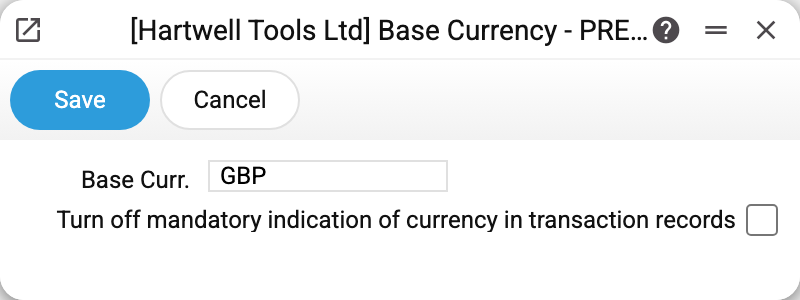
- Base Curr. — GBP in the demo database: a code from the currency register.
- The "turn off mandatory currency in transaction records" checkbox — off by default, so manual postings in Transactions require a currency on every row. The flag relaxes the rule: rows without a currency are treated as base.
Common situations
Changing the base currency mid-year. Do not do this on a live database: the setting does not recalculate accumulated postings — all prior bookkeeping stays "in old units" and reports mix incomparable numbers. The base currency is chosen once, when bookkeeping starts.
Invoice in a foreign currency, reports in base. That is how it works: the document stores the currency amount and the rate, while the books receive the base-currency conversion. The currency breakdown is visible in the Ledger report ("In currency") and the currency columns of the Trial balance.
"Field "Currency" is required!" in a manual posting. That is the default behaviour — either set the row's currency (base included) or enable the checkbox in this window.