Customs clearance status report
An import consignment accumulates costs: the supplier's invoice in foreign currency, duty, VAT, the broker's fee, freight. While all of that sits in separate documents, nobody can tell what the goods actually cost.
Where to find it: Modules → Stock → Reports → Customs clearance status report
This report gathers one consignment onto one page: what was ordered, what was paid to customs, which additional costs appeared — and what the resulting unit cost is.
A worked example
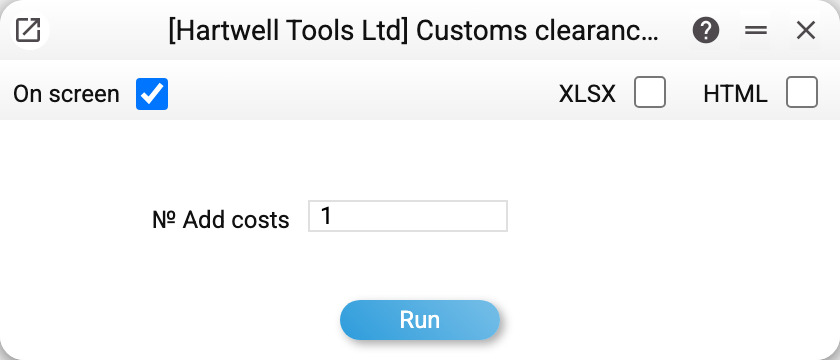
There is a single, mandatory parameter — № Add costs, the number of the Add Costs document used for the clearance. The report always covers one consignment.
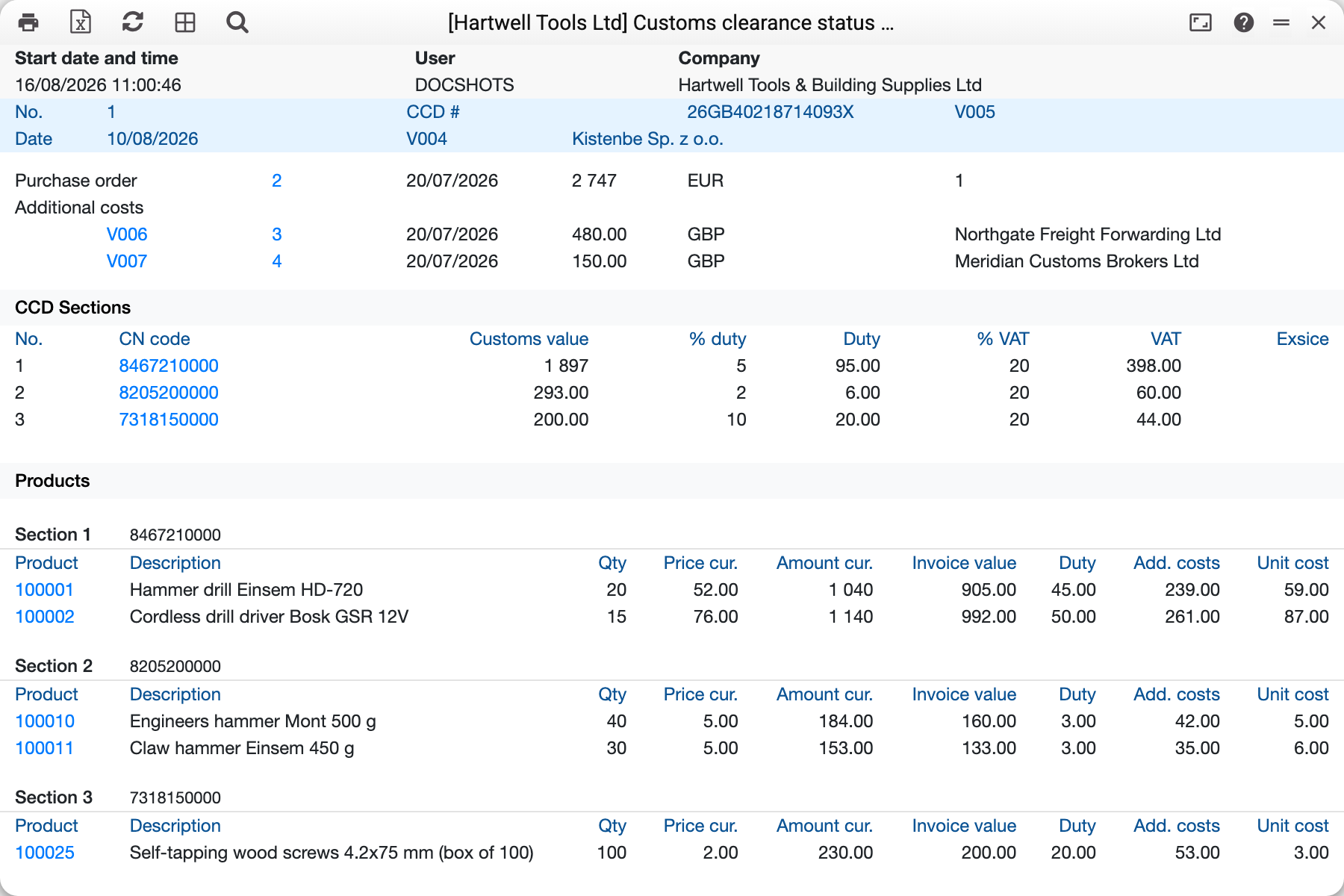
Document No. 1 of 10/08/2026, CCD 26GB40218714093X, customs office V005, supplier V004 (Kistenbe Sp. z o.o.).
Three blocks follow.
The basis. Purchase order No. 2 of 20/07/2026 for 2 747 EUR and the "Additional costs" block — purchase orders for services listed on the document: No. 3 for 480.00 GBP from Northgate Freight Forwarding (freight) and No. 4 for 150.00 GBP from Meridian Customs Brokers. If a prepayment was paid against the order, a "Payments" block comes above it.
CCD sections. The declaration is split into sections by CN code, each with its own rates:
| No. | CN code | Customs value | % duty | Duty | % VAT | VAT |
|---|---|---|---|---|---|---|
| 1 | 8467210000 | 1 897 | 5 | 95.00 | 20 | 398.00 |
| 2 | 8205200000 | 293.00 | 2 | 6.00 | 20 | 60.00 |
| 3 | 7318150000 | 200.00 | 10 | 20.00 | 20 | 44.00 |
Products. Every section expands into its goods, and the line shows the whole journey of the price: quantity, price in currency, amount in currency, invoice value in base currency, duty, the share of additional costs allocated to that line, and the unit cost. A drill bought at 52.00 ends up costing 59.00 per unit after duty and freight.
What the system calculates
- Invoice value — the currency amount converted at the rate chosen by the receipts currency rate setting;
- Duty and VAT — at the rates of the CCD section, that is by CN code rather than by item card;
- Additional costs are spread across the lines in proportion to cost or to quantity — as set on the cost line ("Method of distribution of the sum");
- Unit cost = invoice value + duty + excise + share of costs (plus VAT if the company is not a VAT payer), divided by quantity. This is the figure that lands in the goods receipt and from there in stock accounting.
The report compares its own calculation with the total recorded on the document and flags a final unit cost mismatch separately. The invoice part of its own calculation is taken from this clearance's lines (the same amount in currency the document itself calculates from), at the rate from the setting; the sections' duty and excise are part of it, as they are of the document total, and since 01.11.2026 excise has its own row in the calculation. So a mismatch means the document was edited after the calculation, or the setting takes the order's rate while the document uses its own. Before 01.11.2026 the report took the whole order amount, and a clearance of only part of the order always showed the mismatch.
Typical situations
"Customs clearance not found!". The field expects the number of an Add Costs document, not of an order or a receipt. With the field empty the window does not run the report: "Select 'Add costs' document!" (a request via API/MCP without a number gets a refusal pointing at the field).
No excise column. It appears only when the document contains excisable lines.
Unit cost differs from the goods receipt. Compare the rate: with "From Vendor Order" selected in the setting, the receipt inherits the order's rate rather than the rate of the day.
Where to look next
- Add Costs — the clearance document this report grows from.
- CN codes — the register that drives the rates.
- Items receipts currency rate — the rate at which imports are booked.