Fixed assets report
A dossier on one fixed asset: what it is worth now, and which documents brought it to that state.
Where to find it: Modules → Fixed Assets → Reports → Fixed assets report
A worked example
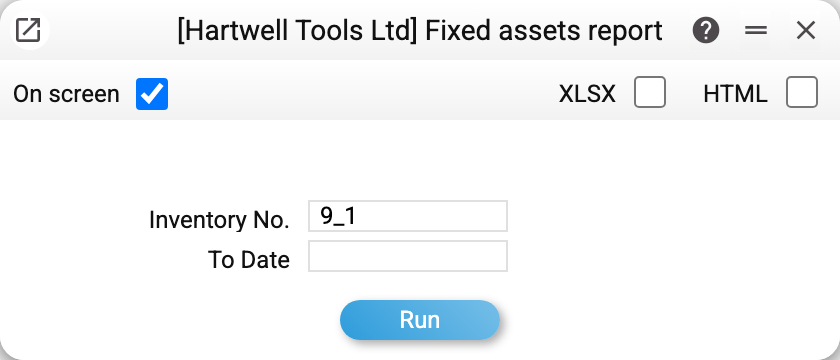
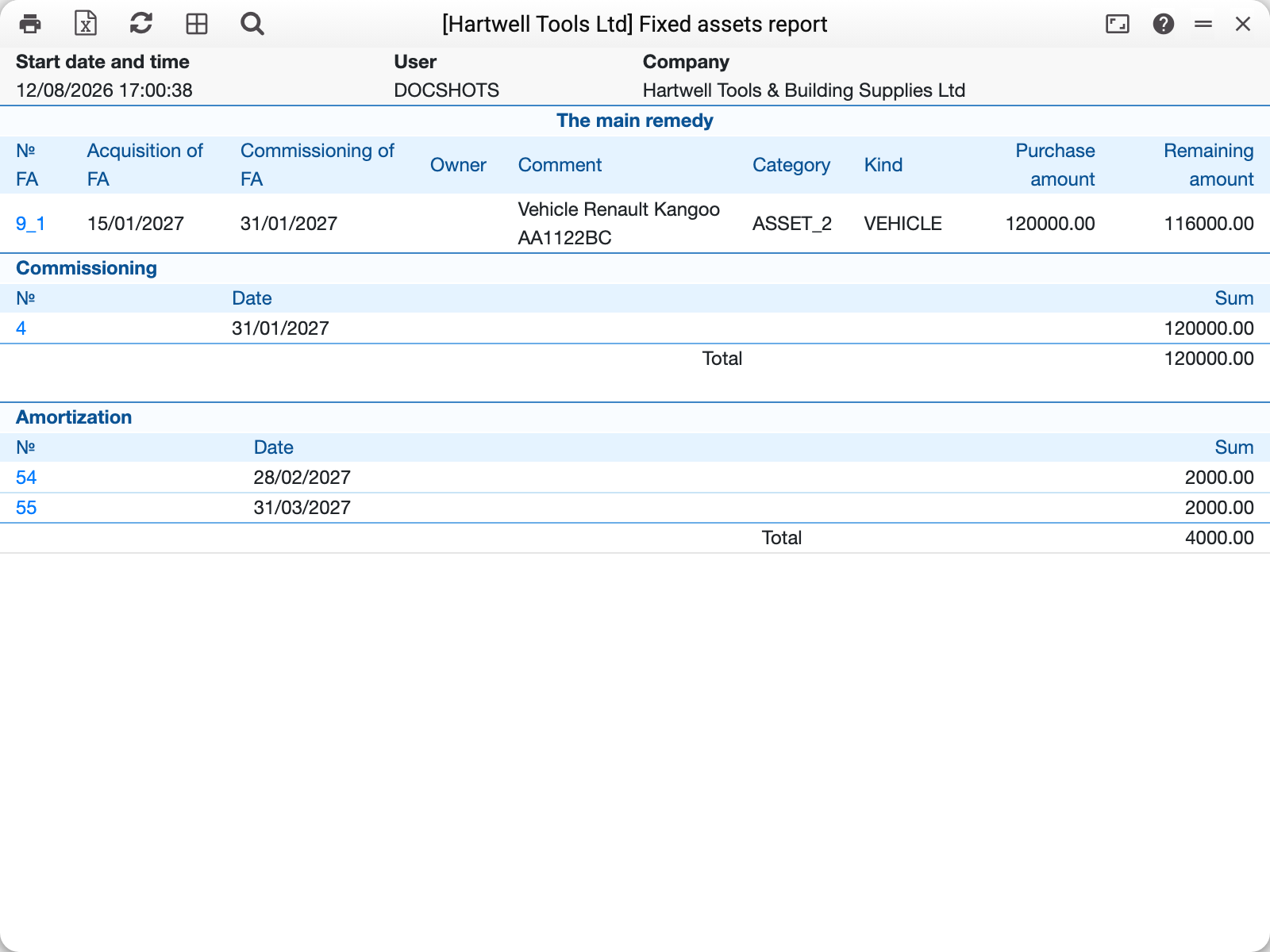
Two parameters: the inventory number and "To Date". Without a number the report shows the dossier of every asset in turn; with a date, only assets that by then were already acquired, put into service, or have a commissioning or depreciation posting, and documents dated no later than it. That is the same set of assets as in the depreciation sheet, plus assets acquired but not yet put into service. Before 01.11.2026 the report used only the acquisition date: an asset without one, or put into service before its acquisition date, dropped out together with its commissioning and depreciation. The report is made of blocks that read together as the asset's biography:
- Fixed asset — the passport: acquisition and commissioning dates, category, type, purchase amount and residual amount. The purchase amount is the whole card's: unit price × quantity (before 05.10.2026 it showed the price of one piece, and for a card with quantity above 1 the arithmetic below did not add up).
- Commissioning — the document covering the full purchase amount.
- Depreciation — the monthly charges with a total.
- Sale and Write-off — only for an asset that left through a disposal act: the act number, its date and the value disposed of.
The arithmetic checks out in front of you: purchase amount minus accumulated wear gives the residual. That is what makes this report good for verification — you need not take the total on trust, every step is visible.
Once an asset has been disposed of, the residual follows the same rule as the depreciation sheet: purchase amount minus wear (less the wear written off by disposal acts) and minus the value disposed of, whether sold or written off. An asset disposed of in full has a residual of 0. Before 11.10.2026 the report did not subtract the disposal and showed such an asset "purchase amount − wear", while the sheet showed 0.
When you need it
- Doubt about the residual value. You can see exactly which charges produced it.
- A check before sale or write-off. It is immediately clear whether the asset was commissioned and how much it has already borne.
- Investigating an error. The document numbers are links to the individual charges.
Typical situations
There is no depreciation block. No charges have been run yet (or "To Date" is earlier than the first one), or the asset has only just been commissioned. The report does not show a block without a single row — the same goes for the other blocks.
No commissioning block. The report shows commissioning and charges of model 1 only. No block means the asset was not commissioned under model 1 (or "To Date" is earlier than the commissioning). The service charges model 1 depreciation only on a card with a model 1 commissioning date ("Used with"); the commissioning sets that date (or it was typed into the card by hand — then there will be charges but no commissioning block). An asset commissioned under model 2 only is still depreciated under that model, though this report shows neither its commissioning nor its model 2 charges: you will find them in the depreciation sheet when "Model 2" is selected in the Assets Setting.
The last charge was wrong. It can be reversed with a dedicated service.
Where to look next
- Depreciation sheet — the same across all assets at once.
- Remove last depreciation and delete commissioning — fixing mistakes.