Create transactions from simulations
The maintenance that turns matured simulation rows into real transactions. A simulation is only a dated plan; until this maintenance runs, the balance knows nothing about it. The run is the very moment "deferred expenses" become expenses of the current period.
Where to find it: Modules → Nominal Ledger → Maintenances → Create transactions from simulations
Walkthrough
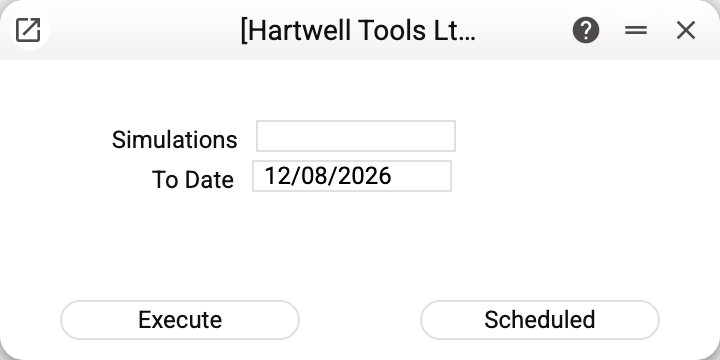
Two fields:
- Simulations — numbers separated by commas. Empty — every simulation in the database is processed.
- To Date — the maturity boundary: rows dated no later than this are submitted. Defaults to today.
The "Execute" button runs the processing once; "Scheduled" puts the maintenance on the scheduler (see Cron Tasks) so portions submit themselves (nightly, for example).
In the demo the maintenance ran with simulation 1 and the date 31/05/2027: of the subscription's three portions (10/04, 10/05, 10/06) the first two had matured — transactions No. 2 and No. 3 appeared, each "Dr 921 / Cr 39" for 2 999.70, and their simulation rows switched to "Submitted". The June portion stayed "Active" and waits for the next run.
How the maintenance groups transactions
Rows of one simulation with the SAME date go into one transaction, wherever they stand in the matrix; a new date starts a new transaction. A date whose debit does not equal its credit is not posted: its rows stay "Active", and the maintenance summary warns "Not posted, debit does not equal credit: …", listing each such date as "simulation … on … (debit …, credit …)". Debit and credit are compared as they will be written into the transaction — with the company's rounding (Rounding): with three decimals 1.004 and 1.001 are different amounts, with zero decimals 1.40 + 1.40 is 1 + 1. That is why the "Dr 921 / Cr 39" pair of 10/04 became one record and the 10/05 pair another. The created records carry the "N/L Accrual" type, their numbers continue that type's own sequence, and the links to the simulation are visible through the links icon on both sides.
A date in a closed period is not posted either: if the "Transactions, Forward balances" lock in Closing changes is set to that date or later, its rows stay "Active", no transaction number is used up, and the summary warns "Not posted, the period is closed: simulation … on …". Users listed in "Unlock: Transactions, Forward balances" post closed dates as well.
Submitted rows are never touched again — re-running with the same date duplicates nothing. That is what makes it safe to keep the maintenance on a schedule.
Common situations
Ran it — nothing was created. Either no "Active" row falls within the date (everything is already submitted or not yet mature), or the "Simulations" field names the wrong number.
Submitted too early — the portion was meant for later. Delete the created transaction (allowed for the "N/L Accrual" type) and set the simulation row's status back to "Active" — the next run will pick the portion up. Editing the date or the amount does not change the status by itself: only choosing the account in the row resets it. That is deliberate — otherwise any edit of a row already submitted would submit its portion a second time.
A refusal about a register shared from another company. If your company uses simulations, transactions or document links shared from another company, the service refuses and names the register: portions of shared simulations are posted only by the company that owns them, under its own numbering.
Want the portions to write themselves off. The "Scheduled" button. The schedule does not repeat the date from the window: every run puts its own day into "To Date", so every portion goes through on its day.