Production statistics
The shortest report in the module. It answers one question: how many units of each product were made over a period, and by whom. No component breakdown and no cost — just the count. The exception is the report with an item filter: then it also shows the cost and amount for that item (see below).
Where to find it: Modules → Production → Reports → Production statistics
A worked example
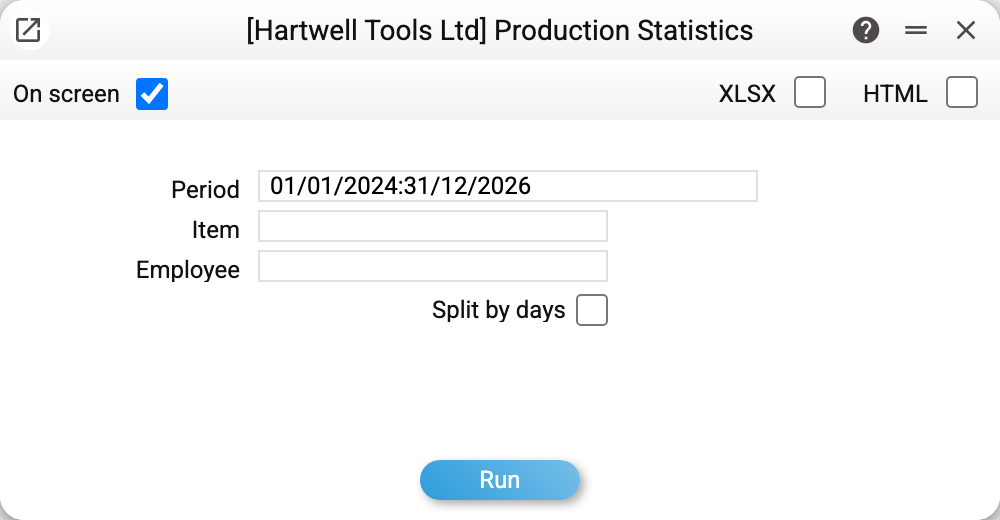
Parameters: Period, item and employee; the «Split by days» box splits the report into blocks by the production end date.
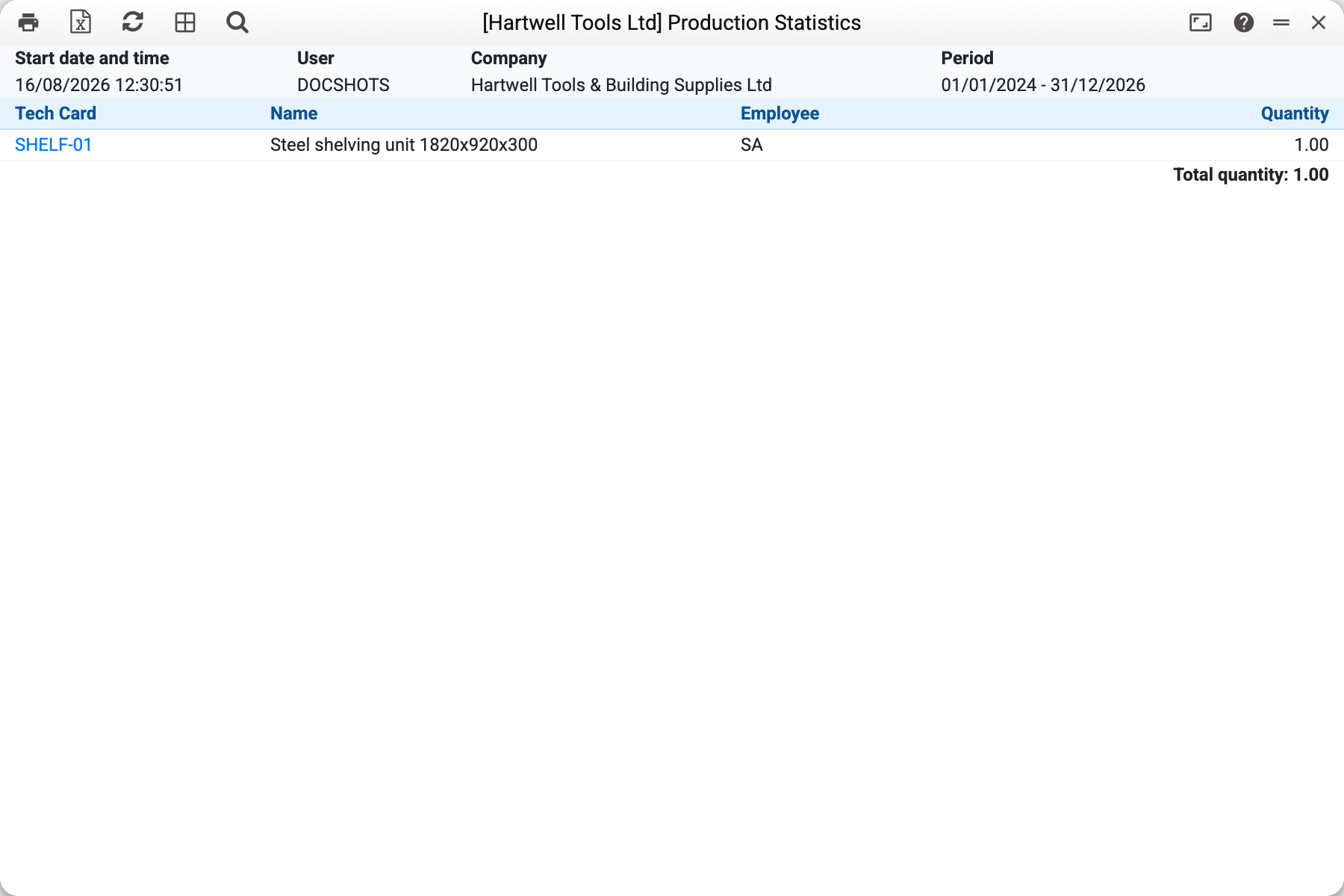
Over 2024–2026 there is one line: tech card SHELF-01 "Steel shelving unit 1820x920x300", employee SA, quantity 1.00, with "Total quantity: 1.00" underneath.
Grouping is by technological map: if two people had made the same product, there would still be one line, with both of them in the employee column separated by a comma.
With an item filter
If you enter an item in the parameters, the report counts not the output of products but the movement of that item in productions. The columns are "Q-ty of item", "Cost" and "Sum", and below the total quantity there is also "Total cost". The sign of the quantity comes from the document row. The item as output (the product) counts as a plus, the item as input (a component that was consumed) as a minus. Cost and sum are visible only with the "Show cost price" right; without it these columns are empty, and the "Total cost" label stays without a figure.
Disassembly
The report takes only finished documents, and a finished disassembly reduces the output. Without a filter it reduces the quantity of its tech card. With the product as the filter, the disassembled product counts as a minus, together with its amount: 20 shelving units made and 1 disassembled give 19 in the report. Components that the disassembly returned to stock count as a plus when filtered by the component.
Why a product may be missing
The report goes by the production end date (the "End date" field of the document). The system itself sets it at the moment the production becomes finished — it is not typed in or changed by hand. So a production lands in the period in which it was finished, not the one in which it was started.
A finished production without that date falls outside every period, even though it appears in the productions list.
Typical situations
Comparing shifts or teams. The report does not split lines by employee — run it for the same period separately for each employee (the «Employee» field).
Cost is needed, not counts. For a single item, enter it in the filter and the cost and sum appear. The full cost of productions and the component breakdown are in the productions list.
The figure is lower than expected. Check that the runs are finished (status "Finished") and that their end date falls within the report period.
Where to look next
- Productions list — the same selection with breakdown and amounts.
- Production — the document the data comes from.
- Production capabilities — how much more can be made from stock.