Number series
This register answers the question "from which number to which should documents be numbered". One series, one register: invoices from 1001 to 1999, orders from 2001 to 2999. Without a series the system gives a document the number one above the largest in the register — each company of the database counts on its own.
Where to find it: Modules → System → Registers → Number series
A worked example
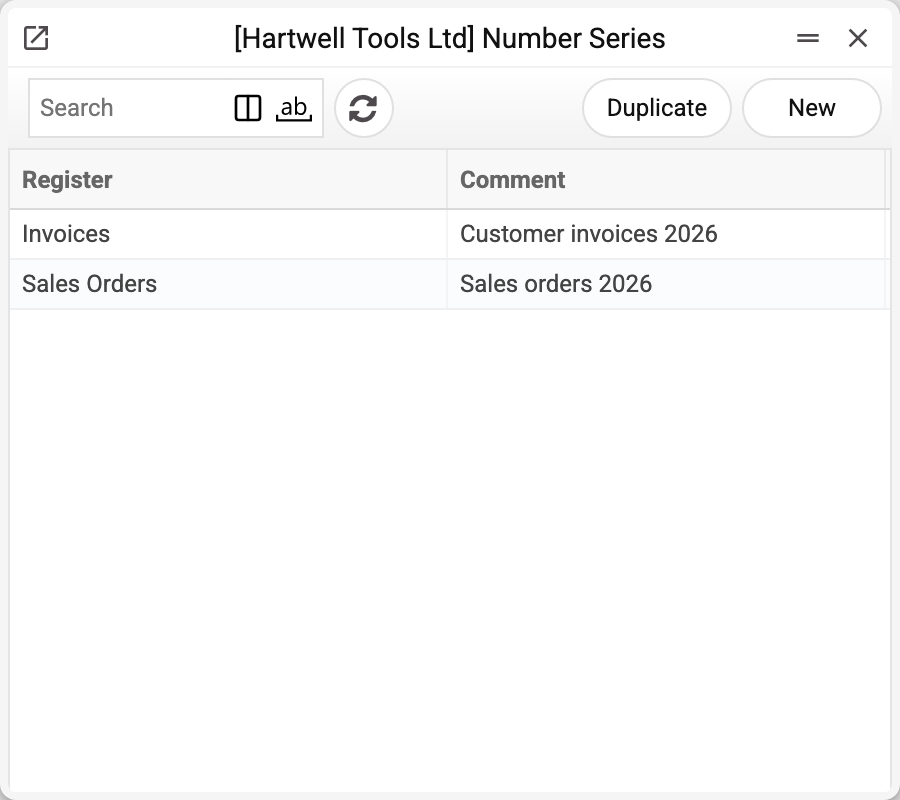
The journal shows the register and the series comment. There are two series here; we will take «Customer invoices 2026» for Invoices.
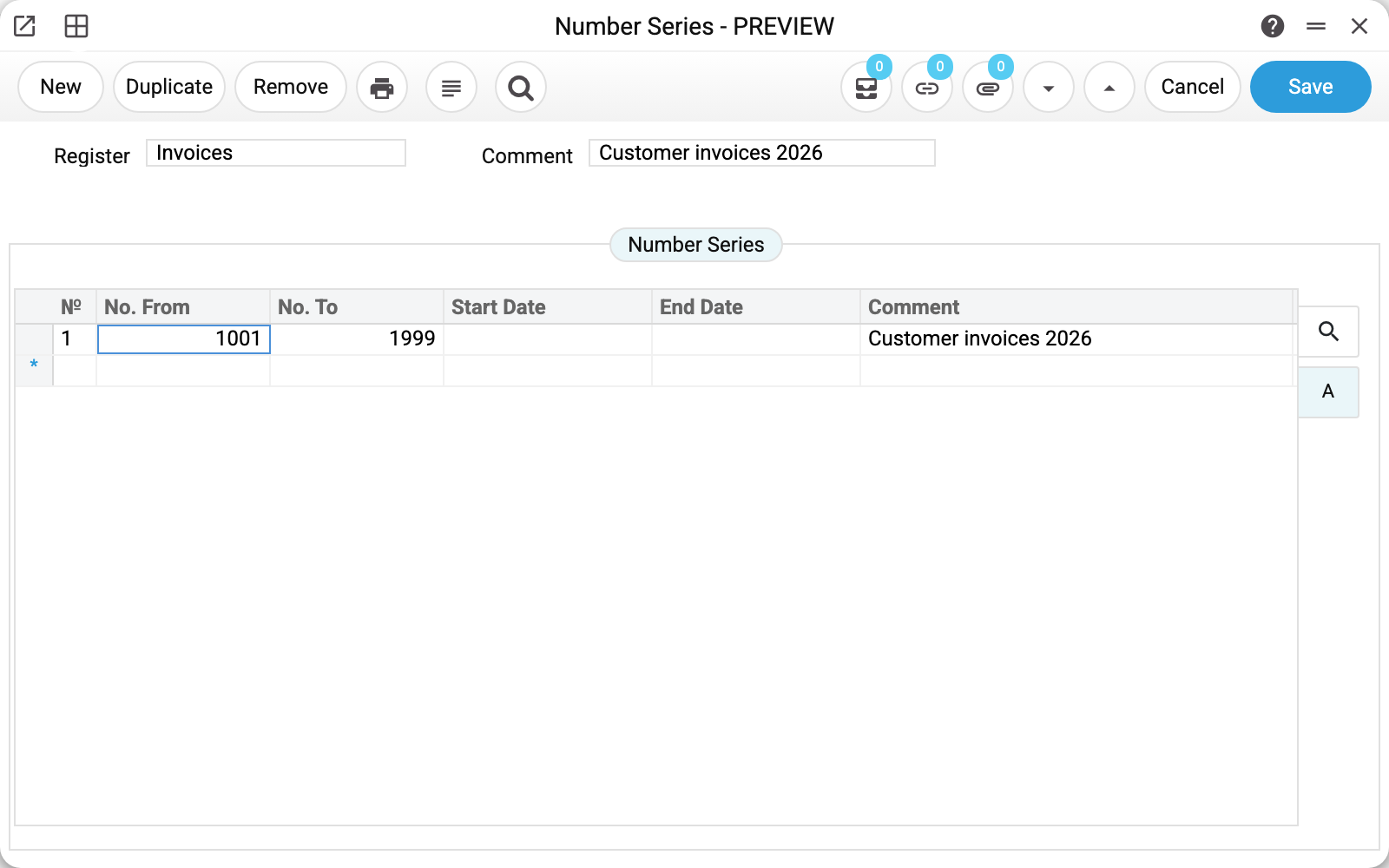
A series for the Invoices register, comment "Customer invoices 2026". The matrix holds one row:
| № | From | To | Start date | End date | Comment |
|---|---|---|---|---|---|
| 1 | 1001 | 1999 | Customer invoices 2026 |
There can be several rows, each range valid for its own period: 1001–1999 in 2026, 2001–2999 in 2027. That is what the start and end dates are for. A row with both dates applies between them, a row without dates always applies; a row with only one of the two dates filled gives no numbers (see below). Rows' numbers cannot overlap: such a record is not saved — "Number ranges cannot overlap".
Why bother
Two familiar reasons:
- the year in the number — so the period is readable off the document;
- accounting requirements — where numbering must be unbroken within a year.
Separating streams (retail apart from trade) with a series automatically is not possible: the row is chosen only by the document's date, not by the kind of sale. By hand it is: the selection in the document number field opens "Select Number Series" — for each row valid on the document's date, the row's "Next Number" and "Comment"; used-up rows are not shown there.
When a document is created without a number, the system takes the first matrix row valid on the document's date and gives the number one above the largest already issued within its range; gaps (the number of a deleted document) are not filled. A number entered by hand must lie in one of the ranges, and the document's date in that row's period, otherwise the document is not saved.
Typical situations
The numbers ran out: "Range … for register … is fully used." Adding a row next to it is not enough: the system takes the first row valid on the date and stops at the full one. Raise the "No. To" of that row, or close its period with an end date and add the next row with new dates and a new number range.
The year should restart at one. Not possible if number 1 has already been issued: different rows' ranges cannot overlap by number, and a document number does not repeat within a register. The year shows in the number if each year gets its own range (for example 2026001–2026999, 2027001–2027999).
A number came from the wrong series. Check the row dates: if rows' periods overlap, the first one in the matrix wins.
A row with only one date filled. It works as an open-ended period: with only a start date — from it, with only an end date — up to it. Automatic numbering, the selection in the document number field and the number check on document save all read it this way — as in SERP.
"Document with date … does not fall into any configured NumberSeries range". No row applies on the document's date: add a row for that period (both dates) or a row without dates.
Where to look next
- Main company — the details that also print on documents.
- Approval rules — the other system mechanism around documents.