Balance For Manager
The workshop's operations board: orders for a period with statuses, responsible people, repair amounts and a completion mark. If the SO Status Report is one order's passport, Balance For Manager is the table of all of them at once: who is waiting, what is in progress, how much money is in the pipeline.
Where to find it: Modules → Service Orders → Reports → Balance For Manager
The report lives in the Reports menu of the Service Orders module.
A worked example
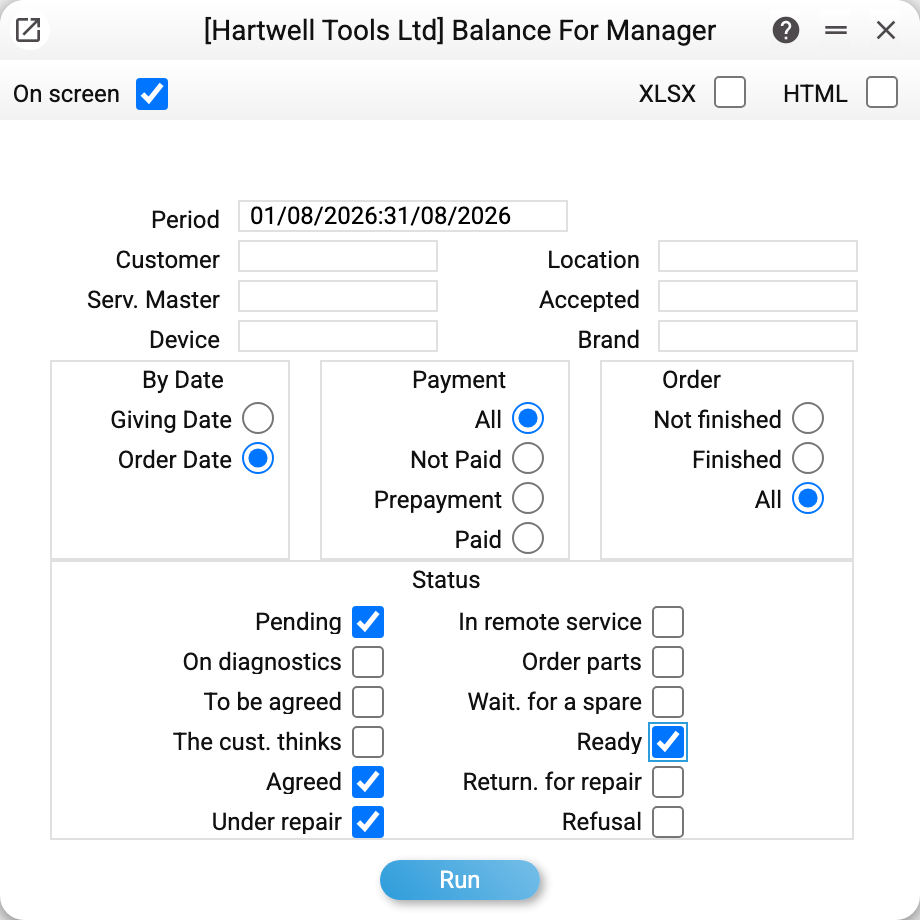
The key controls are on the right and at the bottom: the date to filter by (order date or give-out date), payment state (all / unpaid / prepayment / settled) and the status checkboxes: only "Pending" is ticked by default, so a full picture needs statuses switched on deliberately.
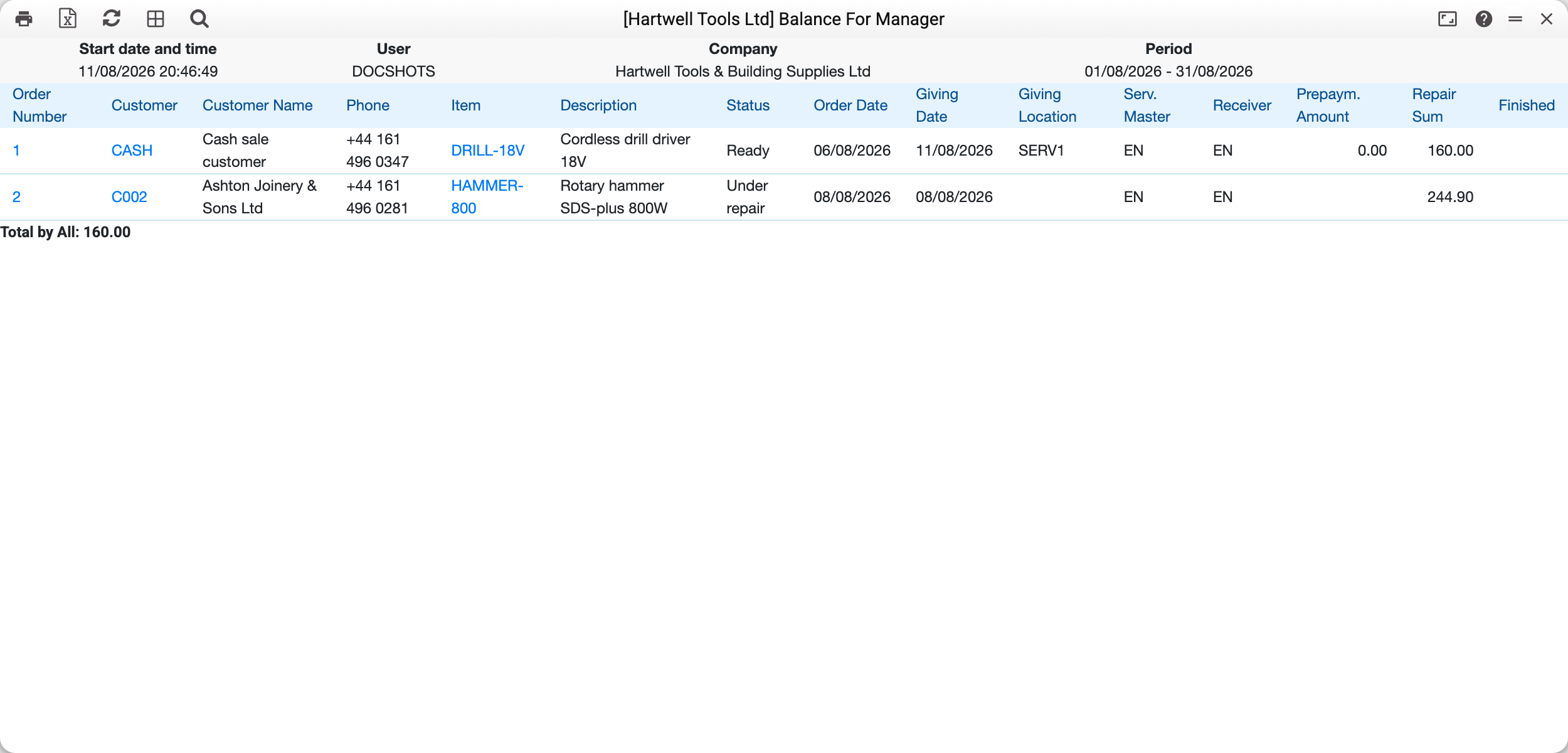
A green check in the "Finished" column is the "Done" mark on the order card, set by hand; it is not tied to "Giving Date" and "Giving Location". The "Total by All" line at the bottom does not add up the "Repair Sum" column but payments: once an order is paid in full, "Payment Date / Difference amount" and "Total by Order" lines appear under it, and those go into the total. An unpaid repair is not in the total.
The "Serv. master" and "Accepted" columns answer "whose order is this": one received it, the other repairs it.
Common situations
The report is nearly empty. Most often — forgotten status checkboxes: only "Pending" is ticked. Enable the statuses you need. With no box ticked at all the report does not filter by status — that is "all statuses" too.
Repair amount is empty in a line. The order has no posted worksheets yet — the cost appears after the worksheets.
A payment from another month under the order. That is how it works: the period selects orders, not payments, so all the order's payment rows stand under it, and they make up "Total by Order" and "Total by All".
Parameters
| Parameter | What it does |
|---|---|
| Period + Giving date/Order date | Which date to filter by |
| Customer, Location, Serv. master, Accepted | Slices by people and places ("Location" is the order's giving location) |
| Device, Brand | Equipment filter |
| Payment | All / unpaid / prepayment / settled |
| Order | Not finished / Finished / all — by the "Done" mark on the card |
| Status (checkboxes) | Which states to show: Pending, On diagnostics, To be agreed, The cust. thinks, Agreed, Under repair, In remote service, Order parts, Wait. for a spare, Ready, Return. for repair, Refusal |