Contact Classification Type
The upper level of labels: the «axes» contacts are tagged along. The label itself lives in classifications; here you define which dimension it belongs to — acquisition channel, industry, loyalty programme.
Where to find it: Modules → Sales Ledger → Registers → Contact Classification Type
Example walkthrough
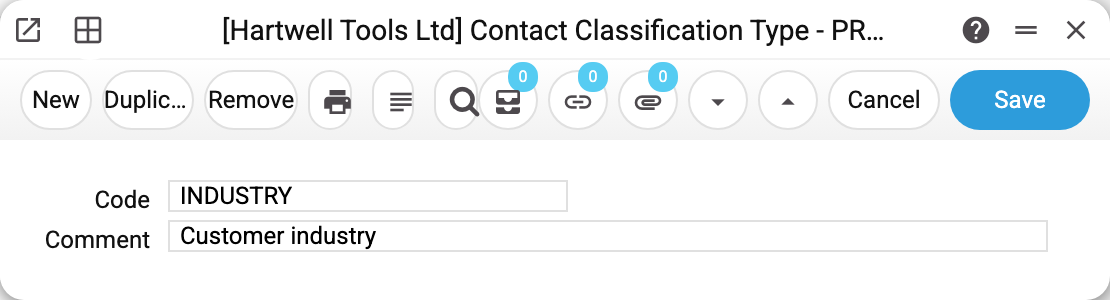
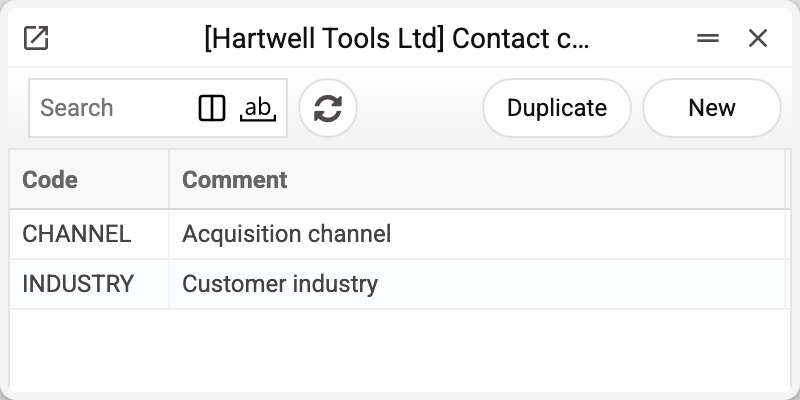
Type INDUSTRY — «Customer industry». There are two in the register: INDUSTRY and CHANNEL («Acquisition channel»).
Then in classifications every label gets its type: CONSTR and SERVICE are industry, WEB and REFERRAL are channel.
What matters
The type restricts nothing. It does not prevent two labels of the same axis on one contact and does not affect documents. Its job is to keep the label register readable once there are more than a dozen labels.
Only the code is mandatory, and it is unique. The second field, "Comment", is optional: it describes the axis, and the type saves without it.
Typical situations
A new tagging axis is needed. Create the type here first, then the labels in classifications — otherwise the «Type» field on the label cannot be filled.
The type will not save: the code exists. That code is already in the register; check the list — the axis may have been created earlier.
The type cannot be deleted: "A record of «Contact Classification Type» is used in: Contact Classifications!" The type sits in a contact classification label — without it the label would no longer save. Move the labels to another type or delete them first, then delete the type.
Print variables
Values available in this document's printed form templates. How to write a variable in a template — see Print Forms.
Header fields:
| Variable | What it holds |
|---|---|
| CliClassT_No | Code |
| CliClassT_Comment | Comment |