Fiscal Receipts
The journal of receipts the till printed and the tax authority registered. It is not an accounting document — the accounting side of the sale lives on the invoice, while the receipt itself is kept here: what was sold, how it was paid for, and the fiscal details it was registered with.
Where to find it: Modules → Checkbox (also in modules: Vchasno.Kasa) → Registers → Fiscal Receipts
A worked example
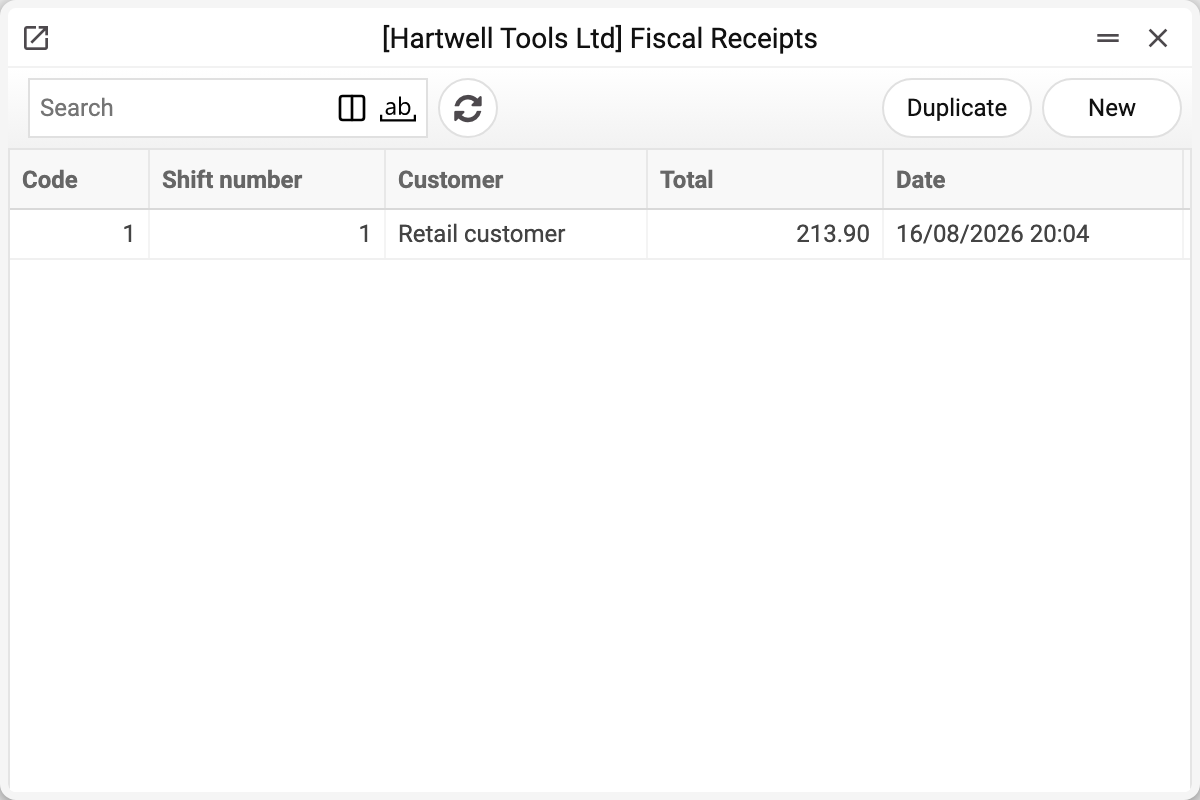
The journal shows the receipt code, shift number, customer, total and the date with time. The demo company has a single receipt — no. 1 of 16/08/2026.
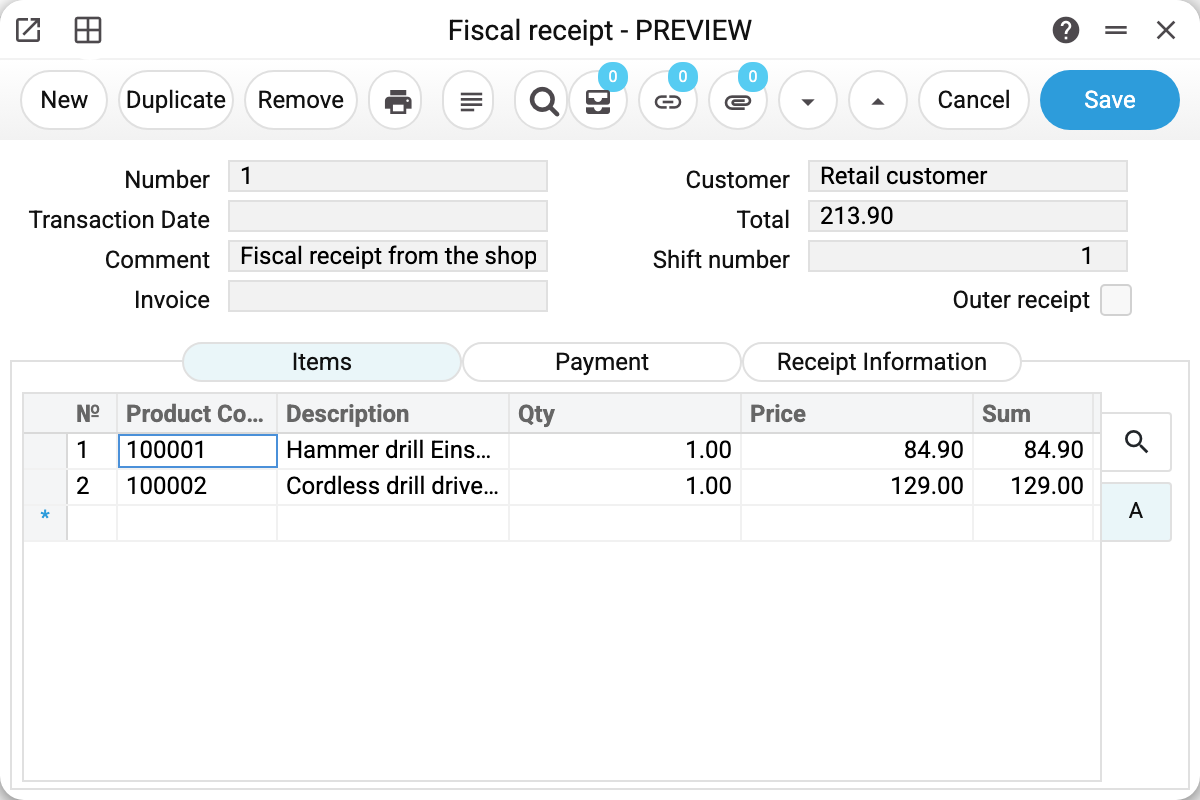
Receipt no. 1 from shift no. 1, a retail buyer. The Invoice field ties the receipt to the accounting document, and the Outer receipt flag marks a receipt that came from outside and has no shift of its own in the system.
Three tabs answer three different questions:
- Items — what was sold;
- Payment — how it was settled (cash, card, several methods on one receipt);
- Receipt Information — the fiscal details and the card terminal's data.
The third tab is the valuable one
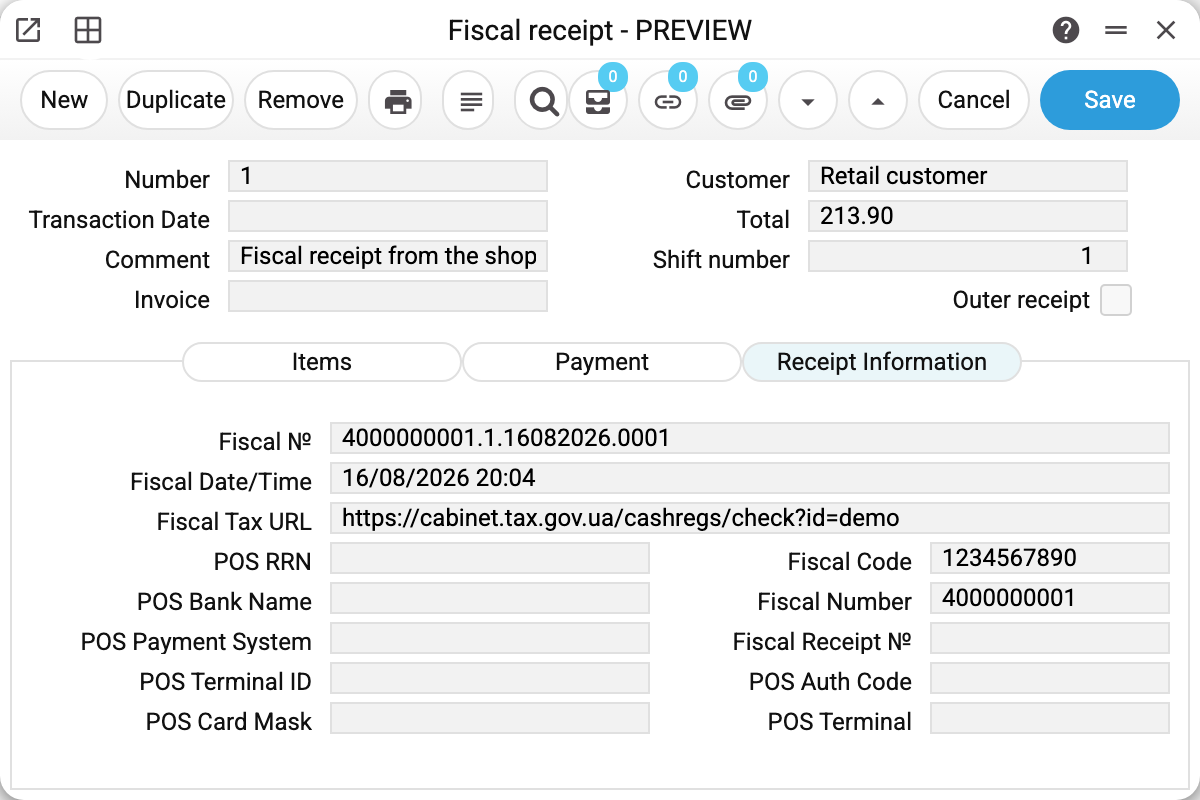
It holds what exists nowhere else: the fiscal number and registration time, the link to the receipt in the tax authority's portal, and beside them the acquiring trail — authorisation code, RRN, bank, payment system, card mask, terminal id.
These fields answer the two questions that come up most: "was the receipt really registered" and "which transaction did the money go through". Without them, sorting out a disputed payment means phoning the bank.
Where the records come from
People rarely create them by hand. The system writes receipts in two ways: Vchasno.Kasa fiscalisation — when a till receipt or an invoice with a "Fiscal cash register" is posted, the receipt is written for the invoice that already exists; and the import services — Checkbox and Vchasno.Kasa — which create the receipt together with its invoice. If an item of the receipt is not in the item register (and in Checkbox — if posting is refused for any reason), the invoice stays a draft and the receipt is written. A sale is left without a receipt only when not even a draft invoice could be written (currency, payment mode, exchange rate), and in Vchasno.Kasa also when posting was refused for a reason other than the item. Both ways write the receipt with the "Outer receipt" flag and no shift number. A receipt without that flag — entered by hand or by the till — requires a till shift number, and the system checks that the shift exists.
Typical situations
The sale is in the service, but the receipt is not in the log. Read the import service's summary: the receipt is skipped together with the invoice when not even a draft invoice could be written (currency, payment mode, exchange rate; in Vchasno.Kasa — also a posting refusal not caused by the item), and the summary names the receipt and the reason (in Checkbox — "Receipt … is not imported: …"). Fix the card or the reference data and run the service again. An item missing from the register is not a skip: the receipt is written, the invoice stays a draft, and the summary names its number.
A customer doubts the receipt is fiscal. Give them the link from the fiscal URL field — it opens the receipt in the tax authority's portal.
A disputed card payment. Check the information tab: the RRN and authorisation code are what the bank asks for.
One receipt shows a date with time in the journal, another without. The Date column shows the date from the receipt text. Receipts that came through the old import path have no such text — then the journal uses Fiscal Date/Time, and if that is missing too, the receipt date, without time. The receipt itself does not change: this is only how the journal shows it.
Where to look next
- Till shifts — which shift the receipt belongs to.
- Checkbox and Vchasno.Kasa imports — where the records come from.
- Invoices — the accounting side of the same sale.