Transaction correction history report
A readable view of the transaction correction history: who changed a ledger entry and when.
Where to find it: Modules → System → Reports → Transaction correction history report
A worked example
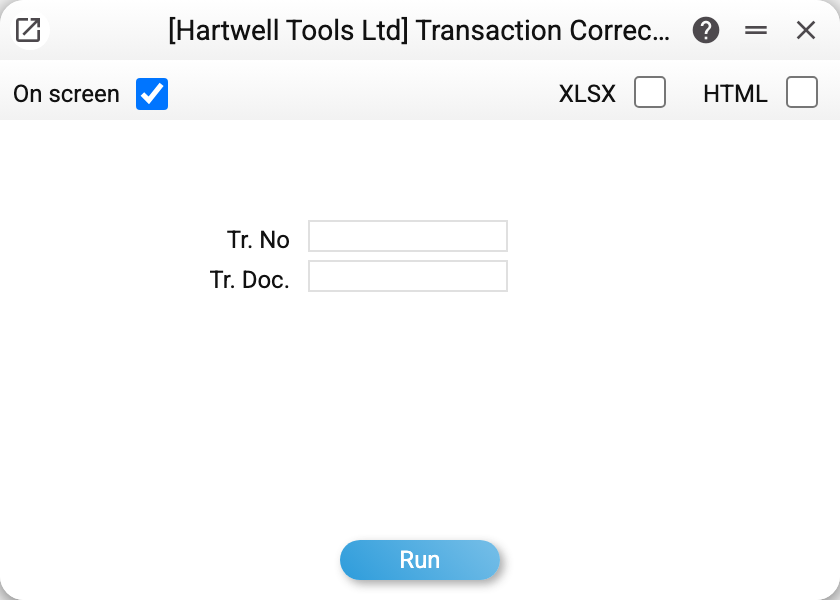
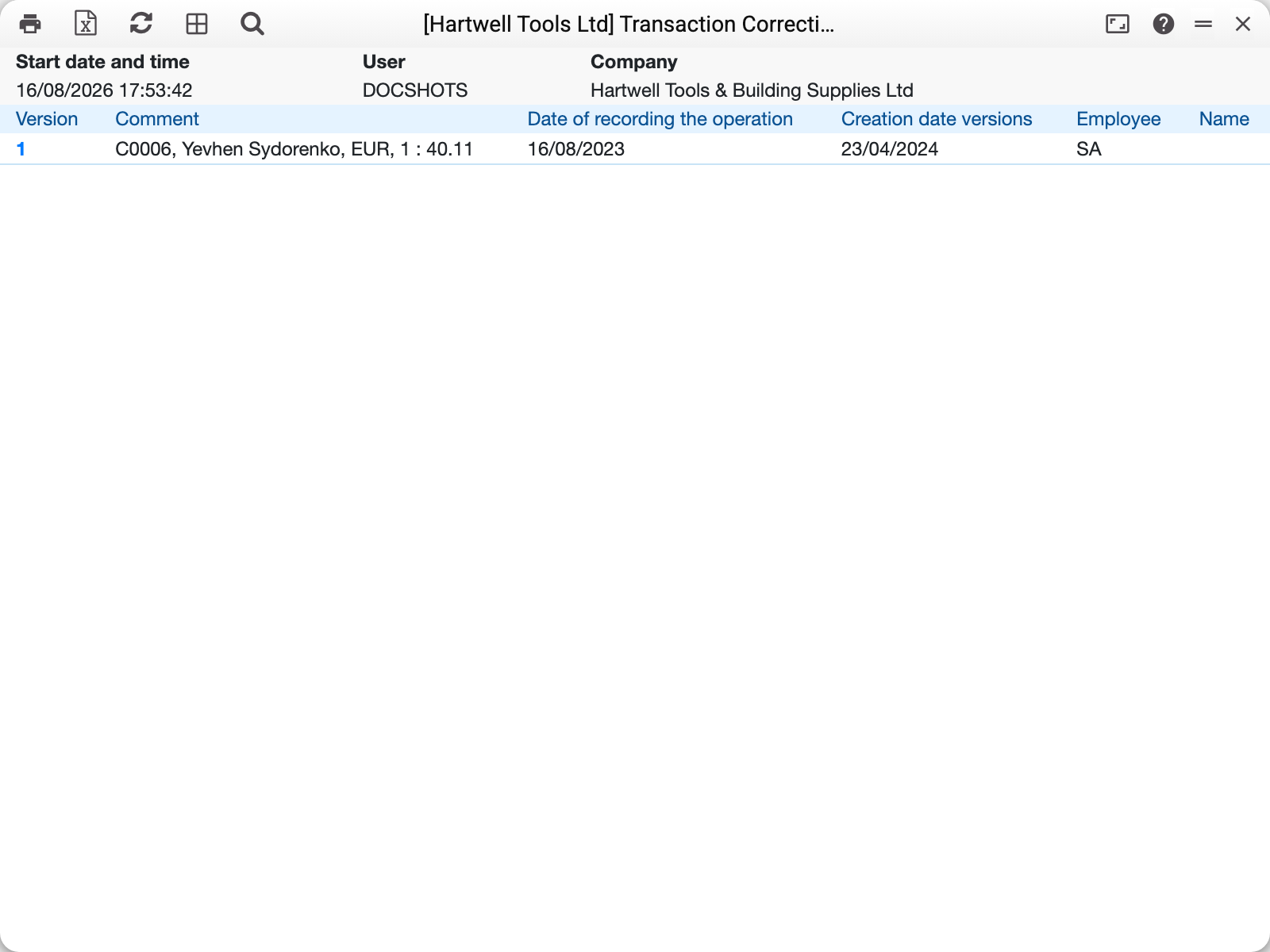
The filters are "Tr. No" and "Tr. Doc."; there is no period among the parameters. The report lists correction versions: the entry's document and number, the version (it opens the history record), comment, entry date, and the date and author (login and name) of the state saved in this version. A version is a snapshot of the entry BEFORE the change, so its author is whoever wrote the previous state, not whoever made the change; the one who made it shows in the next version or in the entry itself. There are no amounts in the report — the amounts the entry had before the change are visible in the version itself. An entry number is separate in each document, so by number alone the report may gather the history of several entries: rows go by document, number and version, and each row names its document. Before 01.11.2026 there were no document and number columns, and versions of different entries came mixed together.
When it is needed
- period close — checking whether entries were edited retroactively after reconciliation;
- audit — presenting a list of corrections with authors and explanations;
- investigating a discrepancy — when the same period's report gives different figures than a month ago.
An empty report does not yet prove nothing was touched: the history is written only by editing an entry in place, and an unposted document deletes its entry together with that entry's history.
Typical situations
Many rows by the same author. Not necessarily bad: bulk corrections are often planned (changing analytics).
A correction with no comment. Formally allowed, but the comment is what separates a correction from a silent edit.
Where to look next
- Transaction correction history — the underlying records.
- Transactions — the current state of the ledger.