Fixed asset creation
The service that turns vendor invoice rows into asset cards — so the value, date and vendor are not retyped by hand. It lives in the Purchase Ledger module (Maintenances menu), because it works from an incoming invoice.
Where to find it: Modules → Purchase Ledger → Maintenances → Fixed asset creation
Walkthrough
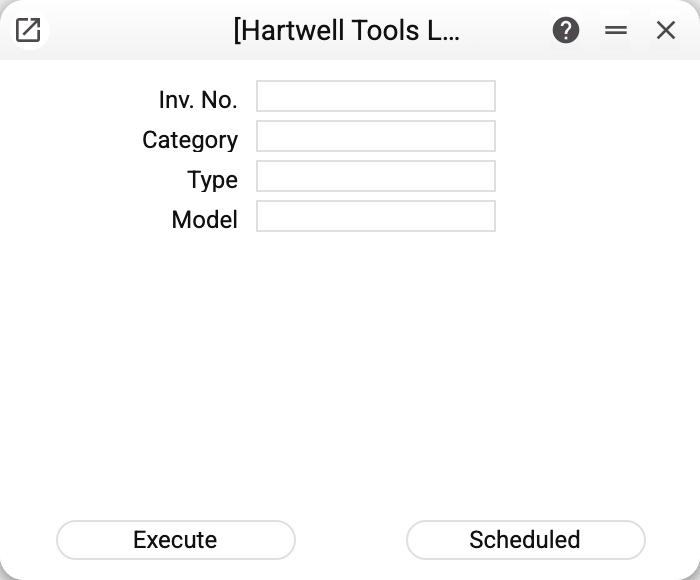
| Field | What it does |
|---|---|
| Inv. No. | Vendor invoice number — mandatory. The service does not check whether the invoice is approved: run it on the final invoice — the cards are created once, and later edits of the invoice do not reach them |
| Category | The asset category for the new cards — mandatory |
| Type / Model | May be left empty: they fill in from the category. If the category has no model either, the service takes whichever model of the depreciation models list comes up first — check it on the cards created |
The demo vehicle 9_1 was created exactly this way: vendor invoice No. 9 of 15/01/2027 for 144,000 VAT included → the service with category ASSET_2 → a card worth 120,000 net of VAT with purchase date 15/01/2027.
What the card receives
- Inventory number — assembled automatically:
<item>_<invoice>_<position>; for a row without an item —<invoice>_<position>(in the demo: 9_1). - Name — the invoice row description; vendor — from the header.
- Quantity — from the invoice row (1 if the row has none or it is not above zero).
- Purchase cost (unit) — the row amount net of VAT, converted at the invoice rate and divided by the quantity; it is the unit price that gets rounded. So price × quantity equals the row amount net of VAT up to that rounding: a row of 100.00 for 3 pcs gives a price of 33.33 and a card value of 99.99 — the value commissioning will post.
- Purchase date — the invoice date; category/type/model — from the service parameters; objects — header and row combined.
- A link invoice ↔ card: the button with the link icon in the header of the card window and of the invoice window shows the number of links and opens their list. The "Documents Tree" report shows no asset cards.
One card per invoice row. From there the object lives the usual cycle: commissioning → depreciation.
Common situations
The service created nothing. A card with that inventory number already exists — re-running on the same invoice is safe, no duplicates appear. Type the invoice number the same way as the first time: the inventory number is built from the typed text, and 08 instead of 8 gives other numbers — and second cards.
The service refused and created no card at all. A refusal on any row cancels the whole run. Besides the refusals on the parameters, the card's own checks give one: an invoice row without a description — "Field "Name" is required!"; an item code with a space, comma or colon — "The stock number must not contain the symbol"; different objects of one type in the invoice header and in the row — "Objects of the same type are prohibited". The same object in both the header and the row gives no refusal: it goes into the card once. For an invoice with different objects of one type, remove the extra one in the invoice if it can still be edited, or create the cards by hand.
The card value differs from the invoice row. The card holds the price per unit and net of VAT (row amount ÷ quantity), and the quantity comes from the row; price × quantity equals the row amount net of VAT up to the rounding of the price. A row of 4 pcs for 800,000 net of VAT gives one card: quantity 4, price 200,000. Before 05.10.2026 such a row gave a card with quantity 1 at 200,000 — three quarters of the cost never reached the card.
"Please, fill in the category". The category is mandatory — the service takes the type and model from it; without it there is nowhere to get the accounts and depreciation rules.
An invoice with several rows. Every row becomes its own card numbered ..._1, ..._2 — handy for a batch of assorted property on one invoice.