Issue acts
The agreement is signed, but the equipment is still in the yard. The moment it physically leaves for the customer is recorded by an issue act: what went out, at what meter reading and in what condition.
Where to find it: Modules → Rental → Registers → Issue acts
This is the document that moves units into "on hire" and starts the clock on their usage.
A worked example
The demo company's journal holds one act — No. 1 of 17/08/2026 under agreement No. 1; the «OK» tick means the act is posted.
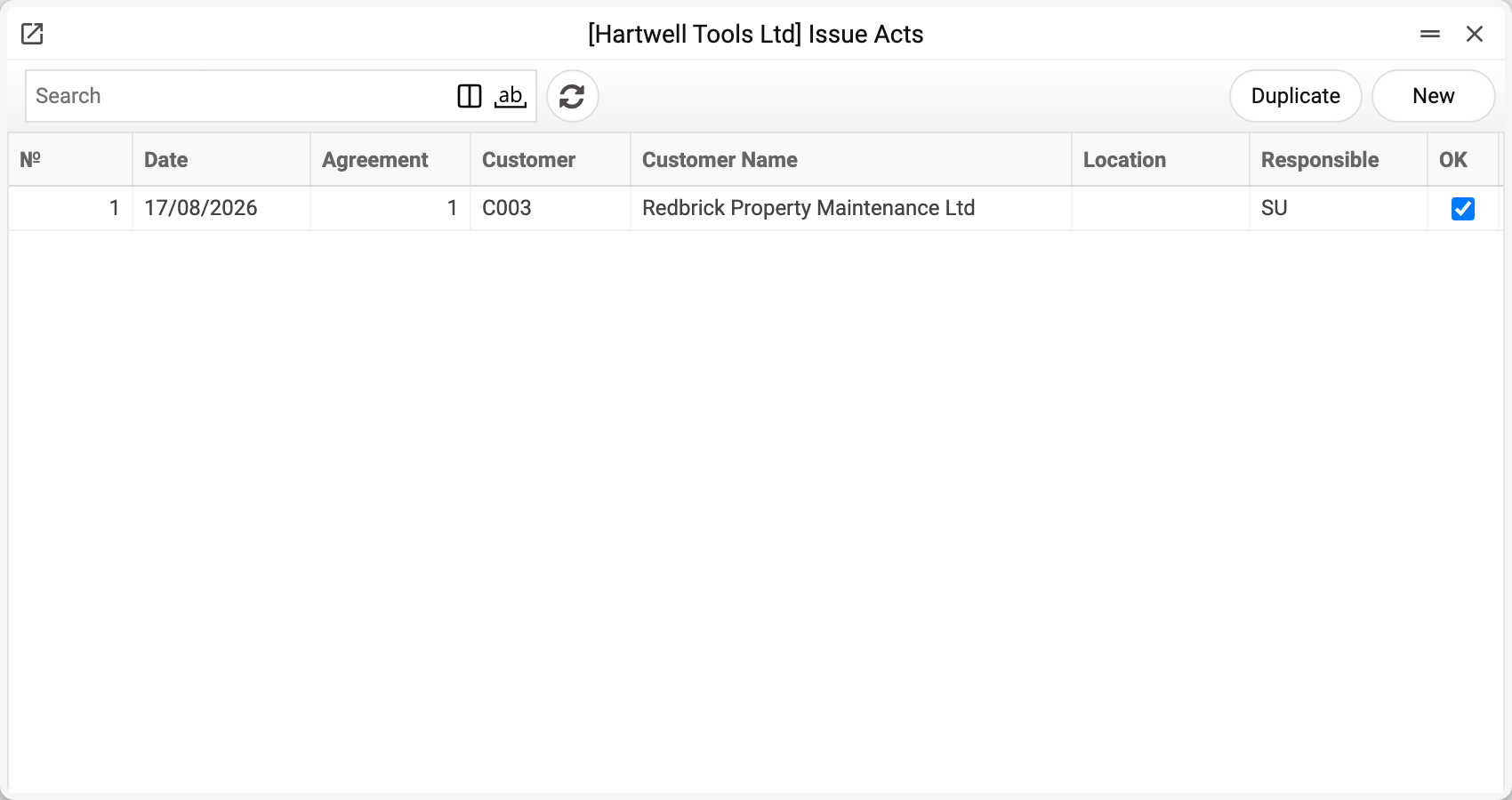
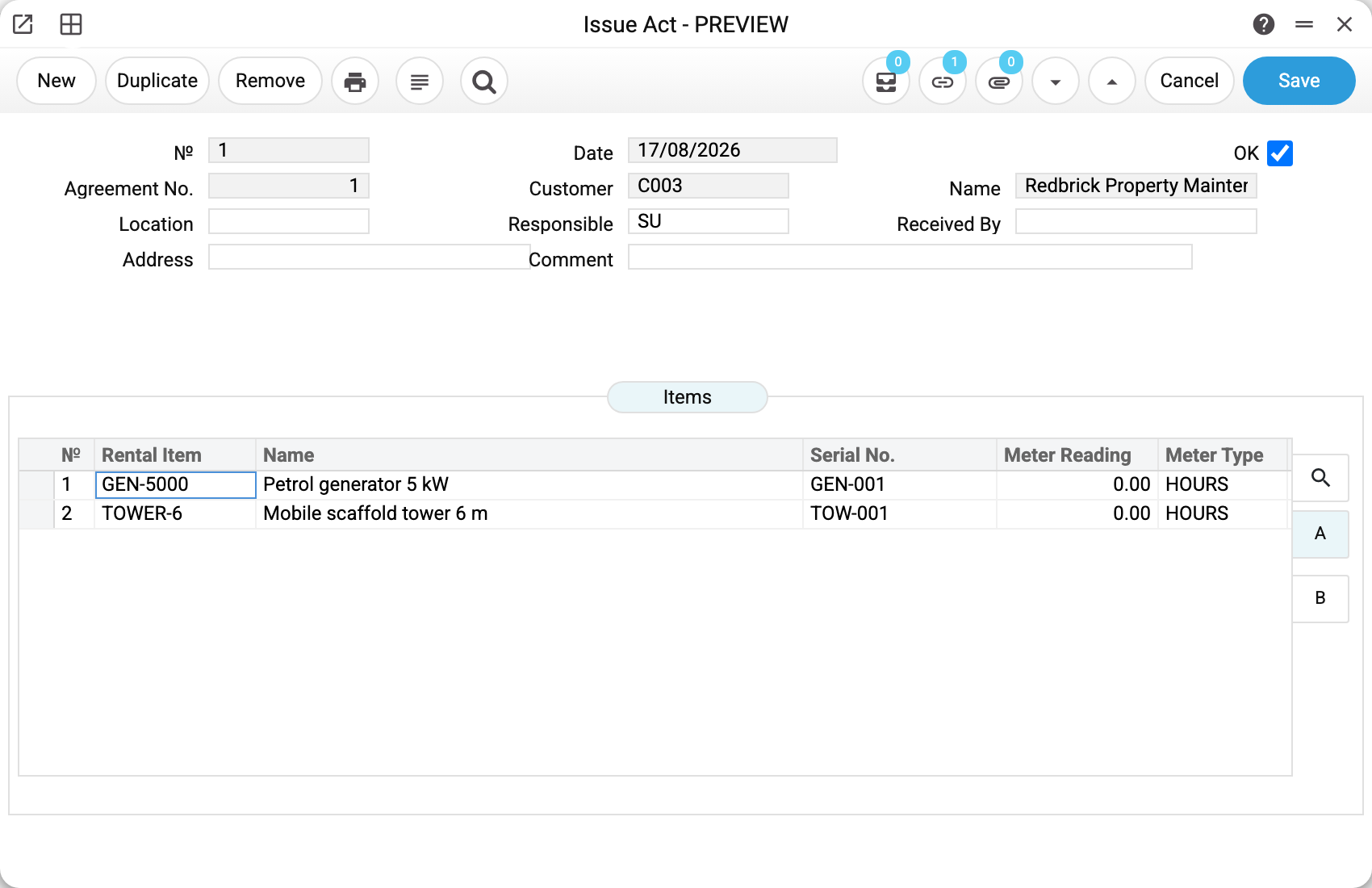
Act No. 1 of 17/08/2026 under agreement No. 1, customer C003. The responsible person is SU; the "Received by" field records who actually collected the equipment.
The lines hold the two units from the agreement:
| Rental item | Name | Serial No. | Meter reading | Meter type |
|---|---|---|---|---|
| GEN-5000 | Petrol generator 5 kW | GEN-001 | 0.00 | HOURS |
| TOWER-6 | Mobile scaffold tower 6 m | TOW-001 | 0.00 | HOURS |
The meter reading is the state at hand-over. A second reading is taken on return, and the difference is the usage for the hire.
What posting does
Tick OK and the system:
- moves the rental items from RESERVED to RENTED;
- sets RENTED on the agreement lines as well, and writes the "Issue Date" (the act's date) into its header; the "Issued" tick is set only when all units of the agreement have been issued, so after a partial issue it is still off;
- turns the resource-calendar booking from "reserved" into "on hire";
- creates usage records carrying the opening meter readings — if "Use Meters" is on in the rental settings and the line's reading is not zero.
Remove the OK and everything unwinds: the units return to RESERVED, the usage records created by this act are deleted, the booking becomes a booking again, the agreement lines go back to RESERVED, and "Issued" and "Issue Date" are cleared in the agreement header. Correcting a mistaken act is therefore safe.
In a posted act only "Address", "Location", "Responsible", "Received By" and "Comment" can be edited; the number, date, agreement, customer and lines are locked.
What is not allowed
Issuing under an inactive agreement. The agreement must be ACTIVE, otherwise the act will not post. Activate it first.
An act with no lines. At least one unit is required.
An act with no agreement. The agreement number is mandatory: an act always fulfils a particular arrangement, and the customer and address are pulled from it automatically.
A different customer. The act's customer is the agreement's customer; an act with another customer code is not saved: "Rental agreement '…' belongs to customer '…'!".
Someone else's or an unbooked unit. The lines may hold only units of the act's own agreement, each once. On posting every unit must be booked by this very agreement and be RESERVED (not issued under another agreement) — otherwise a refusal naming the unit: "The rental object is not in this agreement", "The rental object is not booked under this agreement", "Rental object must be RESERVED to issue".
Deleting a posted act. "You cannot delete a confirmed document!" — remove the OK first, then delete the draft.
Typical situations
Equipment goes out in batches. Raise several acts against the same agreement, each with its own lines. The agreement stays single.
There is no meter. Leave the reading at zero: a usage record appears only with a non-zero reading (and when meters are turned on in the rental settings). The meter type on the item card does not affect this — NONE there does not switch the record off.
The customer took the wrong machine. Remove the OK, fix the lines, post again — the statuses recalculate themselves.
Where to look next
- Rental agreements — what the act fulfils.
- Return acts — the opposite document.
- Rental items — where the resulting status is visible.
Print variables
Values available in this document's printed form templates. How to write a variable in a template — see Print Forms.
Header fields:
| Variable | What it holds |
|---|---|
| RIA_No | № |
| RIA_Date | Date |
| RIA_Agreement_No | Agreement No. |
| RIA_Cust_Code | Customer |
| RIA_Cust_Name | Name |
| RIA_Location | Location |
| RIA_Responsible | Responsible |
| RIA_Received_By | Received By |
| RIA_Cust_Address | Address |
| RIA_Comment | Comment |
| RIA_Agr_Start | Start Date |
| RIA_Agr_End | End Date |
| RIA_Currency | Currency |
| RIA_Pay_Terms | Payment Terms |
| RIA_Manager | Salesman |
Row fields:
| Variable | What it holds |
|---|---|
| RIA_Obj_No | Row position number |
| RIA_Obj_Code | Rental Item |
| RIA_Obj_Name | Name |
| RIA_Obj_Serial | Serial No. |
| RIA_Obj_Meter | Meter Reading |
| RIA_Obj_Meter_Type | Meter Type |
| RIA_Obj_Accessories | Accessories |
| RIA_Obj_Notes | Notes |
| RIA_Obj_Condition | Condition |
The records the document refers to through its form fields (location, customer, currency…) also expose the rest of their variables — code and name are already listed in the tables above, the rest is described in the register's article:
- Company details — name, addresses, bank accounts, officers, the printing user: Main Company