Records from Subsystems
The master switch of automatic bookkeeping. Almost every ERPJS document creates a transaction when it is posted — an invoice, a payment, a goods receipt, a stock write-off. This setting decides which documents are allowed to do that: one checkbox — one subsystem. Uncheck it and the documents still post as usual (stock moves, debts are tracked), but NO transaction is created and the general ledger never sees those events.
Where to find it: Modules → Nominal Ledger → Settings → Records from Subsystems
Walkthrough
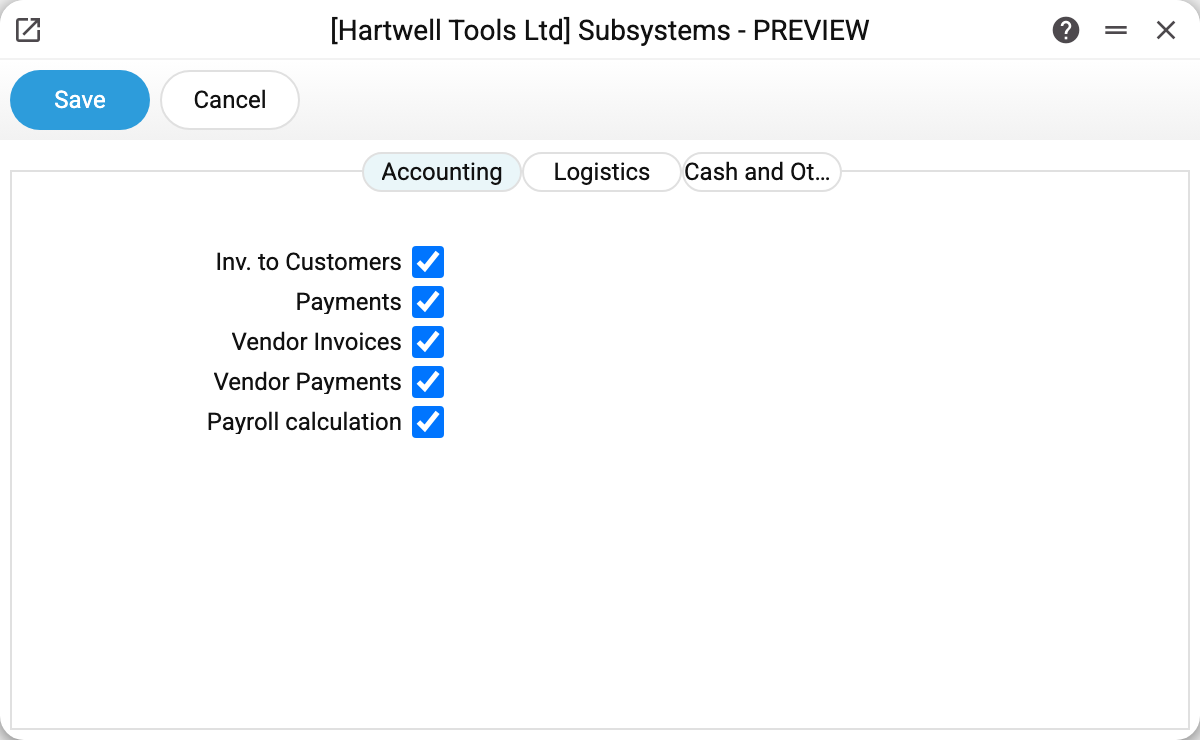
In the demo every checkbox is on — each subsystem writes its transactions. The window is split into three tabs by the nature of the documents.
Accounting — the money documents:
- Inv. to Customers — customer invoices;
- Payments — customer payments;
- Vendor Invoices — supplier invoices;
- Vendor Payments — payments to suppliers;
- Payroll calculation — payroll accruals.
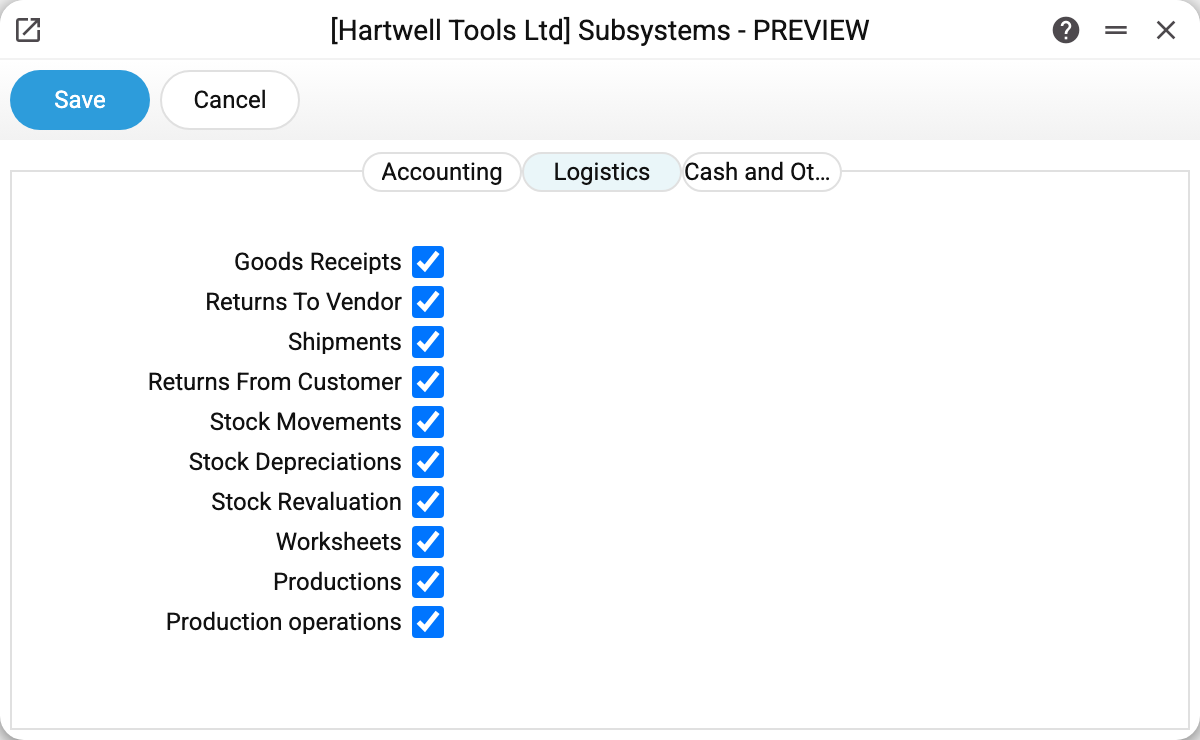
Logistics — everything that moves stock: goods receipts, returns to vendor, shipments, returns from customer, stock movements, stock depreciations, stock revaluation, worksheets, productions and production operations.
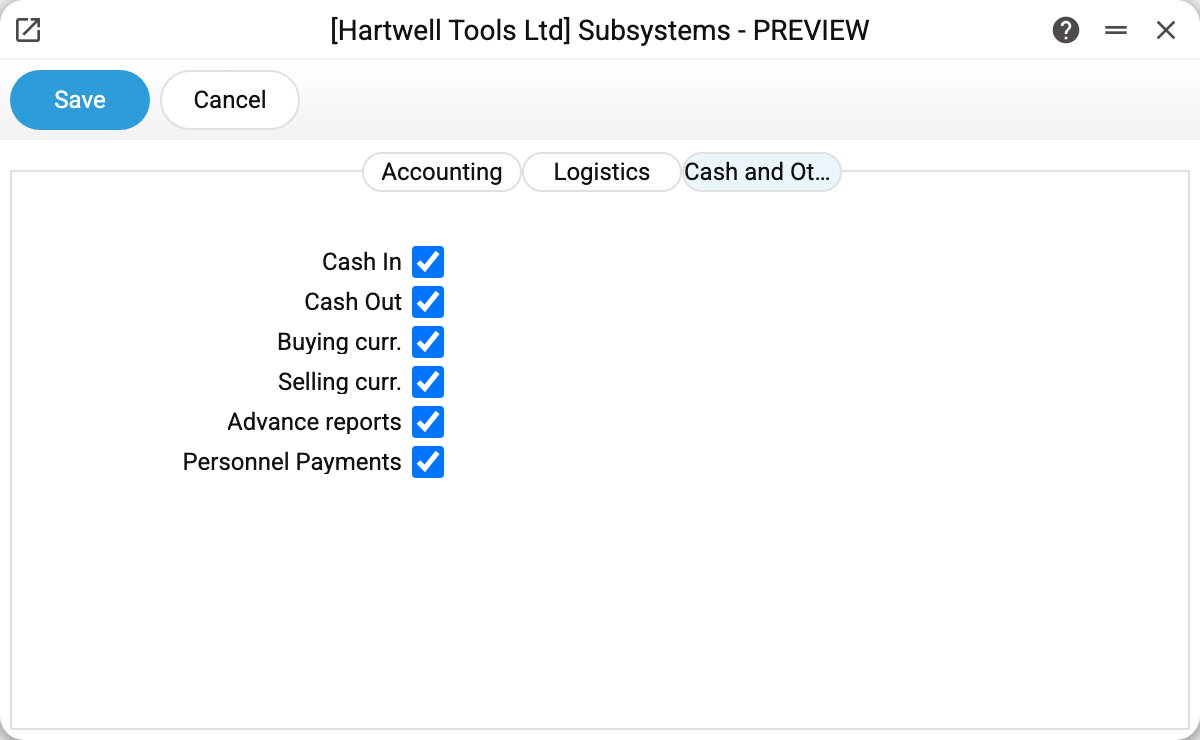
Cash and Other — cash desk and advances: cash in, cash out, currency purchase and sale, advance reports, personnel payments.
How it works
The checkbox is consulted at the moment the document is posted. Which means:
- "Worksheets" — with the mark cleared, a worksheet makes no posting on approval and does not check objects for one; stock moves as before. The accounts the posting needs — receivables and sales in the account settings, the stock account and the item's cost account — are still required on approval: without them the worksheet will not be approved. A worksheet's approval cannot be removed, so it cannot get the posting later — only through a manual transaction entry.
- "Inv. to Customers" — an invoice that moves stock itself ("Update warehouse") writes no item history with the mark cleared: the stock level changes, but the history gets no row.
- unchecking it does not touch transactions that already exist — it only stops new ones;
- the "Goods Receipts" mark also decides the account in a vendor invoice created from a goods receipt: with the mark set, the invoice row goes to the purchase transit account (the receipt's posting credits it, the vendor invoice closes it); with the mark cleared, straight to the stock account. It looks at the mark when the invoice is created, not at whether the receipt itself has a posting. Switch the mark between the receipt and its vendor invoice, and the transit account stays open while stock in the ledger grows twice or not at all. Switch it when no goods receipt is waiting for its vendor invoice;
- checking it back does not create the missing transactions retroactively: a transaction is born at posting time, and that moment has passed. You would have to un-OK and re-OK every document (where allowed) or enter the records by hand. In buying/selling currency every stage posts with its own "Make transactions" flag, so re-OK brings back only the credit-to-account posting. The postings of "Money in transit", the purchase and the payment difference come back only the same way for their own flags — untick "Make transactions" from the last stage to the first and tick them again in order — or by manual entry.
When you need it
Initial data load. You enter historical documents for stock balances and debts, but bookkeeping will start from a clean date — uncheck everything, load the documents, check everything back. The ledger stays empty; opening balances go in as one forward balances document.
Books are kept in another system. If ERPJS runs stock and sales while accounting lives elsewhere, transactions here are just noise. Uncheck all — the registers keep working, the ledger stays silent.
A subsystem is not ready yet. The classic case is currency exchange: with "Buying curr." unchecked the document posts without a single transaction — the most common answer to "why did my currency deal write nothing to the ledger".
Common situations
The document is posted but there is no transaction. First check its subsystem's box in this window. Second — does this document type generate transactions at all: sales orders, quotations and stocktaking never do, and that is not configurable.
Unchecked the box, transactions still appear. The box affects future postings — check whether the document was posted before you unchecked it.
Can I switch off a single document rather than a whole subsystem? No, the checkbox rules the subsystem. A transaction created by a document cannot be deleted by hand ("You cannot delete an operation record created from a document!"): a document's posting goes away only when its OK is cleared. If the posting really is unwanted and the document must stay posted, cancel its effect with a manual transaction carrying the reverse amounts.