Vendor Prepayments History
The same as the customer prepayment history, but about our money held by suppliers: when we paid in advance and which invoices it was later applied to.
Where to find it: Modules → Database Maintenance → Registers → Vendor Prepayments History
A worked example
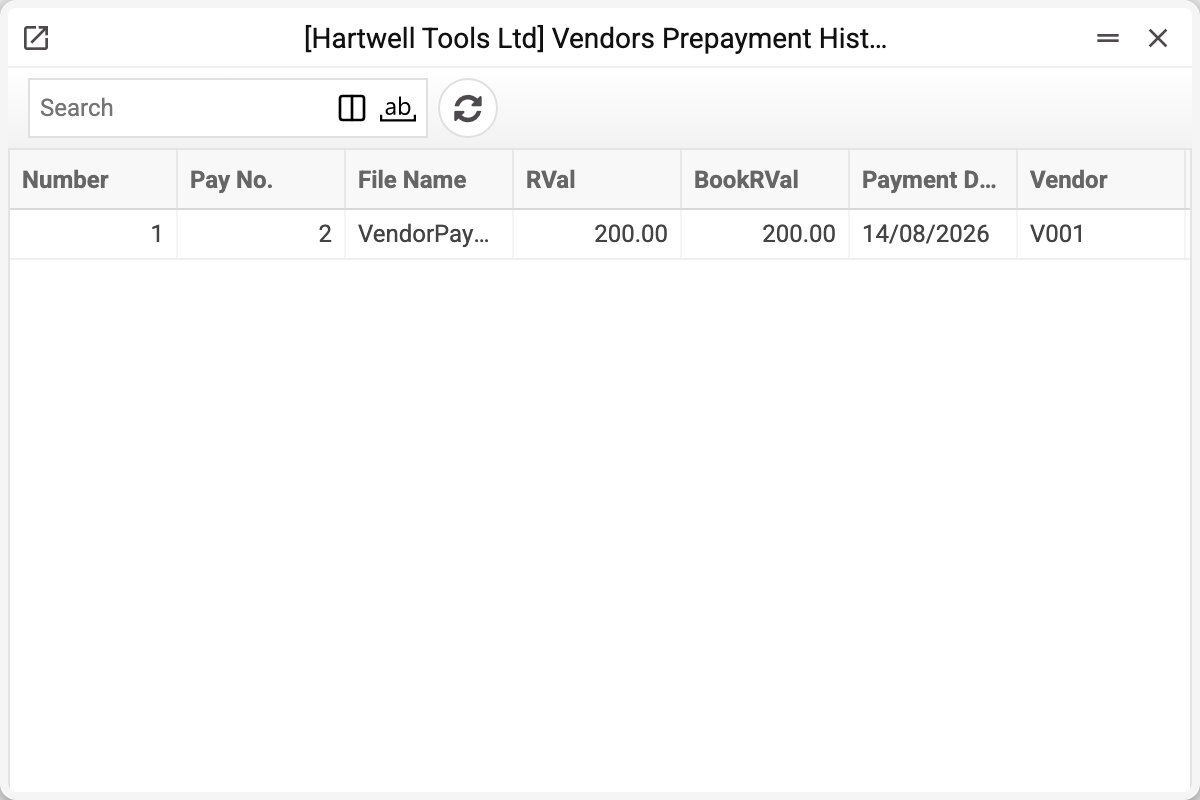
A row is a movement on one prepayment: the prepayment "Number", "Pay No.", "Document", the amount in the prepayment currency ("Sum in currency") and in base currency ("Sum in base currency"), the date and the vendor. A plus is money going to the supplier, a minus is the prepayment being applied to their invoice or the supplier returning money (a vendor payment row with a minus).
The "Document" column tells where the row came from:
- "Vendor Payments" — a vendor payment; "Pay No." holds that payment's number;
- "Vendor Invoices" — an application in a vendor invoice; "Pay No." then holds the invoice number, not a payment number.
When it comes in handy
- Reconciling with a supplier. They say you owe; you show the movements: here is the prepayment, here is the application.
- Finding money in limbo. If Open Vendor Prepayments carries a balance, the history shows when it was paid — and how long it has been sitting there.
- Investigating a mistake. An application made against the wrong invoice shows up as a "Vendor Invoices" row: "Pay No." holds the invoice number.
Typical situations
The supplier cannot see our prepayment. The date and payment number are here, in the "Vendor Payments" row; the conversation gets specific from there.
The applied amount is larger than expected. Several negative rows on one prepayment mean several applications or returns — "Document" shows which.
Where to look next
- Open Vendor Prepayments — the balances.
- Open Vendor's Invoices — what we still owe.