Expected payment dates
When we really expect the money for an invoice — if not on its due date. A customer warned they will pay two weeks late; with a vendor we agreed to pay after delivery. The due date in the invoice is the agreed one and is left as it is: overdue days and debt reports are counted from it. So the expected date is recorded separately, and the payment calendar puts the invoice on it instead of the due date.
Where to find it: Modules → Cash Book (also in modules: Nominal Ledger) → Registers → Expected payment dates
This is the list of all such records. A new record is not created from the list: it is opened from the invoice.
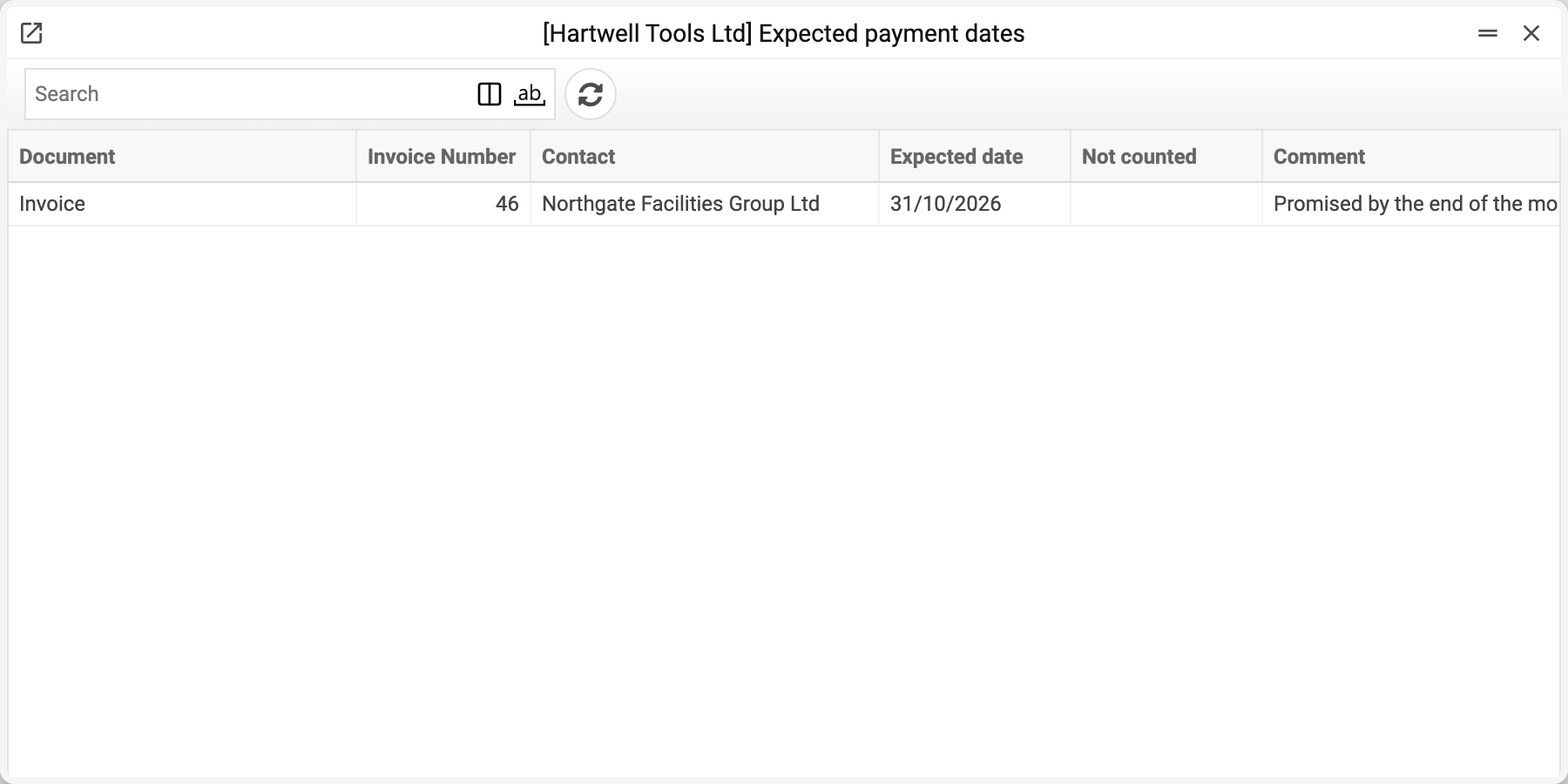
How to set an expected date
Several ways, the same result:
- in the payment calendar — the calendar icon on the invoice line;
- in the document itself, Invoices or Vendor Invoices — the window menu → "Expected payment date…", for a vendor invoice — "We plan to pay…" (only for a posted invoice);
- in the invoice window in Open Invoices or Open Vendor's Invoices — the same menu.
The "Expected payment date" window opens (for a vendor invoice — "We plan to pay"). The document, the invoice number and the contact are already filled in and cannot be edited; below them — the due date by the invoice and how much is still open, so you do not have to open the invoice separately. The open amount here is in the base currency and carries no currency code: for a foreign-currency invoice it is not the amount in the invoice currency but its conversion.
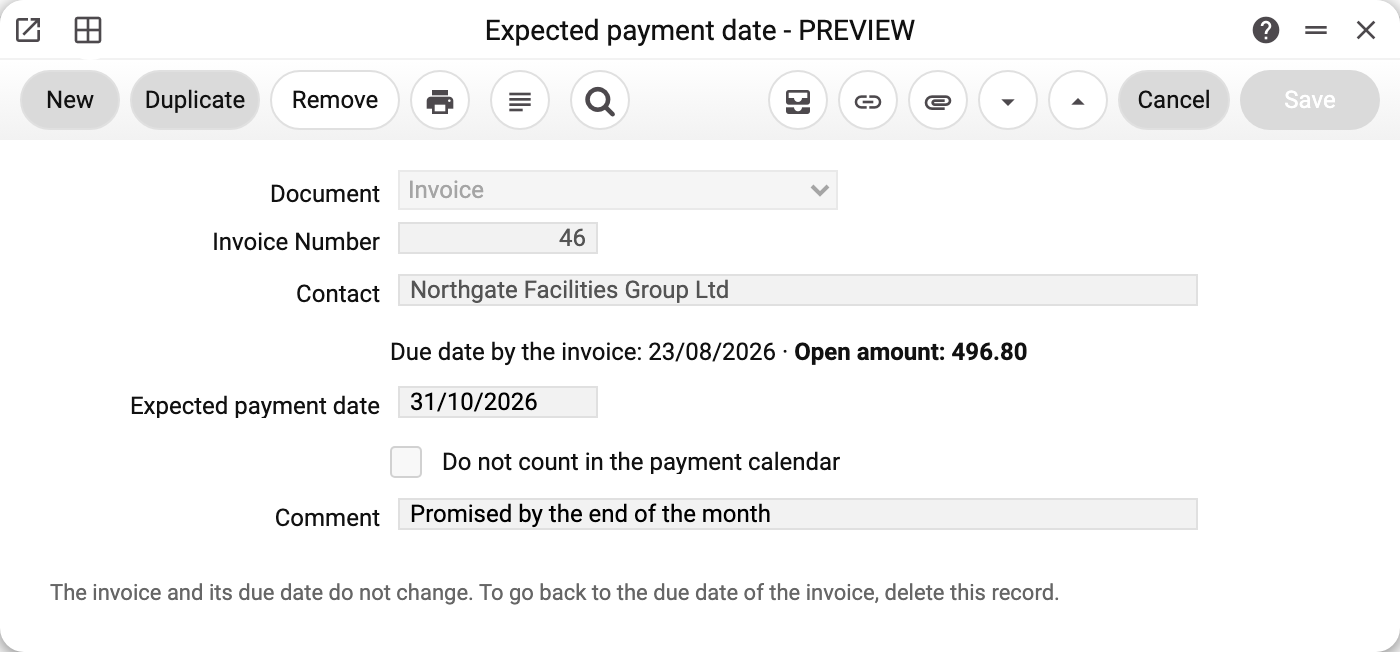
Fill in one of the two:
- "Expected payment date" (for a vendor — "We plan to pay on") — when you expect the money or plan to pay. The calendar shows the invoice on that day. An overdue invoice that is expected tomorrow returns from the "Overdue — not in the forecast" block to the forecast.
- "Do not count in the payment calendar" — we do not expect money for this invoice (disputed, bad debt). The calendar has no line for the invoice — neither in the forecast nor in the overdue block; under the summary it only shows how many such invoices there are and for what amount. In settlements the invoice stays open.
Without a date and without the tick the record is not saved. "Comment" is for yourself: "Promised by the end of the month". A new record for an invoice that is already paid is not saved either: the calendar does not show such an invoice, there is nothing to plan. A record made before the payment can still be edited.
Typical situations
The customer postponed the payment again. There is one record per invoice. If an expected date already exists, the same menu item opens that very record — change the date in it.
Going back to the invoice's due date. Delete the expected date record — and the calendar again puts the invoice on the due date from the invoice itself.
The invoice is paid. The record stays but affects nothing: the calendar takes only open invoices. In the record's window, instead of the due date and amount, it says "The invoice is paid or no longer open: the payment calendar does not show it". Such records can be deleted.
A date is set, but the invoice is still overdue. The expected date is earlier than today: the calendar puts the invoice into the "Overdue — not in the forecast" block. Set a date from today onwards.
A record for a credit note or an advance to a vendor. It can be saved, but the calendar does not show such invoices at all (the open balance is not above zero), so the record affects nothing.
Expected dates also apply to the dashboard tile "Cash forecast": it computes the same forecast as the calendar.