Vchasno.Kasa Accounts
The second fiscal service the system works with. A record describes one Vchasno.Kasa till: how to connect to it and how to translate our VAT codes into its tax groups.
Where to find it: Modules → Vchasno.Kasa → Registers → Vchasno.Kasa Accounts
A worked example
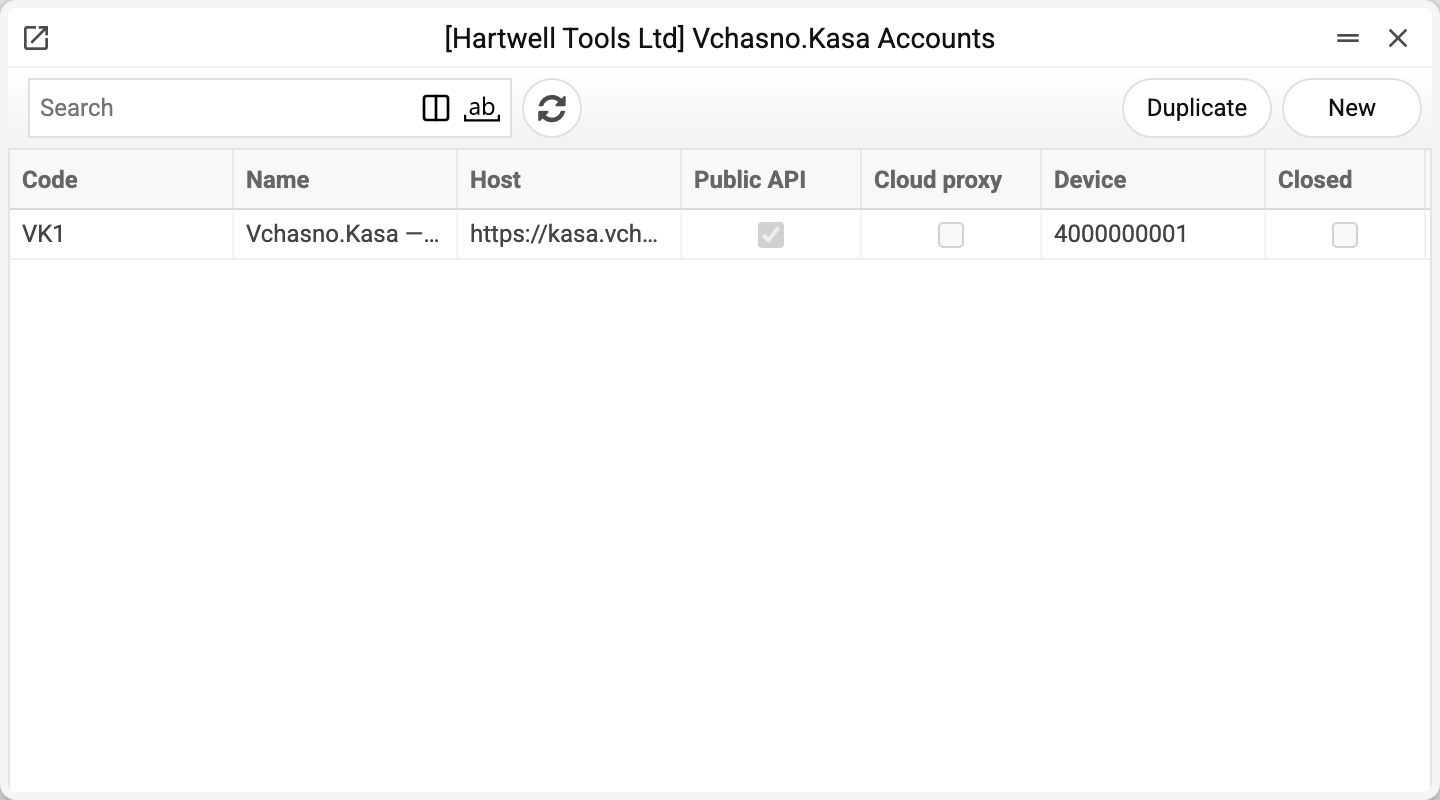
The journal shows the till code, the name, the host, the connection mode (the Public API and Cloud proxy ticks), the device number and the «Closed» flag. There is one till here, VK1.
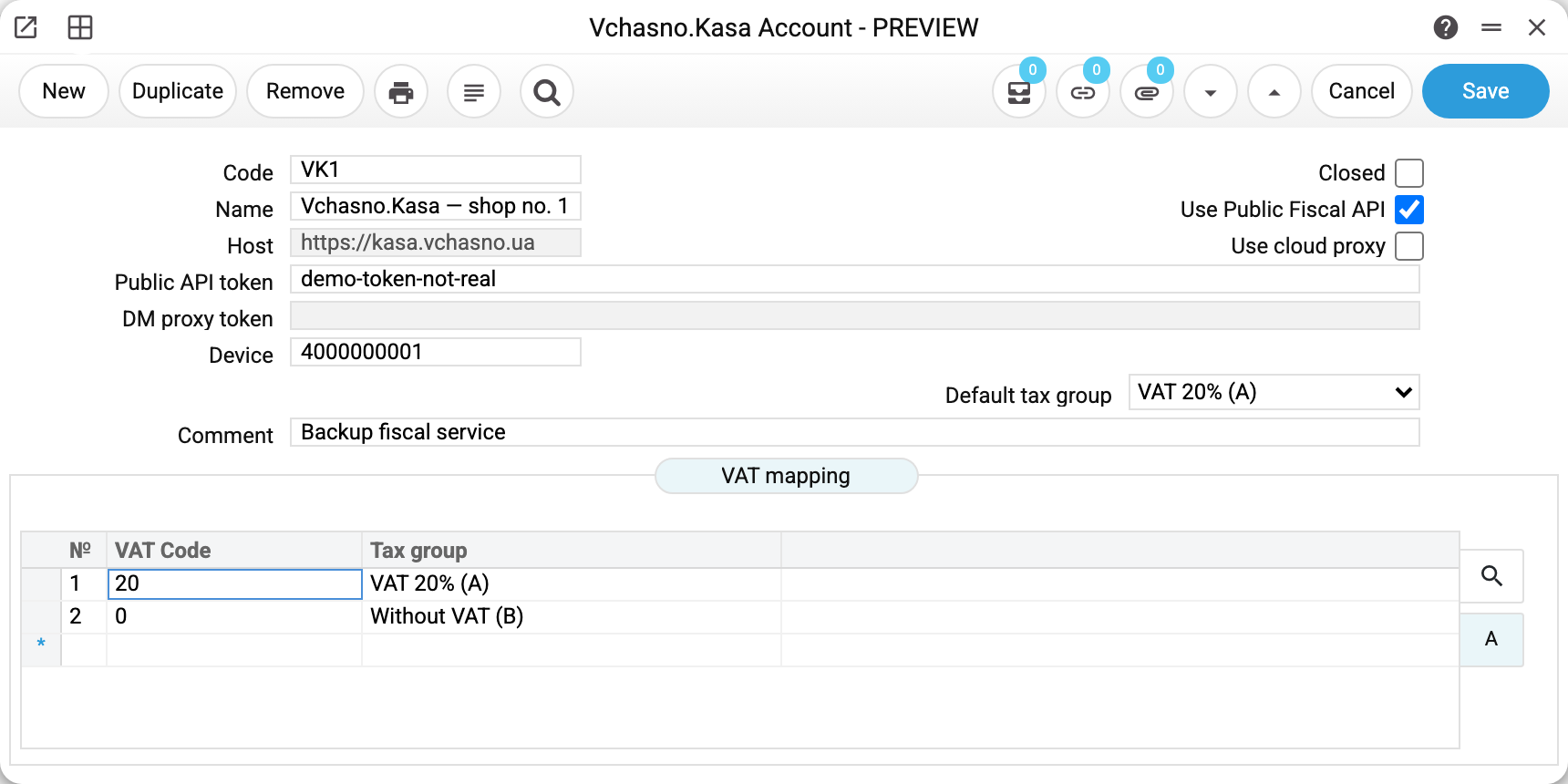
Till VK1 is connected through the Public Fiscal API, so the public API token is filled in while Host and DM proxy token are greyed out. That is not a quirk of the form: the connection mode decides which fields make sense, and the form disables the rest.
Three modes, only one active at a time:
| Mode | What you fill in |
|---|---|
| Public Fiscal API | the till token |
| Cloud proxy | the DM proxy token |
| Direct | the host address |
The Device field is the till's identifier in the service; without it the record will not save.
The VAT mapping is the important table
Our VAT register and the fiscal service's tax groups are different languages. The table at the bottom translates between them:
| VAT Code | Tax group |
|---|---|
| 20 | VAT 20% (A) |
| 0 | Without VAT (B) |
When a code is missing from the table, the default tax group from the field above applies. So the list need not be exhaustive: describe the exceptions and let the default carry the ordinary case.
Typical situations
Fiscalization fails on authorisation. Check that the mode matches the token that was issued: cloud proxy mode needs the token from the "DM proxy token" field, Public Fiscal API mode — from the "Public API token" field. The window disables the token field of the other mode.
A receipt was fiscalized at the wrong rate. Look at the row for that VAT code in the mapping — most likely the default kicked in.
A till was decommissioned. Tick "Closed": the record stays for history but can no longer be picked on documents. POS tills that carry its code keep working without fiscalization, as ordinary tills, and the receipts import skips it. "POS settings" holding the code of a closed till can no longer be saved («Fiscal cash register "…" does not exist») until the code there is replaced or cleared.
A till cannot be deleted: «A record of «Vchasno.Kasa Accounts» is used in: POS payment modes!» A till can be deleted only while its code is on no POS payment mode, not in the POS settings, and on no invoice carrying it in the "Fiscal cash register" field (set by the POS till on a sale and by the receipts import) — the refusal names the first place the code turns up. Deleted, the till would leave a code there that no longer exists: the POS would still consider itself fiscal with nothing to fiscalize receipts through, and the POS settings could no longer be saved with that code. A till that has already printed receipts cannot be deleted while those invoices exist — decommission it with the "Closed" flag.
Where to look next
- Vchasno.Kasa Receipts Import — pulling receipts from the service.
- Fiscal Receipts — the journal of what arrived.
- Checkbox Accounts — the alternative fiscal service.