Machines
The machines register lists what the work runs on: machines, bays, areas. Any row of a technological map can point at a machine. It is not the machine that splits the job into operations — that is the row's "Stage" and "Queue", and they also decide who posts the stock: with a stage and queue in the production rows, the operations consume the materials and receive the output, each on its own stage; without them, the production document does it itself. The machine plays no part in this: it is only carried into the operation — its name into the comment, its code into the "Used Machine" and "Machine Group" fields. A machine or group is set either on every row of the map or production or on none: otherwise the document will not save — "Enter machine or machine group".
Where to find it: Modules → Production → Registers → Machines
Despite the name, a "machine" here is not necessarily a machine tool. The demo company also registers an assembly bay and a packing area: what matters is not the metal but that this is a separate work centre with its own schedule.
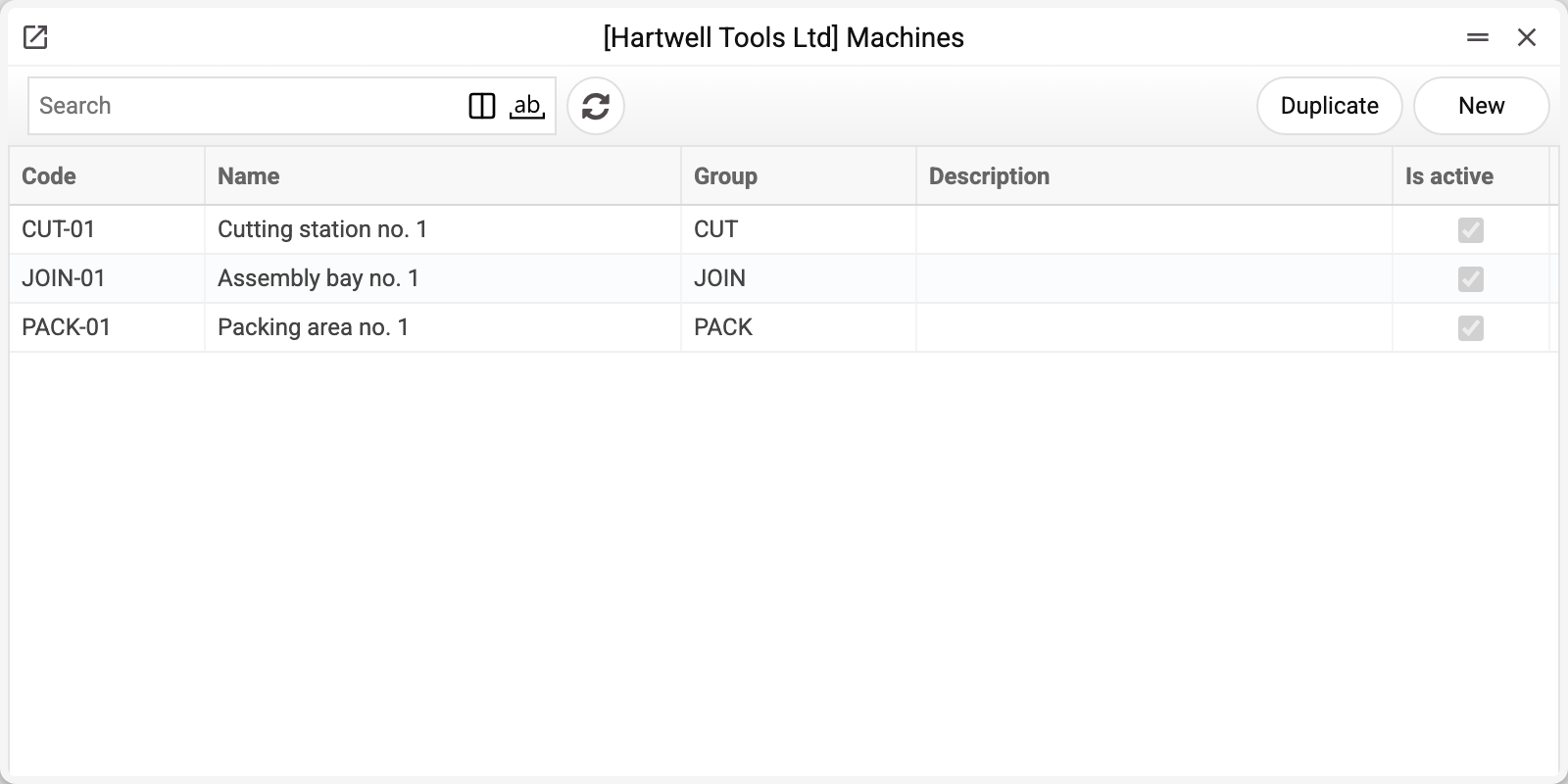
A worked example
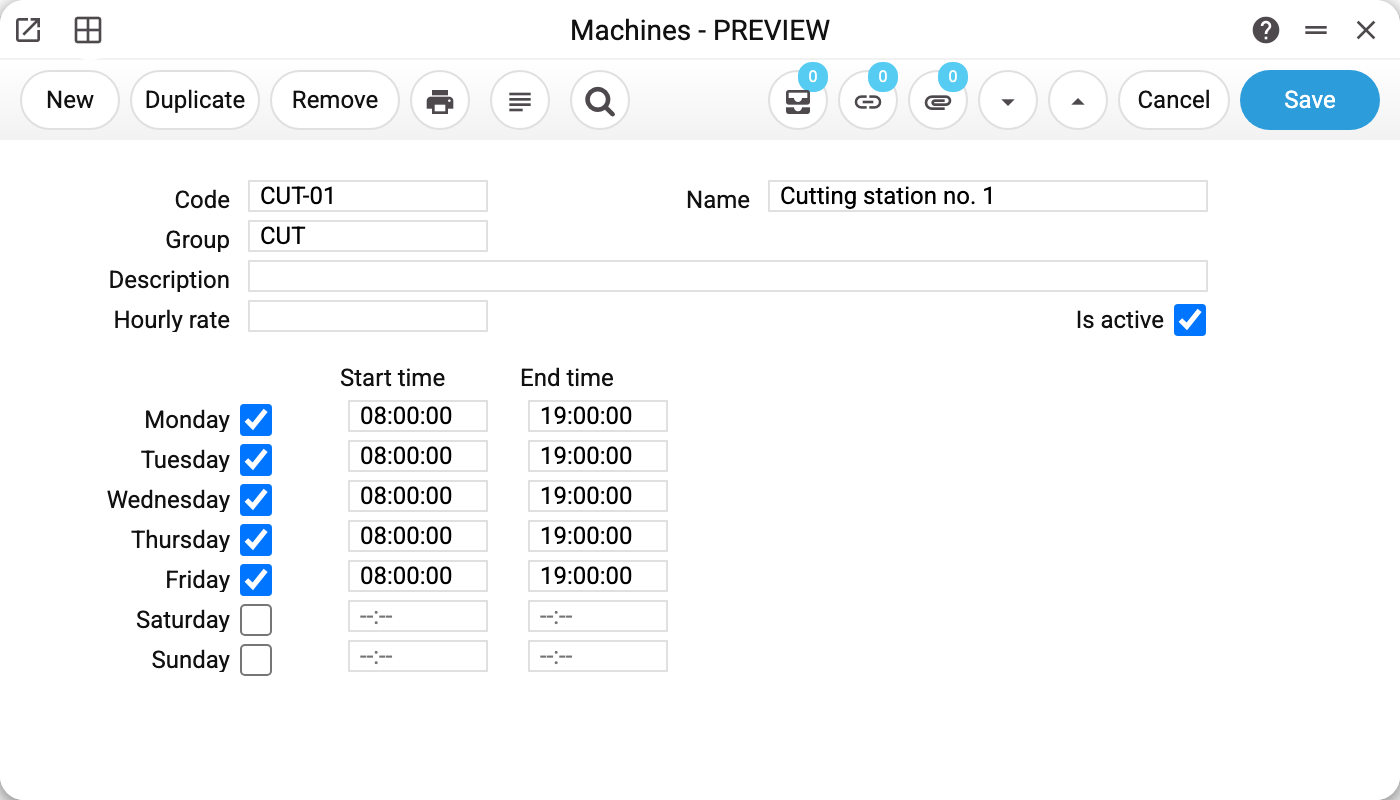
Machine CUT-01 "Cutting station no. 1", group CUT, "Is active" ticked.
The lower half of the card is a weekly schedule: Monday to Friday, 08:00 to 19:00, Saturday and Sunday off. That is the machine's availability window, but for now the schedule is only stored: neither the production reports nor operation creation take it into account.
The Hourly rate field is empty here. It, too, is only stored and shown on the card for now: the rate does not go into a stage's cost, which is built from the map's rows alone.
Machine, group and map
A machine always belongs to a group. A group is a set of interchangeable work centres: three identical machines in one group means the job can go to whichever is free.
A map row can name either a specific machine or a group. A specific machine says "do it here"; a group says "do it on any free one of these".
Typical situations
A machine goes in for repair. Untick "Is active" — the machine is no longer offered in the selection list on technological map and production order rows. That is all the flag does: where the machine is already set it stays, and production from such a map still goes to it; operations already created are not touched either. To send the work to another machine, replace it on the map's rows.
A machine that has been used cannot be deleted. While it is set in at least one map row, production order row, production or operation row, or in the production plan, the system refuses and names where, for example "A record of «Machines» is used in: Recipes!". Otherwise those would keep the code of a machine that no longer exists. A machine that no longer works is not deleted — untick "Is active".
Work runs two shifts. Widen the hours in the schedule; there is no separate "shift" entity — just a from-to window.
The machine you need isn't listed. Check it was created in this company: the register is per-company unless it has been opened to other companies in the Register sharing setting.
You need to know whether the shop can cope. There is no ready-made calculation for that. The Production capabilities report answers a different question — how many products the components in stock allow under the technological maps; machines, their schedules and load are not part of it.
Where to look next
- Machine groups — what a machine belongs to.
- Technological map — where a machine is assigned to a stage.
- Production operation — the work that reached the machine.