NP Pack List
The boxes, bags and flat-boxes Nova Poshta sells at its branches. The book comes into play when you describe the places of a shipment: the "Type" column of the "Package" table in a shipment and of the places table in a TTN is picked from here.
Where to find it: Modules → Nova Poshta → Registers → NP Pack List
The book is filled by the data download service.
Menu: Modules → Nova Poshta → Registers → NP Pack List.
A worked example
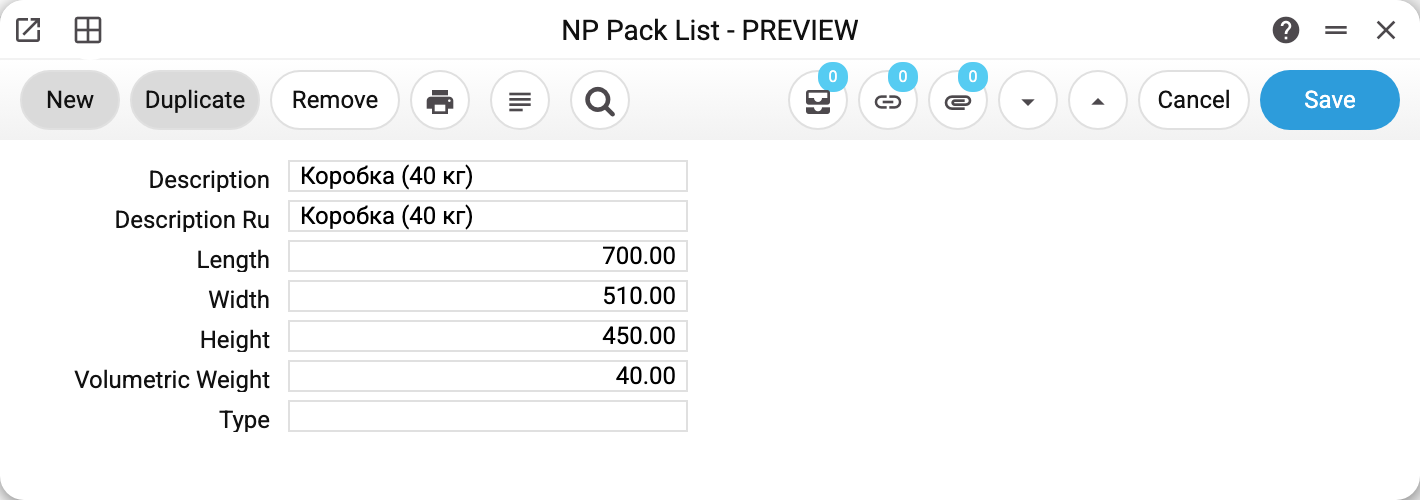
A 40 kg box: length 700, width 510, height 450 millimetres, volumetric weight 40.
Volumetric weight is neither an error nor a duplicate of the actual one. The carrier charges by the greater of two figures: what the parcel actually weighs and what its volume "weighs". A light but bulky box costs as much as a heavy one.
The book's volumetric weight is for reference only, though: it is not carried into documents. When you pick a package in a place row, the system copies only the dimensions into the row — Length cm, Width cm, Height cm (the book's millimetres are converted to centimetres) — and works out the row's volume and volumetric weight itself from them. For each place the express waybill gets the greater of the two: the row's weight or its volumetric weight.
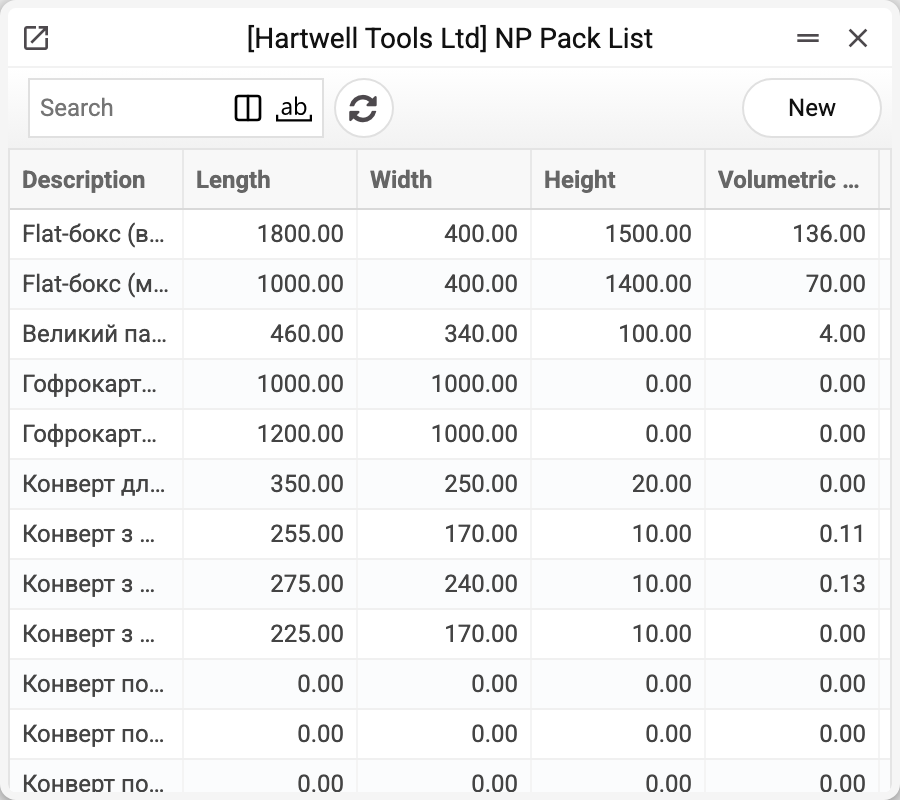
The demo database holds over eighty kinds, from small padded boxes to flat-boxes a metre and a half long.
Where the data comes from
- Filled by the "Nova Poshta" service — by a full run or with the "Download only Types of Packages" checkbox.
- This book is updated selectively: the service does not wipe it wholesale, it rewrites the records that arrived. So records Nova Poshta no longer returns, and records entered by hand, stay in the book.
- Dimensions are in millimetres and weight in kilograms, exactly as Nova Poshta returns them.
Your own packaging
A packaging kind can also be entered by hand: the "New" button in the list opens an empty card. The record's code is generated by the system. Only "Description" is required, and it must be unique — a repeat is refused with "This package already exists!". Once saved, the description cannot be changed ("Can't change field!"): it is what a document row finds the packaging by. The other fields of the card can be edited, but edits to a record that came from Nova Poshta are overwritten by the next run of the service. The "New" and "Duplicate" buttons in the card itself are disabled; a new kind is entered from the list.
Dimensions on the card are in millimetres: a 30 × 20 × 20 cm box is 300, 200 and 200. A document row receives them already in centimetres.
Fields
| Field | Description |
|---|---|
| Description, Description Ru | The packaging name |
| Length, Width, Height | Dimensions in millimetres |
| Volumetric Weight | The weight calculated from the volume; for reference |
| Type | A numeric packaging type code; empty in the records that came from Nova Poshta |
Nearby
- Shipments, TTN — the places tables where the packaging is chosen
- NP Pallets List — pallet sizes
- NP Cargo Types — the shipment category
- Nova Poshta data download — the service that fills the book
Print variables
Values available in this document's printed form templates. How to write a variable in a template — see Print Forms.
Header fields:
| Variable | What it holds |
|---|---|
| NPPackList_Description | Description |
| NPPackList_DescriptionRu | Description Ru |
| NPPackList_Length | Length |
| NPPackList_Width | Width |
| NPPackList_Height | Height |
| NPPackList_VolumetricWeight | Volumetric Weight |
| NPPackList_Type | Type |