Raw materials: from a card to a finished product
There is no separate raw materials reference book in the system, and there is no need to look for one. Raw materials, components, purchased parts and works are all item cards, in the very same register that holds what you sell. The only difference is how the card is filled in and what is done with it afterwards.
Below is the whole path: from a material card to a production document, with an answer to the question that comes up most often — do the materials have to be entered with prices first.
Step 1. The material card
Create a card in the item register and fill in three things:
- Name — what the storekeeper will see in the document;
- Unit of measure — pieces, metres, kilograms, hours;
- Product type — a radio button on the «Price» tab: «Stockable» for everything that sits in the warehouse (plywood, nuts, packaging) and «Work/Service» for what is spent as time (cutting, joinery, packing work).
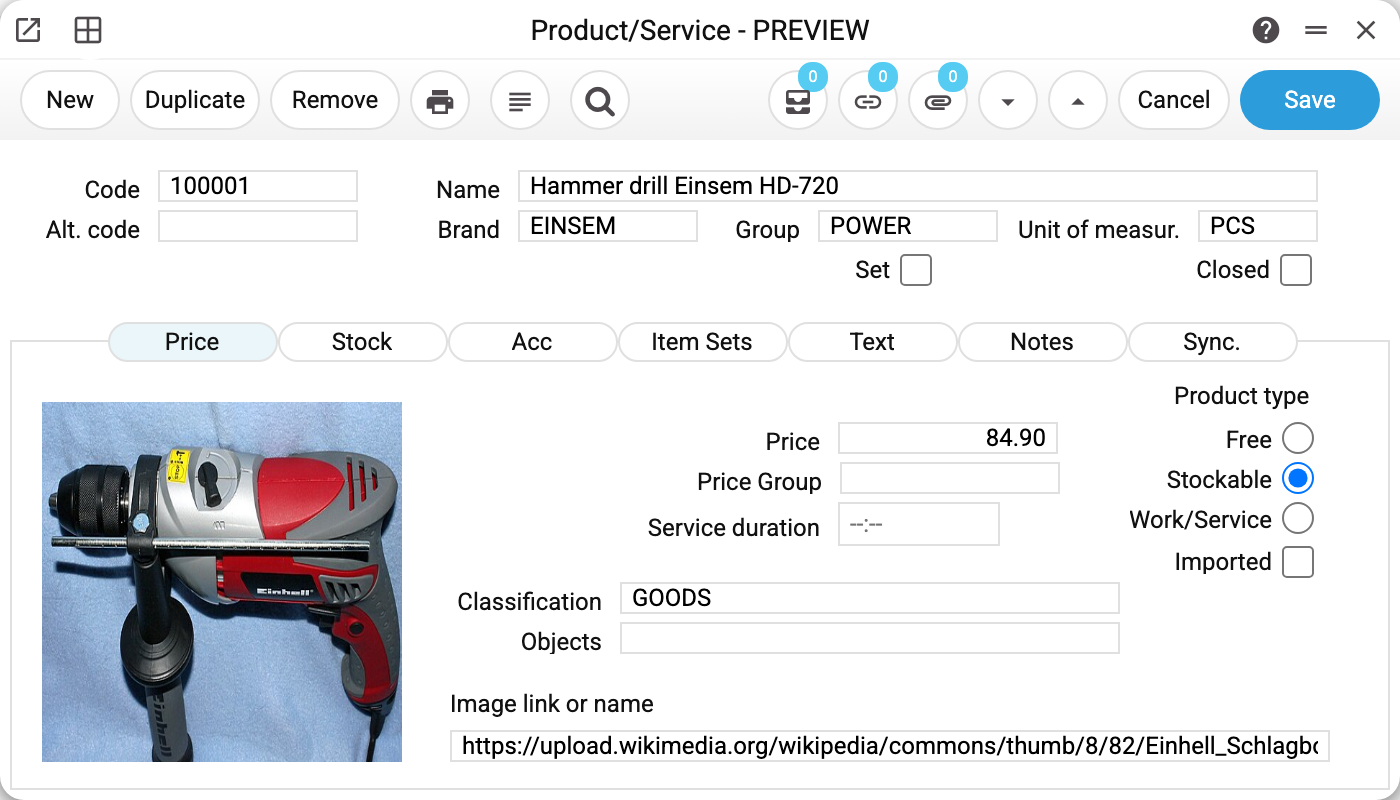
There is no need to invent a code: if a number series is set up for the item group (or a general one), leave the field empty and the system fills in the code itself — see Making the code fill itself in.
The type is not a formality. A stockable material is written off against a warehouse balance and needs a receipt; a work has no balance and enters the cost only as an amount. In the demo database this is visible at once: CUTTING «Cutting work» is a work measured in hours, while packaging and components are stockable items in pieces.
Step 2. Do prices have to be entered first
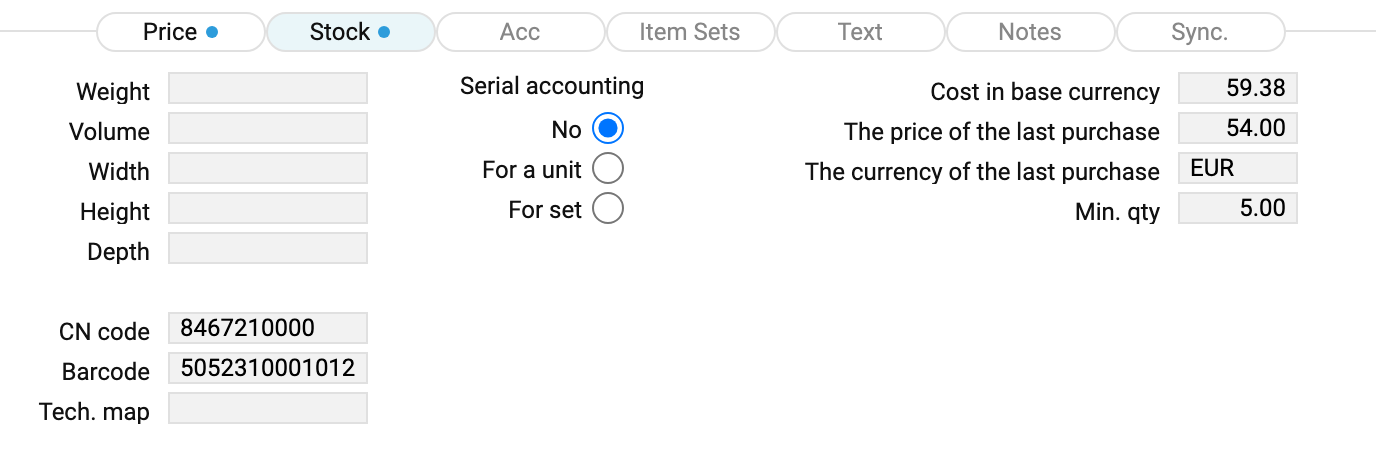
No — «entering the materials with prices» before building a map is not required. The cost of a line in a technological map comes from the card, from the «Cost in base currency» field (the «Stock» tab; the field is shown only with the «Show cost price» right), and it can get there in three ways:
- By itself — the system writes the cost there when a receipt of the material made from a purchase order is approved, each time from the latest one. Buy plywood at 500 on an order and the card holds 500, which a new map will pick up on its own. A receipt without an order leaves the field as it is;
- By hand on the card — it is an ordinary field and can be filled in advance. That is what is done for works, which are never received into stock: the «Cutting work» card holds 200 per hour;
- By hand in the line of the map — if neither of the above exists, type the cost right in the technological map.
An empty price does not prevent the map from being saved: the map is built, the planned cost simply comes out as zero.
It matters that this price is a planned one. The actual cost is calculated by production from warehouse balances using FIFO, not from the map. A gap between plan and fact is normal and is visible in the production document.
Step 3. Receiving materials into stock
Materials arrive in the warehouse through the ordinary «Goods Receipts» document — the same one that receives goods for sale. There is no separate «raw material receipt» in the system.
This step is mandatory for stockable materials: production writes them off against a real balance, and without a receipt there is nothing to write off. Works need no receipt — they never have a balance.
An approved receipt puts the balance into the warehouse, and a receipt made from a purchase order also writes the cost into the card — the very field from step 2.
Step 4. The technological map
Once the cards exist, build a technological map — the recipe of the product: what is spent, and how much of it, per one unit.
Lines with an in quantity are what is consumed; the line with an out quantity is what comes out. Materials and works stand in the same matrix one after another — and one finished unit comes out at the end.
Further to the right the matrix has the «Stage» and «Queue» columns: production slices separate operations by them. The detailed walk-through is in the article about the technological map.
Step 5. The order and the production
Two documents follow:
- Product orders expand the map to the required quantity — the plan;
- Production writes the materials off the warehouse and receives the finished product — the fact.
The finished product is an item card as well, a stockable one, and after production it takes its place in stock like any other item.
Typical situations
The material cannot be found when picking it into a map. Check whether the card is closed with the «Closed» checkbox: closed cards do not appear in selection lists. See Why a record will not delete.
Works should not be measured in hours. The unit of a work can be anything — an hour, a shift, an operation. All that matters is that the price on the card is per that same unit.
The cost in the map does not match the actual one. That is how it should be: the map holds the plan, production calculates the fact by FIFO from warehouse balances.
A semi-finished product goes into the product. Put it into the map as an ordinary material line. The second map is not expanded: the semi-finished product has to be made by a separate production document and received into stock.
The material has arrived but the map still shows the old price. «Cost in base currency» is substituted into the map line at the moment the item is picked, and an already built map does not recalculate itself. For a material this does no harm: a product order and a production, when they expand the map, take the material's planned cost from the fresh card and use the price in the map line only when the card has none. For a work it is the other way round — the price in the map line comes first, so correct an outdated work price in the line by hand.