Carriers
A consignment note has to name the company hauling the goods, complete with its details: name, address, tax and registration numbers. Retyping those into every note makes no sense — hence a register of carriers.
Where to find it: Modules → Stock → Registers → Carriers
A worked example
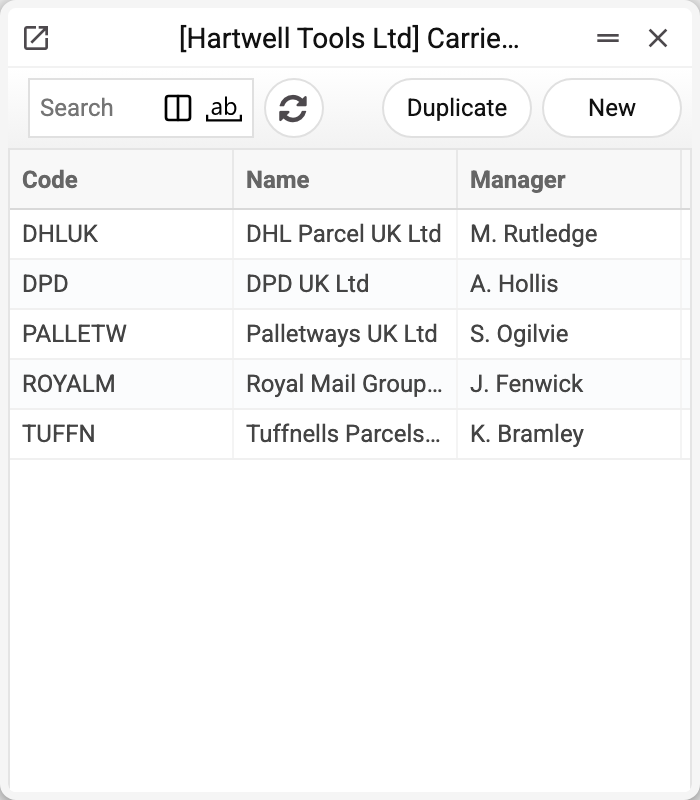
The demo company lists five carriers: DPD (DPD UK Ltd), DHLUK (DHL Parcel UK Ltd), ROYALM (Royal Mail Group Ltd), TUFFN (Tuffnells Parcels Express Ltd) and PALLETW (Palletways UK Ltd).
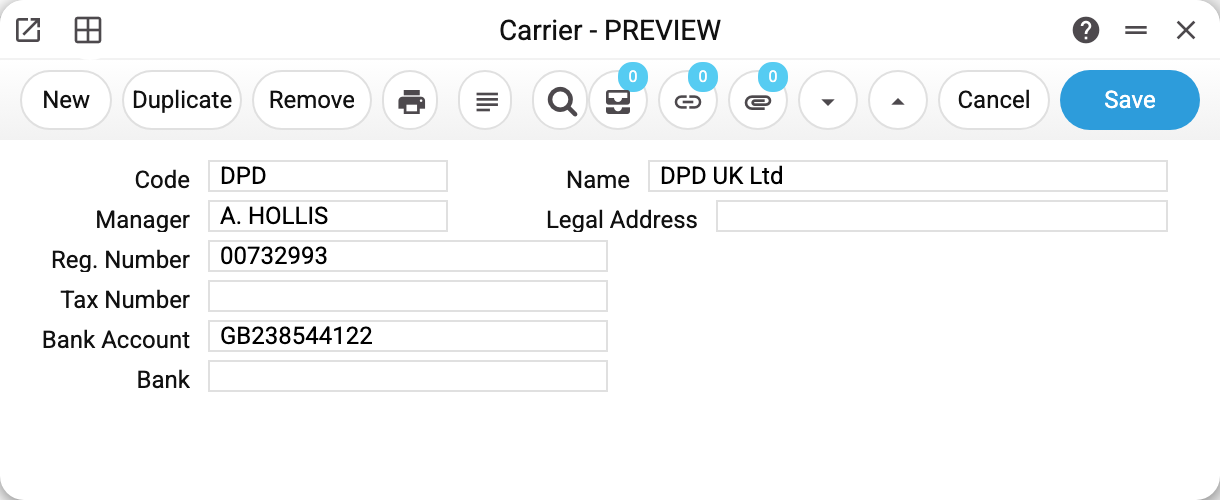
The card holds the code, the name, a manager (a contact person from the contacts register), registration and tax numbers, the legal address, the bank and the account. Only code and name are mandatory; the rest serves the carrier details on the note.
What the system does
When a carrier is chosen on a consignment note, the system assembles its details into a single line — the "Carrier Info" field: name, address, tax number, registration number, bank account and bank. The line is stored on the note as text. The system has no printed form of the consignment note itself: the note window prints only the Nova Poshta express waybill.
So a carrier only needs describing once: when the address changes you edit the card, and new notes get the new one. Notes already created keep the old line until the carrier is chosen on them again.
In the demo company every note is issued to DPD.
Not to be confused with the neighbouring registers
- Delivery mode — a transport type (road, parcel, courier), not a company;
- Contacts — customers and suppliers; carriers live apart because a note needs haulage details specifically;
- Nova Poshta — a separate integration with its own data exchange; the carriers register is unrelated to it and serves the carrier details on the consignment note.
Typical situations
Carrier details are blank on the note. Some fields on the card are empty — the line is built only from what is filled in. Or the card was completed after the carrier had been chosen on the note: the line is built at the moment of choosing — choose the carrier on the note again.
The carrier cannot be deleted: «A record of «Carriers» is used in: Waybill!» The card can be deleted only while no consignment note refers to it. Once deleted, the carrier would leave a code on the note that leads nowhere. If you no longer work with a carrier, keep the card in the register and simply stop choosing it on new notes.
One carrier, several depots. Create separate codes with different addresses — the note takes the address from the card.
Where to look next
- Consignment note — the document where a carrier is named.
- Delivery mode and delivery terms — the delivery details on an order.