POS Reports Settings
A cashier does not have to log into the system to see how much they have sold: reports are available at the till itself. Which ones, for which point of sale and with which parameters — that is set here.
Where to find it: Modules → POS → Registers → POS Reports Settings
One record = one report for one point of sale. To offer the same report in two shops, create two records.
Menu: Modules → POS → Registers → POS Reports Settings.
Worked example
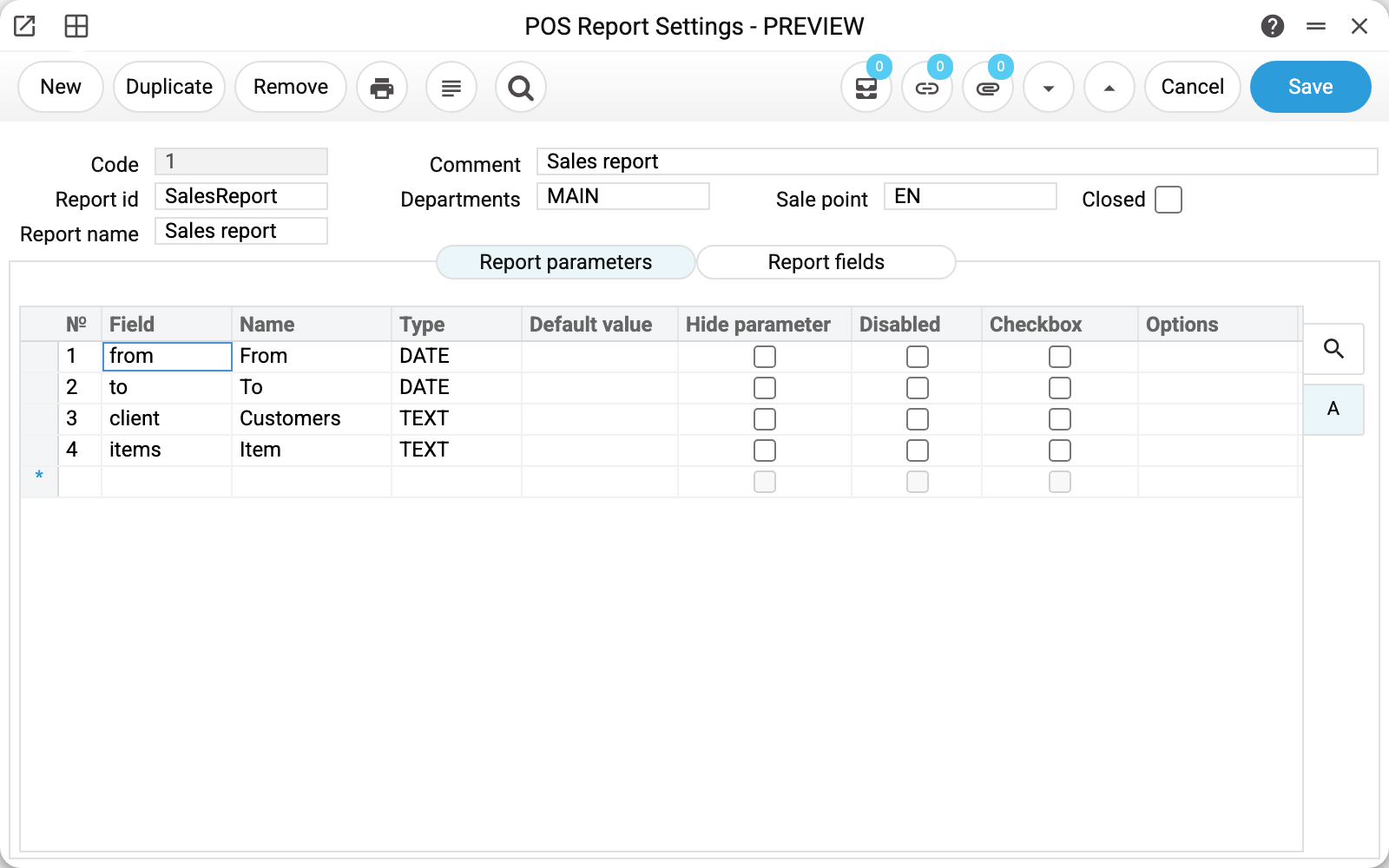
At the top — who sees what:
- Report id
SalesReport— which report exactly. Three are available: sales (SalesReport), contacts (ContactsReport) and cash out (CashOutReport); - Report name — filled in automatically once the id is chosen; this is what the cashier sees in the list of reports, and you can replace it with your own;
- Comment "Sales report" — a note for whoever configures it: it is not sent to the till;
- Departments
MAINand Sale pointEN— who this report is available to; - Closed — the off switch: a closed record is not offered at the till.
The Code 1 is assigned by the system.
Report parameters
The "Report parameters" matrix holds the filters the cashier sees before running the report. Four of them here: From, To (the period), Customers and Item. The field is picked from a list; Name and Type are filled in automatically.
Three flags control how a parameter behaves at the till:
- Hide parameter — the filter works but the cashier does not see it;
- Disabled — visible but not editable; works only on a text parameter without "Options" — a date, a number, a tick box and an options list stay editable for the cashier;
- Checkbox — the parameter is a tick box (for example "VIP only" in the contacts report); for flag fields the system ticks it itself when the field is chosen.
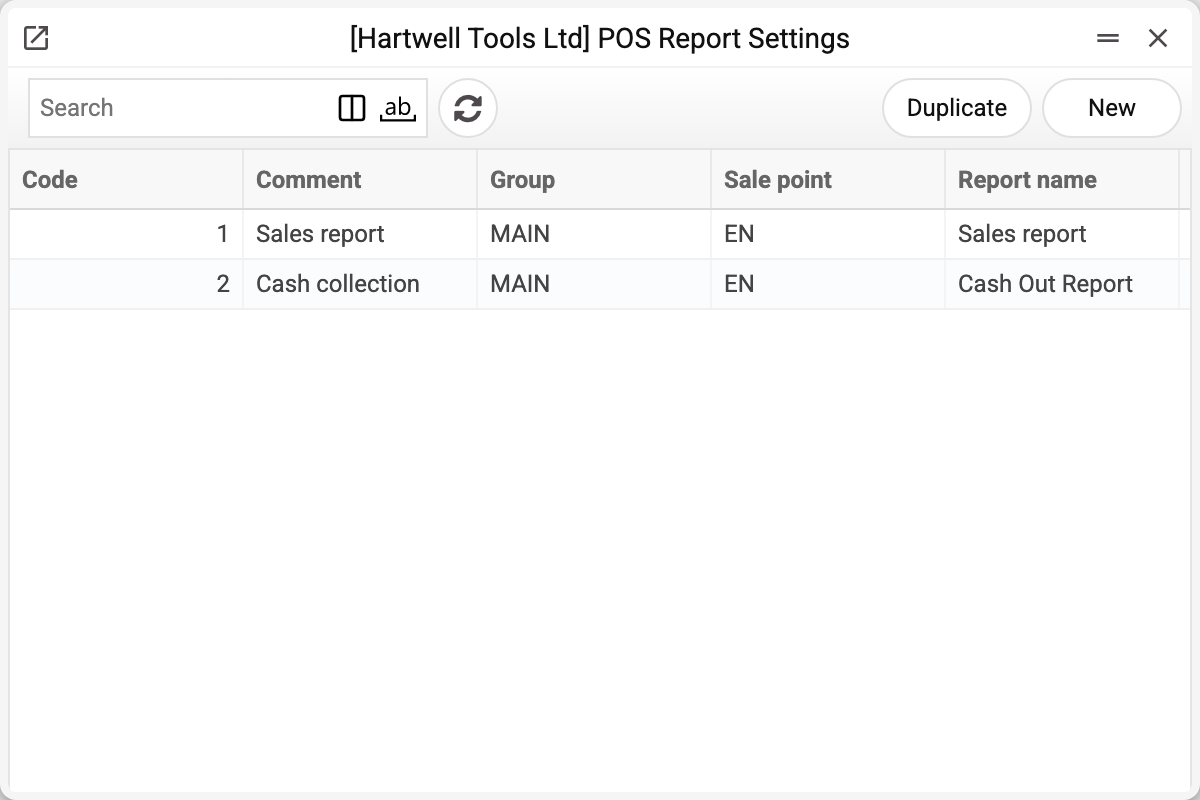
Default value is what the filter starts with; for a date it is a fixed date, not the current day. In the demo stand's second record (cash out report) the "Cashbox" parameter holds EN: the cashier does not have to pick a till, the report is about their own by default.
Together these flags give a familiar trick: a parameter with a default value and the "Hide parameter" flag is not shown by the till, which passes it to the report itself; when all parameters are hidden, the report is built right on opening — the cashier sees their own figures and cannot accidentally look at someone else's. It is a restriction of the till interface, not a right: the report server takes the filters from the till's request as they are.
Report fields
The second tab, "Report fields", lists the columns of the result. The till receives this list but does not read it: the report columns in the till are set in the till itself, and an empty or a filled matrix changes nothing in them.
Where the data comes from
| Field | Source |
|---|---|
| Report id | fixed list of three till reports |
| Report name | filled in together with the id |
| Departments | Departments |
| Sale point | Users |
| Parameter field / result field | fixed list per report |
Each report has its own parameters: sales — period, customers, groups, item, location and salesman; contacts — contact, categories, the customer / vendor / employee / VIP / closed flags and classification; cash out — the cashbox only.
The till asks for reports by the pair department + sale point and shows open records only. The same field cannot be used twice in the parameters: the window clears a repeat right when it is picked, and a setting with a repeat will not save — for example «Field "from" is already added!» (the field code is in the quotes).
Parameters
| Field | Description |
|---|---|
| Code | Record number, assigned by the system. |
| Report id | SalesReport, ContactsReport or CashOutReport. |
| Report name | The entry the cashier sees in the till's report list; filled in from the id automatically, can be replaced. |
| Comment | A note for whoever configures it; not sent to the till. |
| Departments | Department the report is available to. |
| Sale point | Till the report is available to. |
| Closed | The report is not offered at the till. |
"Report parameters" matrix
| Column | Description |
|---|---|
| Field | A report filter from the list. |
| Name, Type | Label and data type; filled in by the system. |
| Default value | What the filter starts with (a date is fixed). |
| Hide parameter | The filter works but is not shown. |
| Disabled | The filter is visible but locked — only a text filter without "Options". |
| Checkbox | The filter is a tick box. |
| Options | Comma-separated values: the till shows the filter as a drop-down of them. |
"Report fields" matrix — Field, Name, Checkbox: a column list the till does not read.
Common situations
The cashier sees no reports at all. Check that the record holds the department and the login of the very till used to sign into the POS, and that "Closed" is not set.
The report shows other people's sales. Put a default value into the parameter that picks the till or the salesman ("Cashbox" in the cash out report, "Salesman" in the sales report) and set "Hide parameter" — the cashier then neither sees nor changes this filter at the till. It is not a right: the filter reaches the server from the till's request.
The period has to be typed every time. "Default value" in the "From" and "To" parameters is a fixed date: the report opens with the same period every time. Without dates the sales report is not built («Fill in the report period!»), so do not hide "From" and "To" without values.
The report I need is not in the list. The till's report list is fixed at three; it cannot be extended by settings. The full reports are available in the normal interface — for example Cash Out Report.
See also
- Cash Out Report — the same report in the main interface
- POS payment modes — the point-of-sale card
- Departments — what reports and buttons are tied to