Open Service Orders
The service-debt window: orders that have not been settled. The same idea as open invoices, applied to repairs.
Where to find it: Modules → Database Maintenance → Registers → Open Service Orders
A worked example
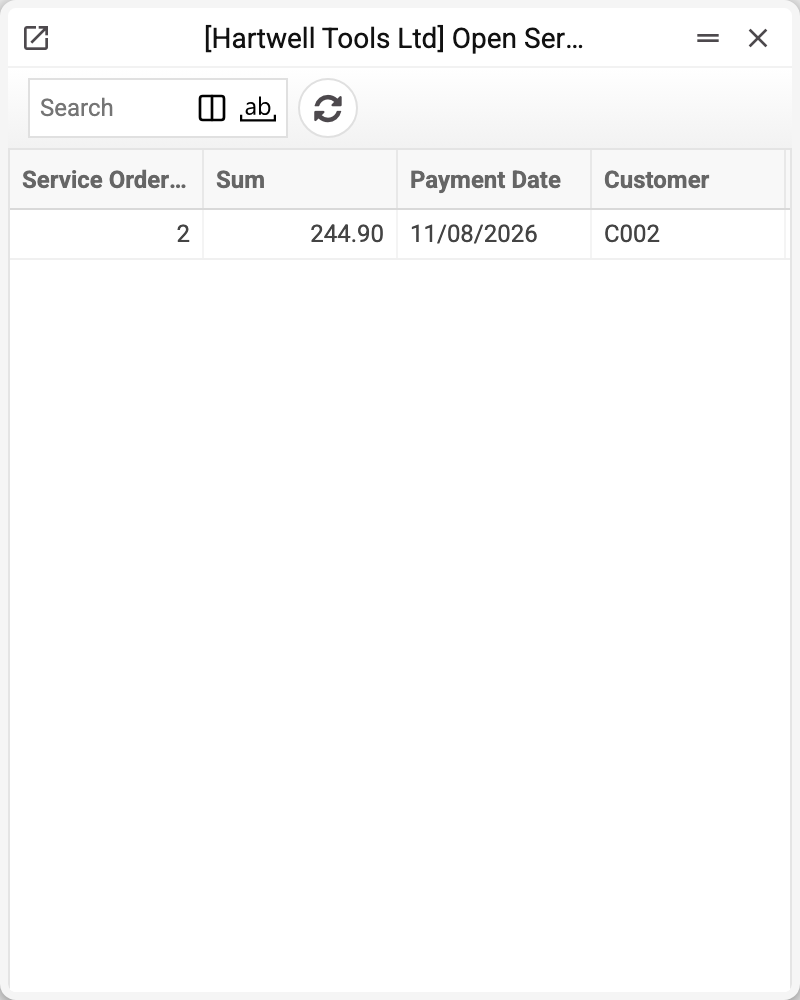
A row is an order, a customer and the balance due. The row appears with the order's first approved non-warranty work sheet for a non-zero sum (a work sheet for 0 adds no debt and creates no row) or first payment (the «Pay» button) and disappears as soon as the balance reaches zero. Note that the balance can be negative — most often a prepayment taken before the work sheet is approved; or the customer paid more than the work cost, and the overpayment is waiting to be refunded or carried over.
Why to check it at handover
When a customer comes to collect their device, there is one question: is everything paid. This register answers it at once, with no trawling through the order's documents.
A settled order is not here at all — the row is deleted at zero; a positive figure is underpayment; a negative one is a prepayment or an overpayment.
Typical situations
The order is closed but the row remains. The money was entered with a regular receipt document rather than the «Pay» button in the order: such a payment does not lower the balance here.
A negative balance. If the work sheet is not approved yet, it is a prepayment — the balance evens out once the work sheet is approved. If it is approved already — an overpayment: refund the difference or carry it to the next repair.
The customer cannot remember what they paid. Check the payments report for that order.
Where to look next
- Service orders — the documents themselves.
- Payments report — how the balance came about.