Nova Poshta
For the system to create express waybills on its own, it needs access to your Nova Poshta Business Cabinet. This register is that access: one record — one API key, plus the sender details that will go into every waybill.
Where to find it: Modules → Nova Poshta → Registers → Nova Poshta
What you enter here is not recipients and not customers, but yourself as the sender: on whose behalf, from which city and branch the parcels travel, and who pays for delivery. The recipient comes from the document; everything else comes from here.
Menu: Modules → Nova Poshta → Registers → Nova Poshta.
A worked example
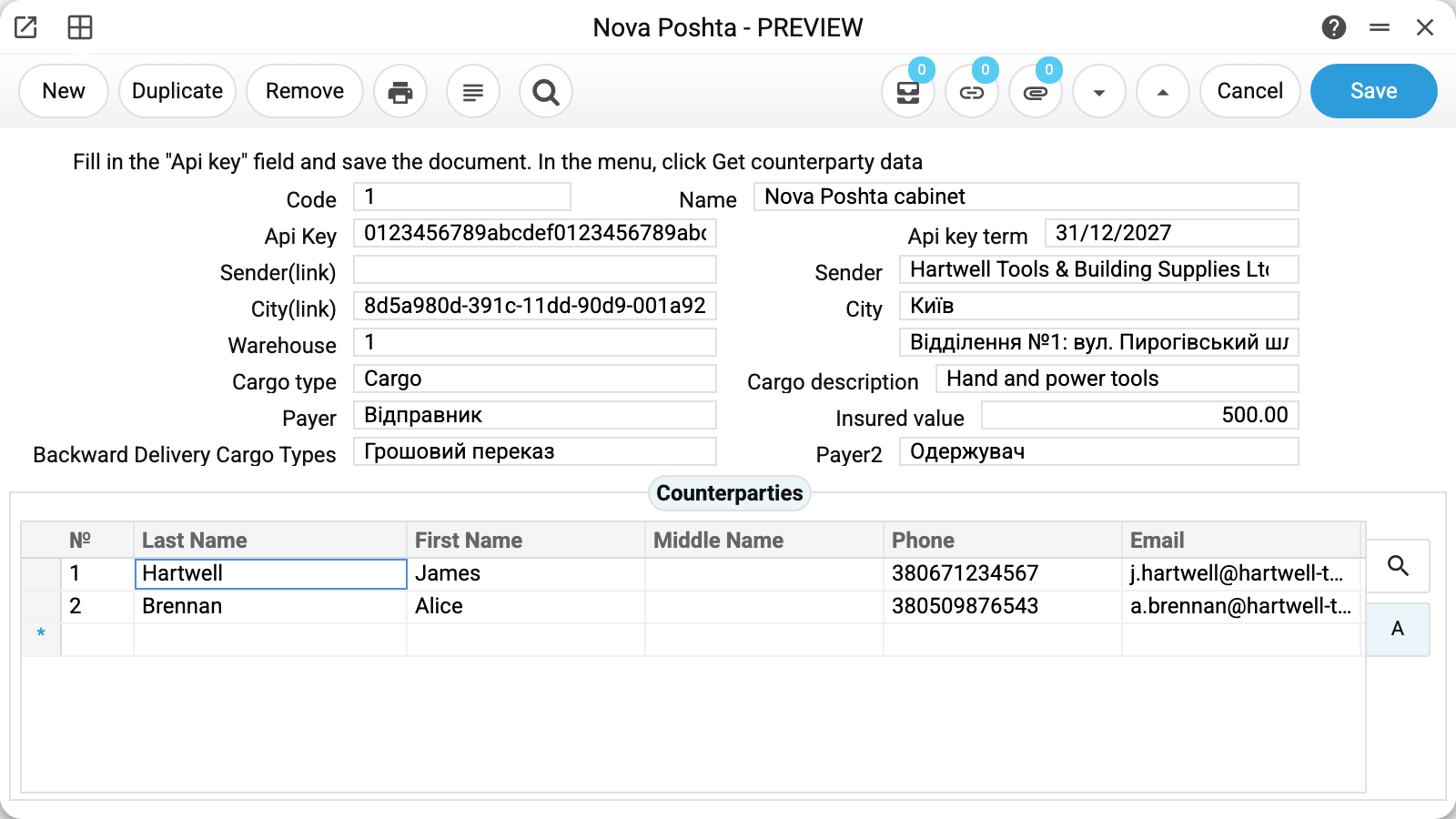
The demo has one cabinet: Code 1 (assigned by the system), Name "Nova Poshta cabinet", Api Key and Api key term — valid until 31/12/2027.
Next comes the sender block: Sender "Hartwell Tools & Building Supplies Ltd", City "Київ", Warehouse 1, and to the right of the number the system has filled in its description — "Відділення №1: вул. Пирогівський шлях, 135". Fields marked "(link)" hold Nova Poshta's internal identifiers; they are filled automatically and are not meant to be typed in by hand.
Below are the defaults for a shipment: Cargo type Cargo, Cargo description "Hand and power tools", Payer "Відправник" (sender), Insured value 500.00, Backward Delivery Cargo Types "Грошовий переказ" (money transfer), Payer2 "Одержувач" (recipient). The last two are about money travelling back: cash on delivery and who pays for sending it.
The Counterparties tab lists the sender's contact persons with their phones and e-mail. The "Sender" field is picked from this list: a waybill needs a real person with a phone number, because that is who Nova Poshta calls.
Where to get the key
The key is created in the Nova Poshta Business Cabinet: Settings → Security → My API keys.
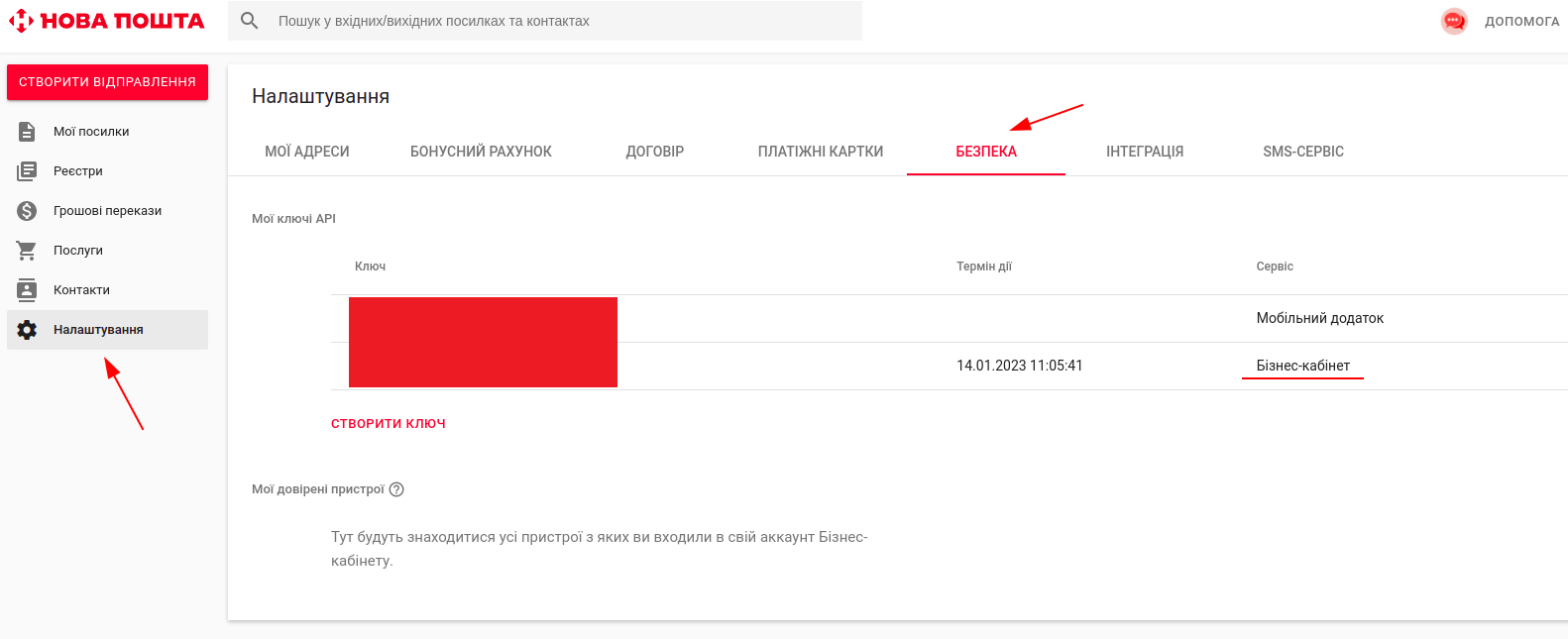
A key is valid for a limited time — the cabinet shows its expiry date, and the same date goes into "Api key term". The system does not watch that date: it is there so that you do not miss the replacement.
When the card is saved with a new, just-typed key, the system calls Nova Poshta and checks it. If Nova Poshta does not accept the key — it is wrong, expired or revoked — the record will not be saved: you will see "Invalid Api key!". A connection failure or another Nova Poshta refusal does not stop the save, and a key already saved is not checked again on later saves.
The "Get counterparty data" button
The record menu (the striped button next to "Print") has a Get counterparty data item. It works only on a saved record that has a key, and it does several things at once:
- asks Nova Poshta for the list of your sender counterparties and takes the first one;
- pulls that counterparty's contact persons into the "Counterparties" tab;
- fills in Name, Sender(link), Sender (the first contact person in the list) and City.
Two consequences worth knowing in advance. First, the button overwrites these fields — anything you typed by hand disappears. Second, the city arrives in its Russian spelling, because that is how Nova Poshta returns it; if the service has no such name for that city, the field stays empty and you pick the city yourself.
Where the data comes from
- City is chosen from NP Cities, Warehouse from NP Warehouses, and the branch list is already filtered by the city you picked.
- Cargo type is stored as Nova Poshta's own code (
Cargo,Parcel,Documents,Pallet,TiresWheels) — that is why the field shows Latin text. Payer and Backward Delivery Cargo Types, on the other hand, are stored by name. - The reference books themselves are filled by the data download service — until it has run, there is nothing to choose from.
Fields
| Field | Description |
|---|---|
| Code | Card number, assigned by the system |
| Name | Cabinet name; "Get counterparty data" overwrites it with the counterparty name from NP |
| Api Key | The key from the NP Business Cabinet (Settings → Security) |
| Api key term | The date the key expires. Reference only — the system does not track it |
| Sender(link), City(link) | NP internal identifiers, filled automatically |
| Sender | The sending contact person, picked from the "Counterparties" tab |
| City | City of departure |
| Warehouse | Branch number; the description next to it is filled in automatically |
| Cargo type | Cargo, parcel, documents, pallets, tyres and wheels |
| Cargo description | The text that goes into the waybill as the description of the contents |
| Payer | Who pays for delivery: sender, recipient or a third party |
| Insured value | Default declared value |
| Backward Delivery Cargo Types | What travels back: a money transfer or documents |
| Payer2 | Who pays for the return delivery |
| "Counterparties" tab | Contact persons: last name, first name, middle name, phone, e-mail |
Print variables
Values available in this document's printed form templates. How to write a variable in a template — see Print Forms.
Header fields:
| Variable | What it holds |
|---|---|
| NovaPoshta_Code | Code |
| NovaPoshta_Name | Name |
| NovaPoshta_ApiKeyTerm | Api key term |
| NovaPoshta_SenderLink | Sender(link) |
| NovaPoshta_Sender | Sender |
| NovaPoshta_CityRef | City(link) |
| NPCtDesc | City (name) |
| NPCargTypRef | Cargo type (code) |
| NPCargTypDesc | Cargo type (name) |
| NPPayType_Ref | Payer (code) |
| NPPayType_Desc | Payer (name) |
| NovaPoshta_InsuredValue | Insured value |
| NPBDCT_Ref | Backward Delivery Cargo Types (code) |
| NPBDCT_Desc | Backward Delivery Cargo Types (name) |
| NPPayType_Ref2 | Payer2 (code) |
| NPPayType_Desc2 | Payer2 (name) |
| NovaPoshta_ApiKey | Api Key |
Row fields:
| Variable | What it holds |
|---|---|
| MNo | Row position number |
| MLastName | Last Name |
| MFirstName | First Name |
| MMiddleName | Middle Name |
| MPhones | Phone |
| MEmail |
The records the document refers to through its form fields (location, customer, currency…) also expose the rest of their variables — code and name are already listed in the tables above, the rest is described in the register's article:
- City — NP Cities
- NP Warehouses —
NPWar_Desc(description); all variables — NP Warehouses - NP Types of Payers —
NPPayType_Ref(ref),NPPayType_Desc(description); all variables — NP Types of Payers - NP Cities —
NPCtDesc(description); all variables — NP Cities - NP Cargo Types —
NPCargTypRef(ref),NPCargTypDesc(description); all variables — NP Cargo Types - NP Backward Delivery Cargo Types —
NPBDCT_Ref(ref),NPBDCT_Desc(description); all variables — NP Backward Delivery Cargo Types
Common situations
- The waybill is not created and the system asks to fill in fields. All six are required: City, Warehouse, Cargo type, Payer, Backward Delivery Cargo Types, Payer2. An empty one stops the express waybill even when the key is valid.
- The key has expired. The card will not accept an expired key — "Invalid Api key!". If the term ran out after the key was saved, the card still saves (a saved key is not checked), but you will hit it later: "Get counterparty data", the reference download service and waybill creation get a refusal from Nova Poshta. Create a new key in the NP cabinet and replace it in the card.
- More than one cabinet. The register may hold any number of records, but the download service takes the key from the first one. Keep the working cabinet first — otherwise the reference books will be refreshed under someone else's key.
- Several companies in one database. The card belongs to a company: each has its own key and its own sender. One company's data is not visible in another.
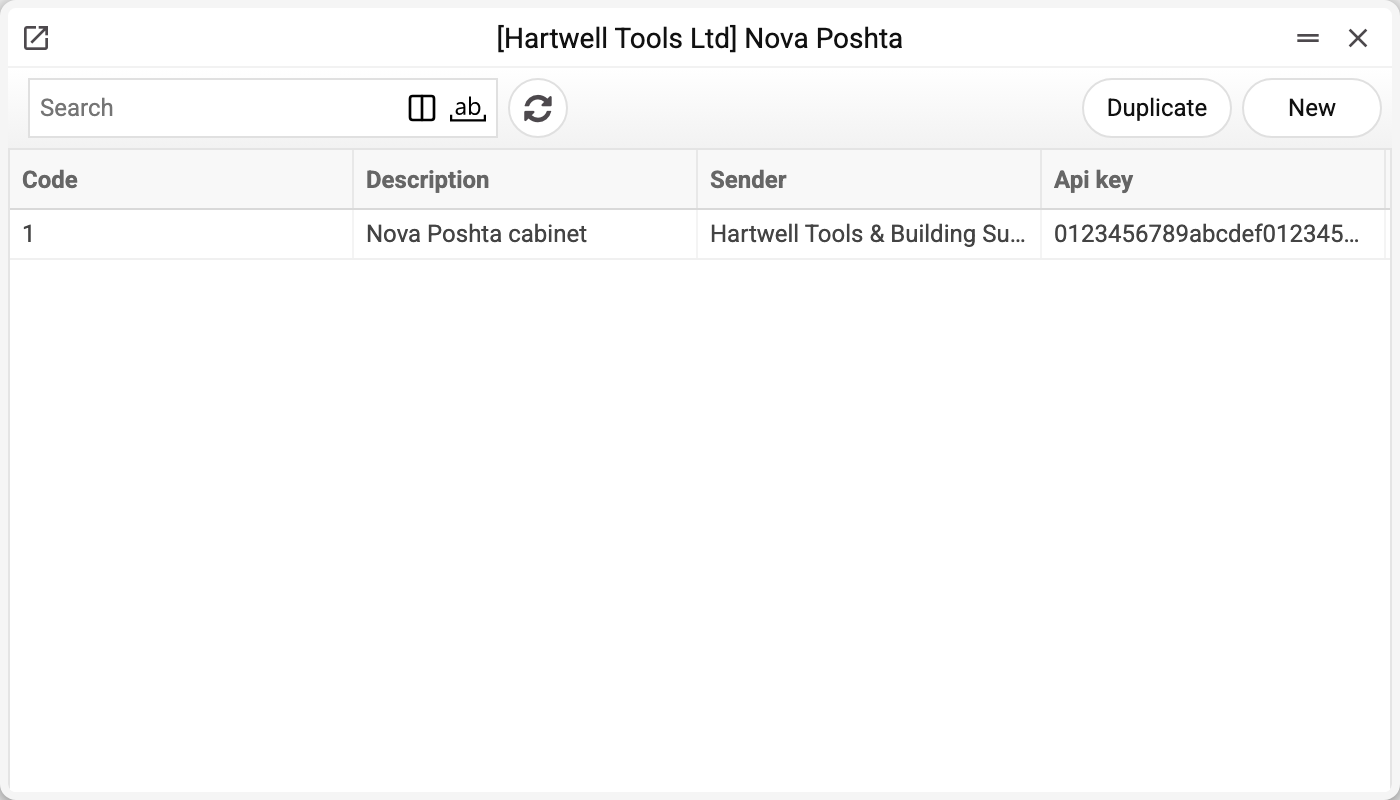
The key is "write-only", like a password: once saved, it is shown neither by the window (only the mask "••••••••": the key is set; a newly typed key replaces the old one, and erasing the mask deletes it), nor by the list (code, name and sender only), nor in print, nor through MCP; in the database it is encrypted. Access to the register should still not be given to everyone: whoever can change the key or the sender decides on whose behalf parcels are sent.
Nearby
- NP Setting — the module switch and the default sender for documents
- NP Counterparties — the cabinet's counterparty reference book
- Nova Poshta data download — the service that fills the reference books
- Waybill status update — the service that tracks shipments