Rental auto-invoicing
A long hire is not paid in one go but by periods — following the payment plan of the agreement. Raising those invoices by hand is daily work and a reliable source of forgotten periods.
Where to find it: Modules → Rental → Maintenances → Rental auto-invoicing
This routine does it in a single run: it walks through every active agreement and invoices the periods that have come due.
A worked example
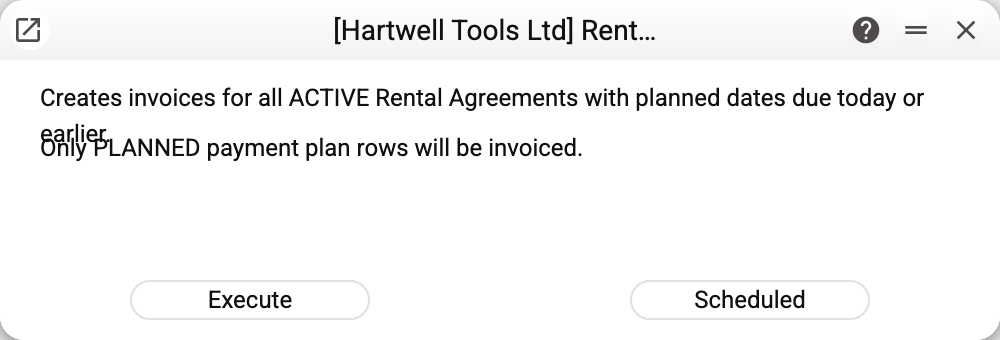
No parameters — just the run button and a note: invoices will be created for all ACTIVE agreements whose payment plan holds rows dated today or earlier.
What it does
- Takes every agreement in ACTIVE status;
- inspects its payment plan and picks the rows with status
PLANNEDand a planned date no later than today; - creates an invoice for that period — by the same rule the payment plan is calculated with, so the plan row and invoice amounts match as long as the agreement's prices and rows have not changed since the plan was calculated. The invoice is created as a draft and dated the day of the run, not the planned date of the row; check it and post it yourself;
- marks the plan row as invoiced and writes the invoice number and amounts into it, so the next run does not repeat it.
The key point: the routine relies on the payment plan. The plan does not appear by itself — the agreement's "Calculate Payment Plan" menu item builds it. A plan period is a fixed number of days taken from the "Inv. Days" field (for example, 30 days rather than a calendar month). With no plan there is nothing to invoice, and the routine honestly does nothing.
Typical situations
The routine created nothing. Check that:
- the agreement is ACTIVE;
- the payment plan has been calculated and holds
PLANNEDrows; - the planned date has arrived (future periods are not invoiced);
- the agreement's "Rental Items" tab has at least one row — an agreement without rows is skipped silently;
- for that period at least one agreement row has a price ("Period Price" or "Price/Day"); suspended rows do not count. If none does, no invoice is created and the plan row stays
PLANNED— the routine will pick it up again on every run.
After a run the routine reports how many invoices it created and how many refusals there were — each with the agreement number and the reason: "Processed: …, errors: …". A refusal for one period does not stop the others: the remaining periods and agreements are invoiced.
The routine refused: the register is shared. If your company sees the rental agreements through sharing from another company, the routine refuses before the first invoice: "The register Rental agreements is shared from another company: only that company runs this maintenance". Those agreements are invoiced by the company that shares them.
An invoice was raised twice. That cannot happen: once invoiced, a plan row stops being PLANNED. To redo an invoice, delete it and then choose "Refresh agreement status" in the agreement's menu: a plan row whose invoice no longer exists returns to PLANNED, and the next run of the routine invoices the period again. Deleting the invoice alone does not change the plan. Do not postpone the second step: if a new invoice gets the deleted invoice's number in the meantime, the system will treat the period as invoiced.
A one-off hire. Then no payment plan is needed: the invoice is raised from the agreement by hand.
Where to look next
- Rental agreements — the "Payment Plan" tab.
- Invoices — what the routine creates.
- Maintenance check — the neighbouring routine that watches servicing.