Vendor Information Report
One page about a supplier: who they are, on what terms we work, what we ordered and how much we owe. Handy to open before a call or a discount negotiation.
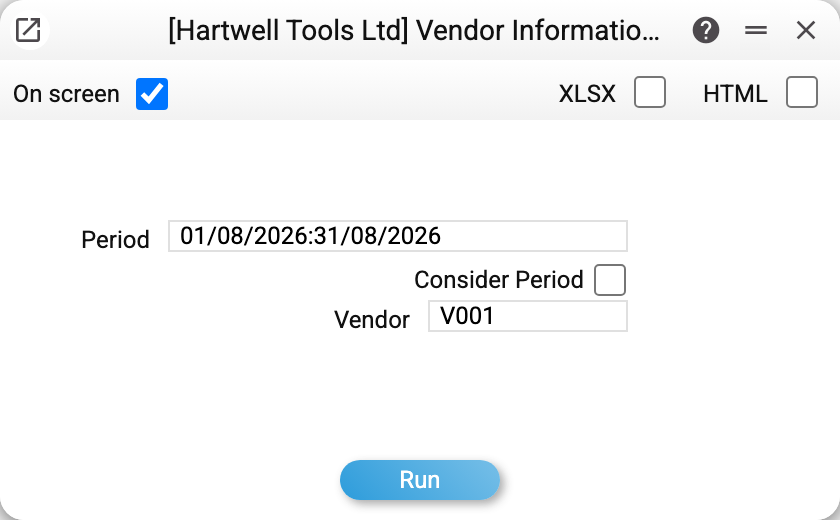
Where to find it: Modules → Purchase Ledger → Reports → Vendor Information Report
A worked example
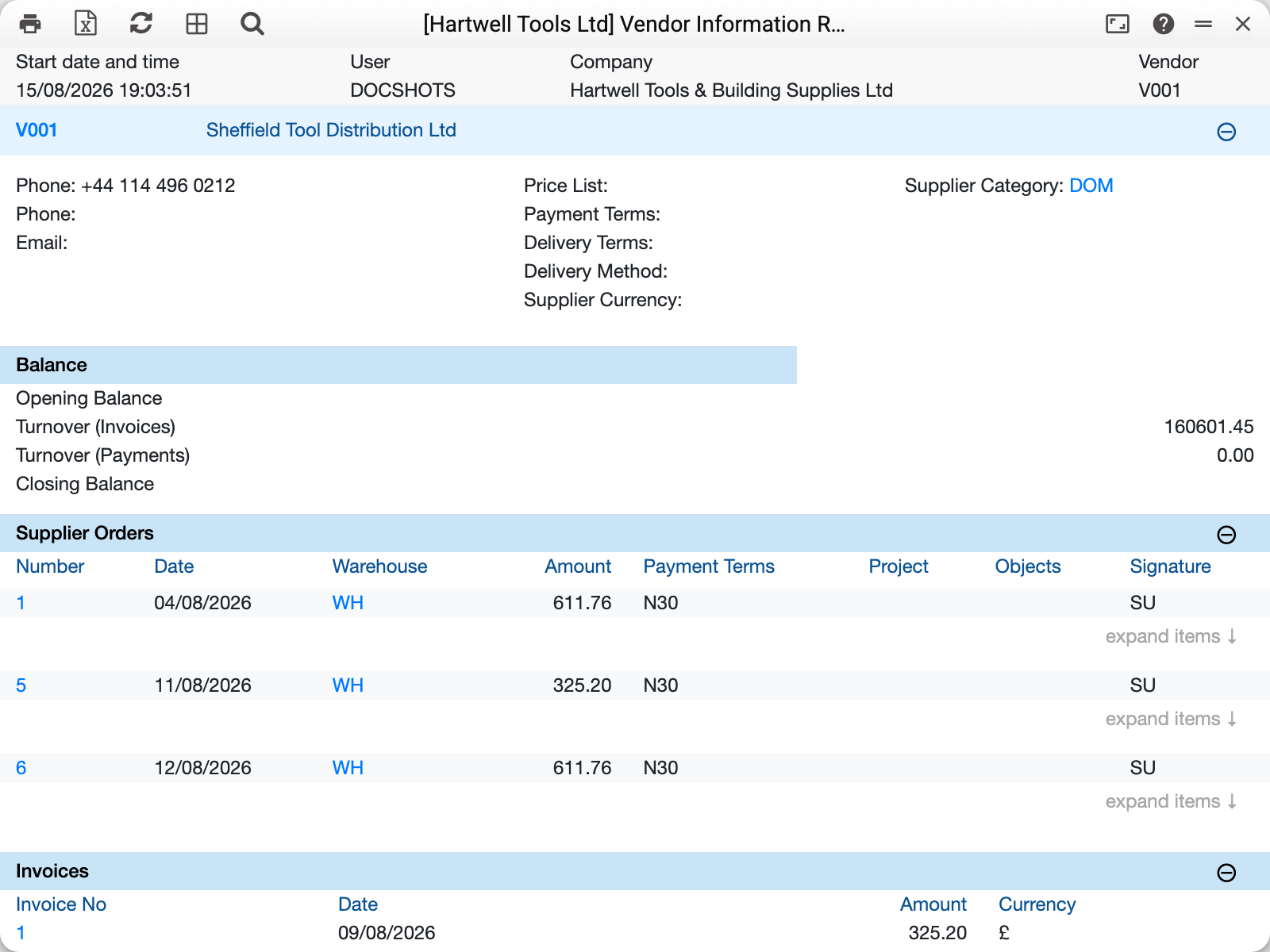
At the top — an extract from the contact card: phones, e-mail, price list, payment terms, delivery terms and mode, the supplier's currency and their category. This is what determines how the system will fill in the next document for this supplier.
Then come the document blocks:
- balance — per currency: the turnover of approved supplier invoices (credit notes with a minus) and of approved payments, plus today's debt; a payment for an invoice or an advance in a currency other than the bank's counts in the currency of the invoice or the advance — as in the reconciliation statement;
- purchase orders — every approved order with its date, warehouse, amount and payment terms; each can be expanded down to the item lines;
- invoices — supplier invoices: number, date, amount and currency (credit notes with a minus). Unapproved invoices land here too, while an invoice with no lines at all does not;
- debts — unpaid supplier invoices;
- advances — prepayments not yet closed by invoices (all open ones, regardless of the period);
- linked contacts and contact persons — when links are set up on the card.
Empty blocks are not drawn: a supplier with no orders simply has no orders section. The exception is the balance: it is always there, even empty.
What matters
Linked contacts are included. If the supplier card links to other contacts (branches or legal entities of one group, for instance), their orders, invoices and debts appear in the report alongside the supplier's own. Advances and the balance block cover the supplier alone.
The period is switched off by a checkbox. Without "Consider Period" the report shows the entire history with the supplier; with it, only the documents of the chosen range: orders and invoices by document date, debts by due date.
For settlement balances use another report. The balance block shows turnovers and the current debt, with no opening balance; the full "opening balance — turnover — closing balance" picture comes from the vendor settlements statement.
Common situations
You need the working terms at a glance. The top block is the answer: price list, payment terms and category — everything the system will put into a new document.
The supplier asks for a reconciliation. This is not that report — send the reconciliation act.
Many orders, item lines needed for one. Click "expand items" on the order line — the goods lines open right inside the report.