Employee Contract Changes
Terms change: a raise in salary or advance, a move to another role or another class. Rather than rewriting the contract, the system records a separate document — so the history of "from what date and why it became different" survives.
Where to find it: Modules → Human Resource Management → Registers → Employee Contract Changes
How to raise a change
A change is created only from the contract card: the "Contract Changes" item of the document menu. The contract must be saved and approved — otherwise the system asks you to save or approve it first ("Please, make OK document"). The list of changes has no button for creating one.
A worked example
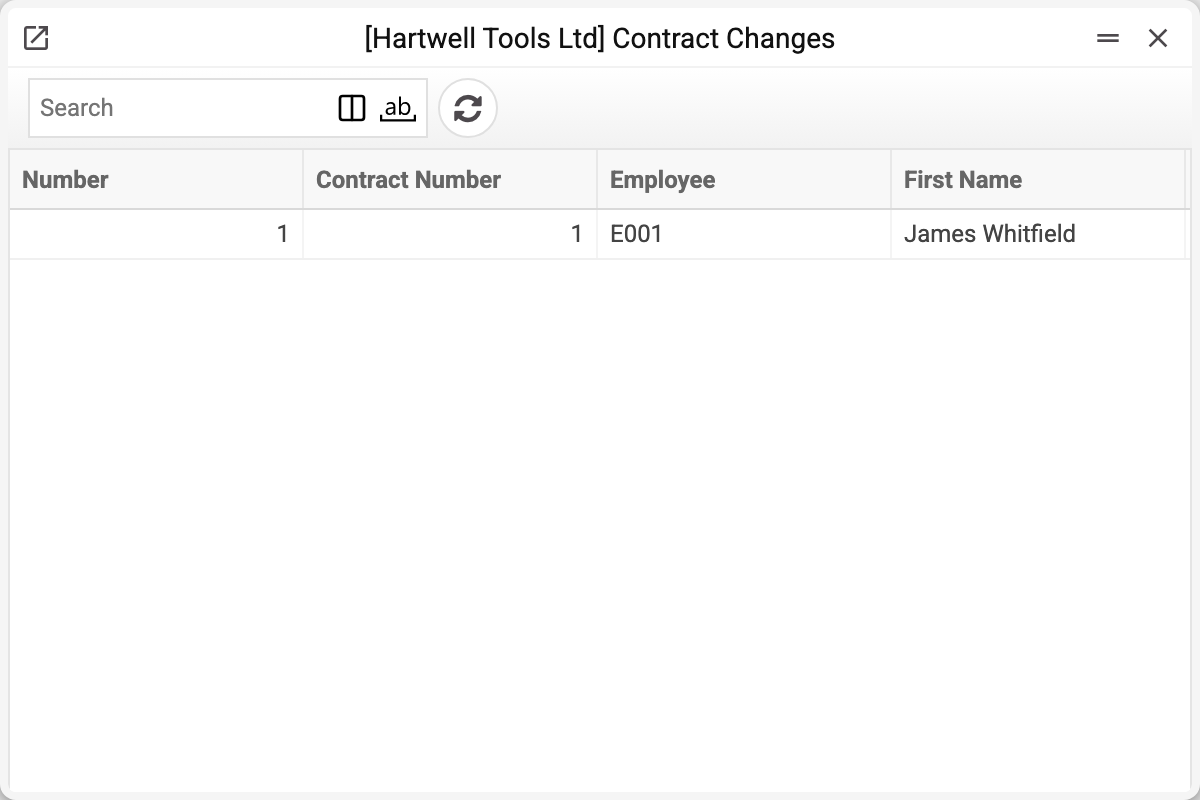
The journal shows the change number, contract number, employee and name. There is one change here — No. 1 to contract No. 1, and that is the one we take.
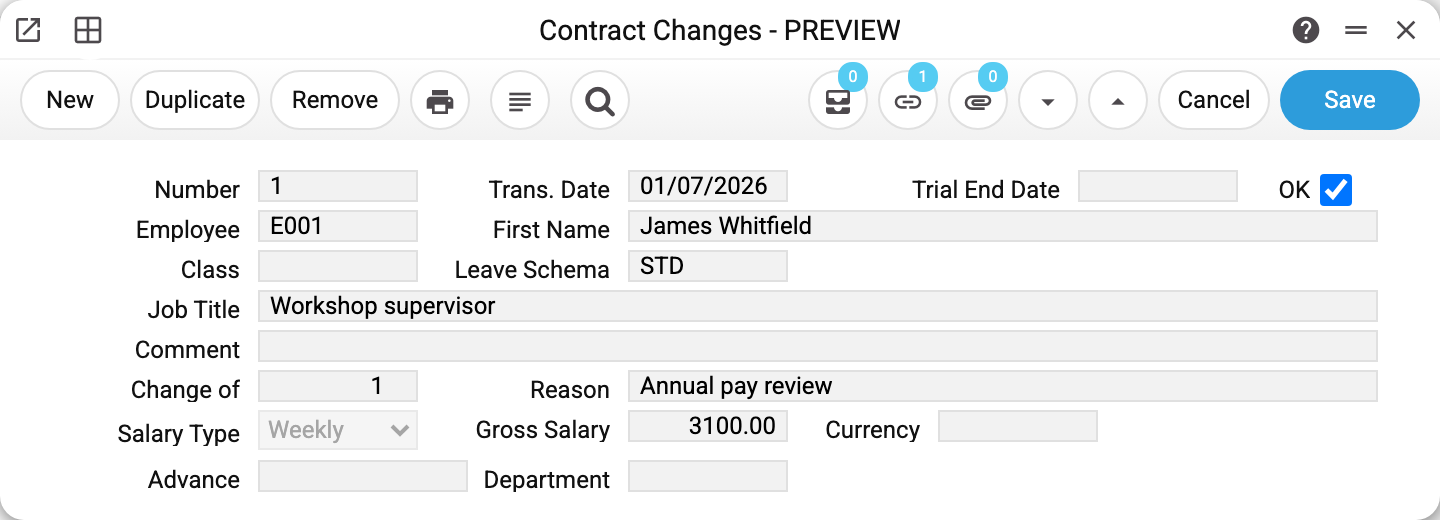
Change No. 1 to contract No. 1 for E001: transaction date 01/07/2026, reason "Annual pay review", new gross salary 3 100.00, OK ticked.
The "Change of" field points back at the original contract; that link is what puts the change onto the "Contract Changes" tab of the contract card. In the change window it is read-only, like "Number", "Employee" and "First Name": the contract is set by the contract's menu, and after save it can no longer be changed.
The remaining fields repeat the contract's: class, leave scheme, job title, salary type, gross salary, currency, advance, department. A change has no rate field — payroll takes the rate from the payroll row, otherwise from the contract, never from the change. A new change created from the contract is prefilled with the terms of the change in force — the latest approved one dated no later than today — or, if there have been no changes yet, with the contract's terms. "Salary Type", "Gross Salary", "Currency", "Advance", "Class" and "Leave Scheme" are carried over; "Job Title", "Department" and "Trial End Date" stay empty.
Payroll takes "Gross Salary" from the change in force entirely and "Advance" (an empty advance — the share of "Gross Salary" for the days worked), and "Class", when it is filled in, for the cost account. The contract's salary is then not read. "Gross Salary" here, as in the contract, is a monthly amount in the base currency; "Salary Type", "Currency", "Job Title" and "Department" are not read by the calculation. So in the new change alter only what really changed: the carried-over terms already hold the current values. Do not clear the carried-over "Gross Salary" — an approved change with an empty "Gross Salary" gives salary 0 in payroll.
How the two read together
The contract answers "what was agreed at the start", the change answers "what was revised later". Together they give the chronology: 2 800 from 05/01/2026, 3 100 from 01/07/2026.
Payroll takes the figure in force at the end of the payroll period (the latest approved change dated no later than that), which is why the change's transaction date matters: a raise from 1 July does not get into June's payroll, even if it is run on 5 July.
Typical situations
A change has to be undone. Untick OK — the terms revert to the previous ones.
Several terms changed at once. That is still one change: fill in every field that is now different.
The leave scheme changed. The field exists in a change, but the leave application takes the scheme from the contract only: a scheme in a change has no effect on leave. For another scheme to apply, change it in the contract itself (untick its OK to edit it).
The number. The system issues "Number" itself on saving — it is read-only in the window. With several companies, each company has its own numbering.
All of an employee's changes are needed. Open their contract: the "Contract Changes" tab lists every change of that contract — approved or not. If the employee has several contracts, each has its own list.
Where to look next
- Employee contract — the document the change belongs to.
- Employee — whose terms are changing.
- Payroll calculation — where the new figure takes effect.
Print variables
Values available in this document's printed form templates. How to write a variable in a template — see Print Forms.
Header fields:
| Variable | What it holds |
|---|---|
| EmployeesContractChanges_OK | Approved |
| EmployeesContractChanges_No | Number |
| EmployeesContractChanges_TransDate | Trans. Date |
| EmployeesContractChanges_TrialEndDate | Trial End Date |
| EmployeesContractChanges_Employee | Employee |
| EmployeesContractChanges_FirstName | First Name |
| EmployeesContractChanges_Class | Class |
| EmployeesContractChanges_LeaveSchema | Leave Schema |
| EmployeesContractChanges_JobTitle | Job Title |
| EmployeesContractChanges_Comment | Comment |
| EmployeesContractChanges_ChangeOf | Change of |
| EmployeesContractChanges_Reason | Reason |
| EmployeesContractChanges_SalaryType | Salary Type |
| EmployeesContractChanges_GrossSalary | Gross Salary |
| EmployeesContractChanges_Currency | Currency |
| EmployeesContractChanges_Advance | Advance |
| EmployeesContractChanges_Department | Department |