Prom: update stock
The stock export to the Prom shop. After each run the marketplace knows how many units really exist: a position with zero stock becomes "not available" — and buyers stop ordering what left the warehouse long ago.
Where to find it: Modules → Prom → Maintenances → Prom: update stock
Walkthrough
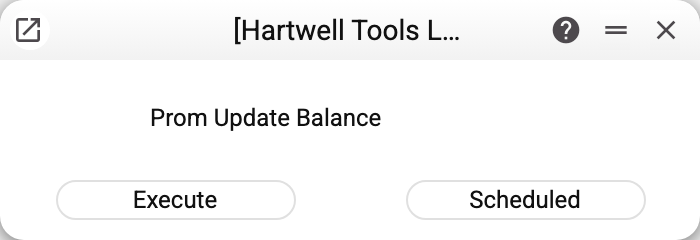
No parameters — "Execute" or "Scheduled". The data source is set in "Prom Options": the "Location" field. The maintenance changes nothing in ERPJS itself — only the stock on Prom.
How the stock is counted
- The stock of the product on the warehouse from the options — the whole quantity in stock, with reservations for orders not deducted; several warehouses listed via comma add up (the shop sells from both).
- Only products with "Code Prom" filled on the "Sync." tab of the card travel (it is set by "Prom: update item keys" or typed by hand), without the "Closed" mark and with "Synchronization with Prom.ua" ticked on the same tab. Products with the box cleared are skipped, and the maintenance reports how many: "Not sent to Prom.ua: … items with «Synchronization with Prom.ua» turned off in the item card". A product whose "Code Prom" is not digits alone (
12abc,abc) is not sent either: «Not sent to Prom.ua: … items whose «Code Prom» is not a number (item codes: …)». Nor is a product whose "Code Prom" also stands in another card (typed by hand —68and068— or in a copy of a card made outside the window): whose stock it is cannot be told — «Not sent to Prom.ua: … items whose «Code Prom» is also in another item card (item codes: …)». Keep the code only in the right card. - A product with no stock row at all on the warehouses from the options is not sent — Prom keeps its previous quantity.
- With "Enable synchronization with Prom.ua" cleared in the items settings the maintenance sends nothing: "Synchronization with Prom.ua is turned off in Items settings: nothing was sent to Prom.ua".
- Prom receives a pair: the quantity plus the availability flag ("available" when the stock is above zero).
- Packets of 100 positions, the whole catalogue in one run. Every run sends the whole stock, so running it again does no harm.
Common situations
"Set Stock in Prom options settings!" — the "Location" field in the options is empty. Two Prom maintenances require it — this one and "Prom: update orders" (the location of new orders).
«Prom.ua did not accept the stock update (HTTP …)…». Prom did not accept a whole packet: HTTP 401 or 403 — a wrong or expired "Token", 5xx — a failure on Prom's side. The maintenance still sent the other packets; fix the options or wait for Prom and run it again.
«Prom.ua rejected … items (Prom codes: …)…». Prom accepted the packet but refused separate products — the text lists up to ten of their Prom codes. Check those products in the Prom cabinet.
"MAINTENANCE ERROR!" with no reason. Prom did not answer at all — check "Host" and "Port" in the options. The packets sent before the failure are already applied on Prom; running again sends everything anew.
The storefront says "not available" while the warehouse has stock. Check WHICH warehouse the options name: the stock may sit on another one (service, retail floor). If Prom shows an old quantity that never changes, the product most likely does not travel at all: no "Code Prom", "Synchronization with Prom.ua" cleared, or "Closed" set.
Prom stock lags behind. The maintenance sends the state as of its run — keep it scheduled.