Work Days
The simplest register in the module: it says which days of the week are non-working. The leave day count rests on it — which is why a two-week booking comes to ten days.
Where to find it: Modules → Human Resource Management → Registers → Work Days
A worked example
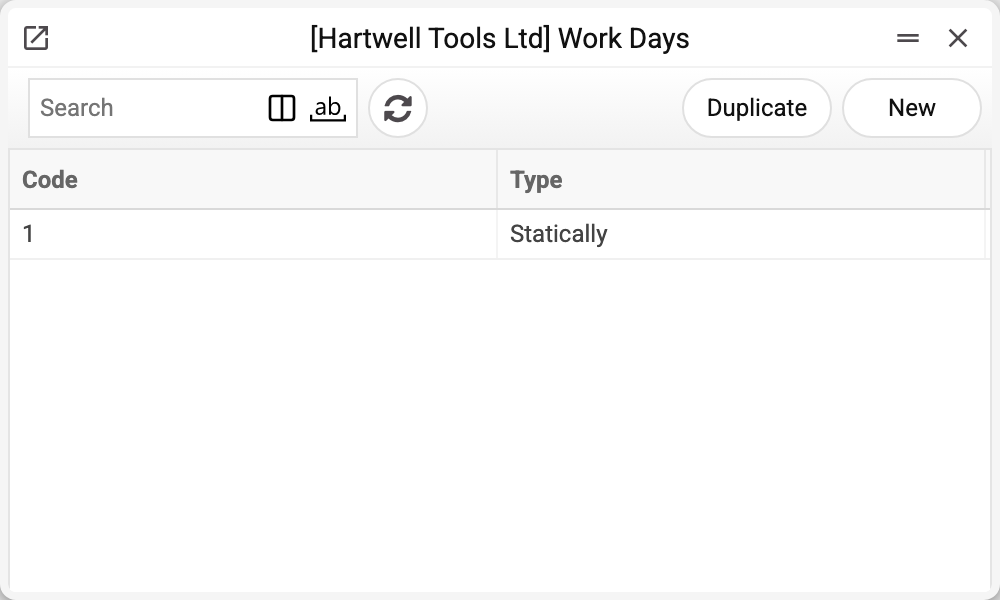
The journal shows the code and the type of pattern. There is one record here — No. 1, and that is the one we take.
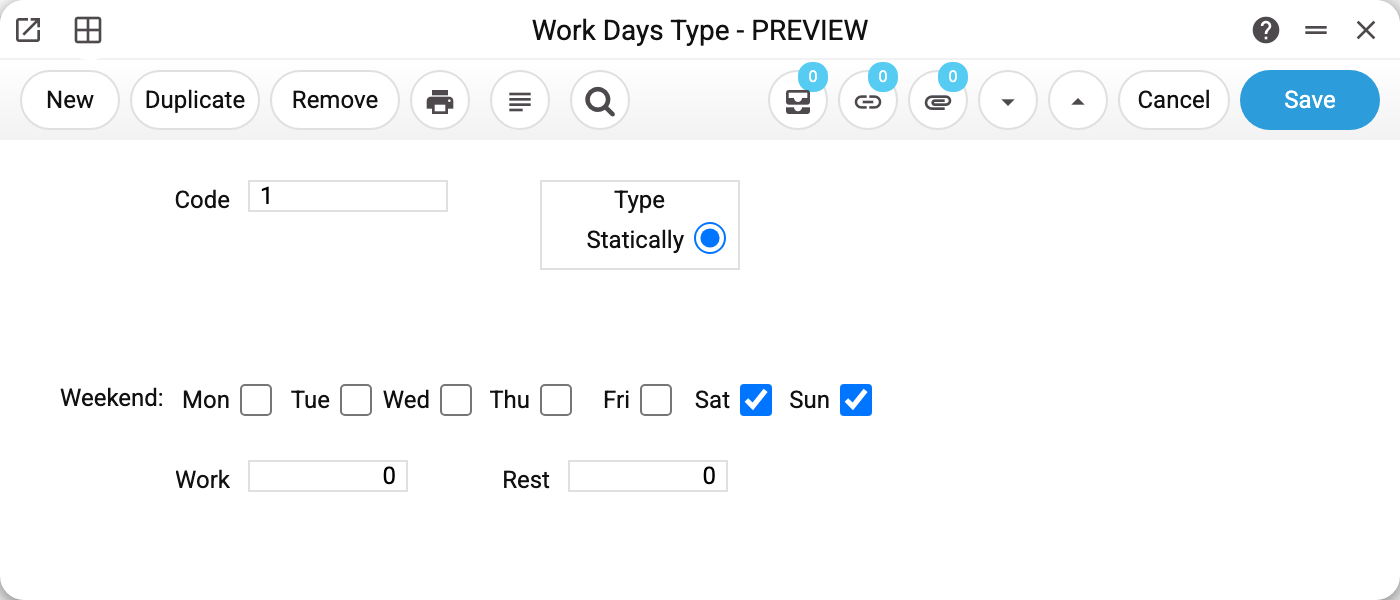
Record No. 1, type Static. On the "Days off" row, Sat and Sun are ticked; the rest of the week is working time.
The two fields below — "Work" and "Rest" — have no effect on the count: they belong to a rotating pattern, and the window does not offer one. There is no need to fill them in.
Weekly patterns only
The window offers a single type — Static: the week is fixed, and the ticked days are off every week. A rotating pattern — a cycle of so many days on and so many off, not tied to weekdays — is not available in the window, and the system does not count leave by such a cycle.
Where it takes effect
The pattern code goes on a leave scheme row. When someone books leave, the system takes the period from the application and drops the days marked here as non-working, and also the holidays — when the scheme row has "Include Holidays" set to "No" or left empty. With "Yes" a holiday counts as a leave day.
The payroll calculation counts by this register too — the working days in the period, which drive the advance by days and pay for a part month. It does not choose a pattern: it takes one record of the register regardless of its code, so with several patterns everyone's pay is counted by one of them.
Typical situations
The company works six days. Untick Saturday and it becomes a working day.
Departments work different weeks. Create several patterns and name the right one in each leave scheme. This splits leave days, but not the working days of the payroll calculation — there one pattern serves everyone (see above).
The pattern changed mid-year. New applications count the new way. Applications already created are not recounted by themselves — the days of an application are counted again only when its start or end date, leave type or employee is changed.
The pattern cannot be deleted: "A record of «Work Days» is used in: Leave Scheme!" A leave scheme row names the pattern. Without it the scheme would no longer save ("Weekend bank with this code is not found"), and a leave application would count days off as working days. Replace the pattern in the scheme rows first.
Where to look next
- Leave scheme — where the pattern is wired in.
- Holidays — the second calendar affecting the day count.
- Leave application — the result of the calculation.
Print variables
Values available in this document's printed form templates. How to write a variable in a template — see Print Forms.
Header fields:
| Variable | What it holds |
|---|---|
| WorkDays_Code | Code |
| WorkDays_Monday | Monday is a day off (yes/no) |
| WorkDays_Tuesday | Tuesday is a day off (yes/no) |
| WorkDays_Wednesday | Wednesday is a day off (yes/no) |
| WorkDays_Thursday | Thursday is a day off (yes/no) |
| WorkDays_Friday | Friday is a day off (yes/no) |
| WorkDays_Saturday | Saturday is a day off (yes/no) |
| WorkDays_Sunday | Sunday is a day off (yes/no) |
| WorkDays_WorkDays | Work |
| WorkDays_Rest | Rest |
| WorkDays_Type | How the schedule is set |