Prepayments Settings
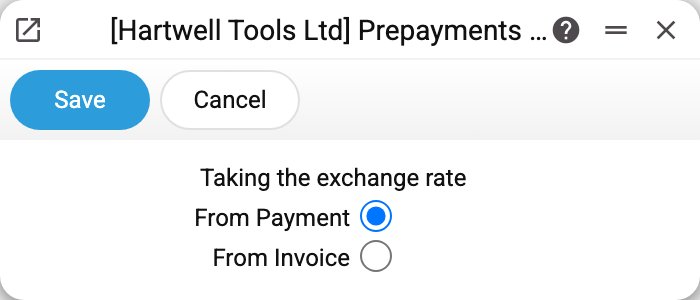
A single switch for foreign-currency advances — "Taking the exchange rate": From Payment or From Invoice. The name promises a choice of the rate at which an invoice offsets the advance, but the switch does not change the offset amounts: they are the same in both modes. What the switch actually changes is described below.
Where to find it: Modules → Purchase Ledger → Settings → Prepayments Settings
How a foreign-currency advance is offset
An advance and the invoice it covers almost never fall on the same date. You transferred €1,000 to a supplier in August, the goods arrived in October, and the rate moved in between.
Only an invoice in the same currency can offset the advance: an invoice in another currency will not accept a euro prepayment — "Only a prepayment in the invoice currency can be offset". The offset is the part of the advance the invoice covers, and in the base currency it equals what that part was booked at in August, i.e. at the payment rate. The invoice itself is valued at the rate of its own date. The difference between the two valuations does not vanish — it becomes an exchange difference and lands on the "Foreign Exchange Expense" or "Foreign Exchange Income" account from Account Usage.
This happens in both modes — for advances we pay to suppliers and for advances customers pay to us.
What the switch changes
- Customer invoices — nothing: neither the offset amount in the window nor the invoice posting depends on the mode.
- Approval of a vendor invoice — only the rate written into the posting rows that close the advance: the payment rate with From Payment, the invoice rate with From Invoice. The row amounts do not depend on the mode.
- The vendor invoice window — nothing: changing the currency, the date or the vendor of the invoice changes only the invoice rate, and the amounts already entered on the "Prepayments" tab stay (the difference from the invoice rate goes to exchange differences on approval).
If the advance is in the base currency, the switch changes nothing. A base-currency prepayment in a base-currency company is offset one to one; there are no rates involved.
Common situations
An exchange-difference row appeared in the invoice posting. That is not an error: the advance was offset at the payment rate, the invoice was valued at the rate of its date, and the difference went to the exchange-difference accounts. It happens whatever the switch position. How the advance was offset is shown by the Customer Prepayments History and the Prepayments Vendor History.
The switch was changed, but invoices already entered did not change. An offset row keeps its amount, and approving again (clear OK and set it again) takes exactly that amount. Only re-entering the prepayment number or the amount in the row recalculates it. Foreign-currency advance balances do not add up. Check whether the exchange-difference accounts are filled in Account Usage — without them approval of a currency offset stops with an error.