Asset Categories
A card template. The category holds a type and depreciation models together: pick it in a new asset card — and the type with both models fill in by themselves. Creating a card comes down to choosing one category instead of three fields, and mismatching "type + model" becomes harder.
Where to find it: Modules → Fixed Assets → Registers → Asset Categories
Walkthrough
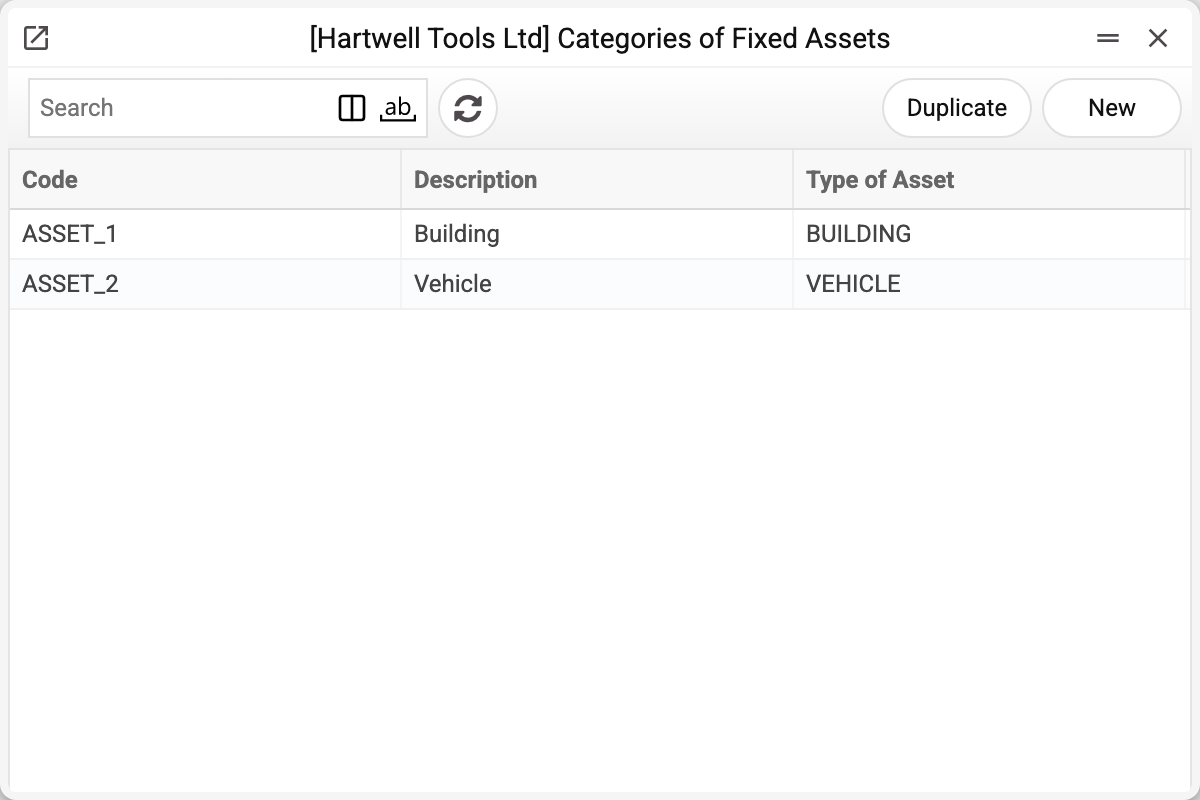
The ASSET_2 "Vehicle" category in the demo:
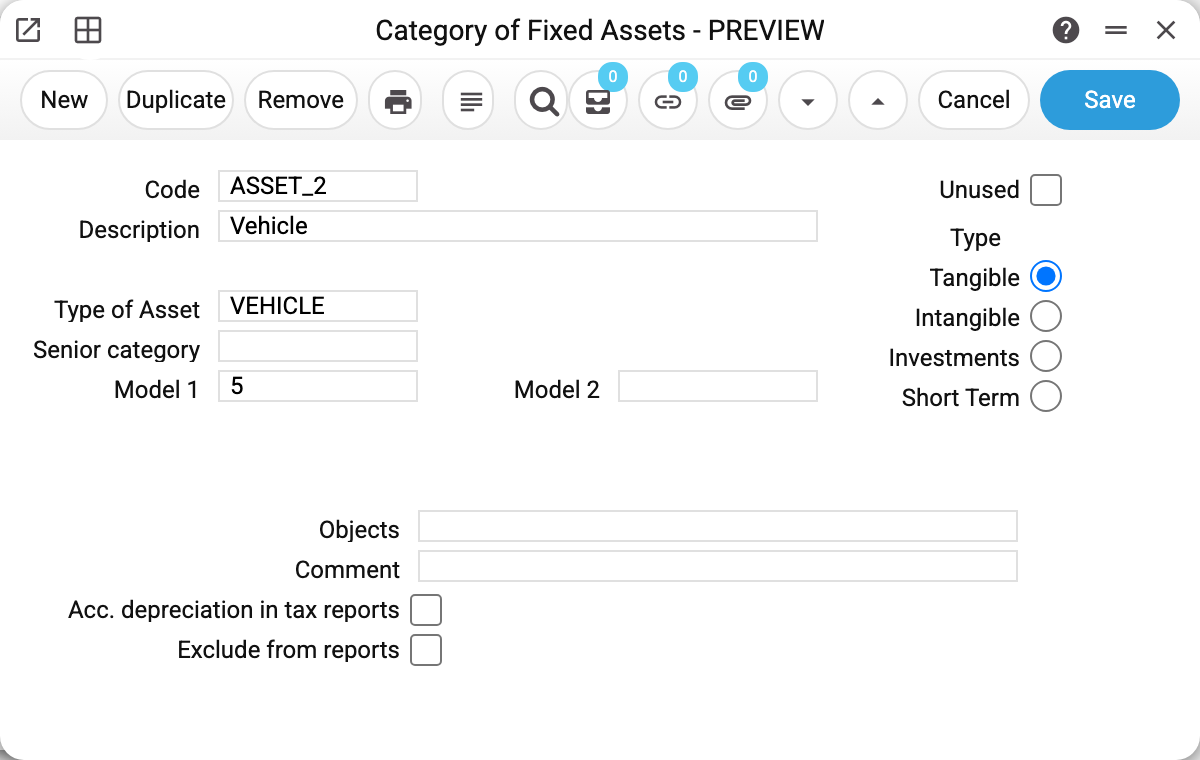
- Type of Asset VEHICLE and Model 1 "5" — this is the template: the demo vehicle 20_1 received its type and model from here, at the moment the category was picked in the card.
- Type — "Tangible"; the alternatives are "Intangible", "Investments", "Short Term". A classification attribute.
- Model 2 is empty — no second set of books is kept in the demo.
A template, not a binding
The category fills in the type and models every time the card's "Category" field is changed — in a new card and in one already commissioned alike. The card's Type of Asset, Model 1 and Model 2 are overwritten with the category's values, and an empty field in the category erases the card's value. As long as nobody touches the card's category, the card lives its own life: change the model inside the category itself — existing cards stay as they are (rightly so: they are already being depreciated by their own model).
So re-picking the category of a commissioned card can quietly change its depreciation model. Changed the category — check the type and both models before saving.
For batch services, though, the category is also a filter: in the commissioning or depreciation window you may give a category instead of an inventory number — and the service processes all its cards at once.
Fields
| Field | Purpose |
|---|---|
| Code, Description | Mandatory; the code is unique |
| Unused | The category is retired: not offered in the card picker, batch commissioning refuses it, depreciation of its cards is not posted (see "Common situations") |
| Type of Asset | The type that will fill into the card |
| Senior category | Parent category — hierarchy grouping |
| Model 1 / Model 2 | Depreciation models for the main and the parallel books |
| Type | Tangible / Intangible / Investments / Short Term |
| Objects | Analytics; each object type at most once, closed objects are rejected. Only stored on the category and printed: passed neither to the asset card nor to transactions — asset transactions take their analytics from the card and the asset type |
| Comment | Free-form extended comment |
| Acc. depreciation in tax reports | Only stored on the category and printed: neither asset reports nor depreciation runs take it into account |
| Exclude from reports | Only stored on the category and printed: neither asset reports nor depreciation runs take it into account — the category's cards stay in them |
Print variables
Values available in this document's printed form templates. How to write a variable in a template — see Print Forms.
Header fields:
| Variable | What it holds |
|---|---|
| Cat_No | Category code |
| Cat_Mod2_No | Model 2: code |
| Cat_Desc | Category description |
| Cat_SenCat_Desc | Senior category (description) |
| Cat_Mod2_Desc | Model 2: description |
| Cat_Unused | Unused |
| Typ_No | Type of Asset (code) |
| Typ_Comment | Type of Asset (name) |
| Cat_SenCat_No | Senior category (code) |
| Dep_No | Model 1 (code) |
| Dep_Desc | Model 1 (name) |
| Cat_Type | Type |
| OBJ_No | Objects (code) |
| OBJ_Comment | Objects (name) |
| Cat_Comment | Comment |
| Cat_AccD_tax | Acc. depreciation in tax reports |
| Cat_ExcluDeports | Exclude from reports |
| Cat_Mod2_PoD | Model 2: % of depreciation |
| Cat_Mod2_Years | Model 2: years |
| Cat_Mod2_Depr | Model 2: depreciation method |
| Cat_Mod2_Depr_per | Model 2: depreciation period |
The records the document refers to through its form fields (location, customer, currency…) also expose the rest of their variables — code and name are already listed in the tables above, the rest is described in the register's article:
- Type of Asset — Asset Types
- Model 1 — Depreciation Models (
Dep_*) - Objects — Objects
Common situations
The category cannot be found in the card. It is flagged "Unused" — the card picker offers only active categories.
Batch commissioning fails: "Category of fixed assets '…' is not active!" The same "Unused" flag, seen from the service side.
Picked a category — the card's type disappeared. The category overwrites the card's type and both models with its own values, empty ones included: if the "Type of Asset" field inside the category is empty, the card's type is erased, and a card without a type will not save. Fill in the type in the category, or enter it in the card after picking the category. Same with the models: an empty Model 2 in the category removes Model 2 from the card.
After a batch depreciation run some cards got no depreciation. Cards of a category flagged "Unused" are not depreciated. For a single card the depreciation service refuses: "Category of fixed assets ASSET_2 is not active!"; a batch run with such a category in the "Category" field refuses too, though with a confusing text: "Category of fixed assets 'ASSET_2' is not set!". A batch run without a category (all cards or one department) does not charge such cards and names each of them in its summary: "Inventory No. 20_1: Category of fixed assets ASSET_2 is not active!". If a category was flagged by mistake, clear the flag and run depreciation again.
Cards created from a vendor invoice have no Model 2 or a random model. The Fixed asset creation service takes only the type and Model 1 from the category: it does not carry the category's Model 2 into the cards, and it does not hide inactive categories in the picker. If no model is given in the service window and the category has no Model 1, the cards get whichever model the register returns first. Fill in Model 1 in every category.
Objects will not save: "Objects of the same type are prohibited". The "Objects" field has two codes of the same analytics type — keep at most one object per type.
The category cannot be deleted: «A record of «Asset Categories» is used in: Fixed Assets!» A fixed asset card holds the category: without it the card would no longer save, and depreciation of that card would refuse. A subcategory (one that names this category as its senior one) and asset history records hold it too — the refusal names the first place found. Move the cards and subcategories to another category, and the deletion goes through. If only the history holds it, keep the category and flag it "Unused": it drops out of the card picker.