Approval Rules
A rule answers the question "who has to approve a document before it can be booked". For instance: every invoice has to be approved by the manager before it is booked.
Where to find it: Modules → System → Registers → Approval Rules
A worked example
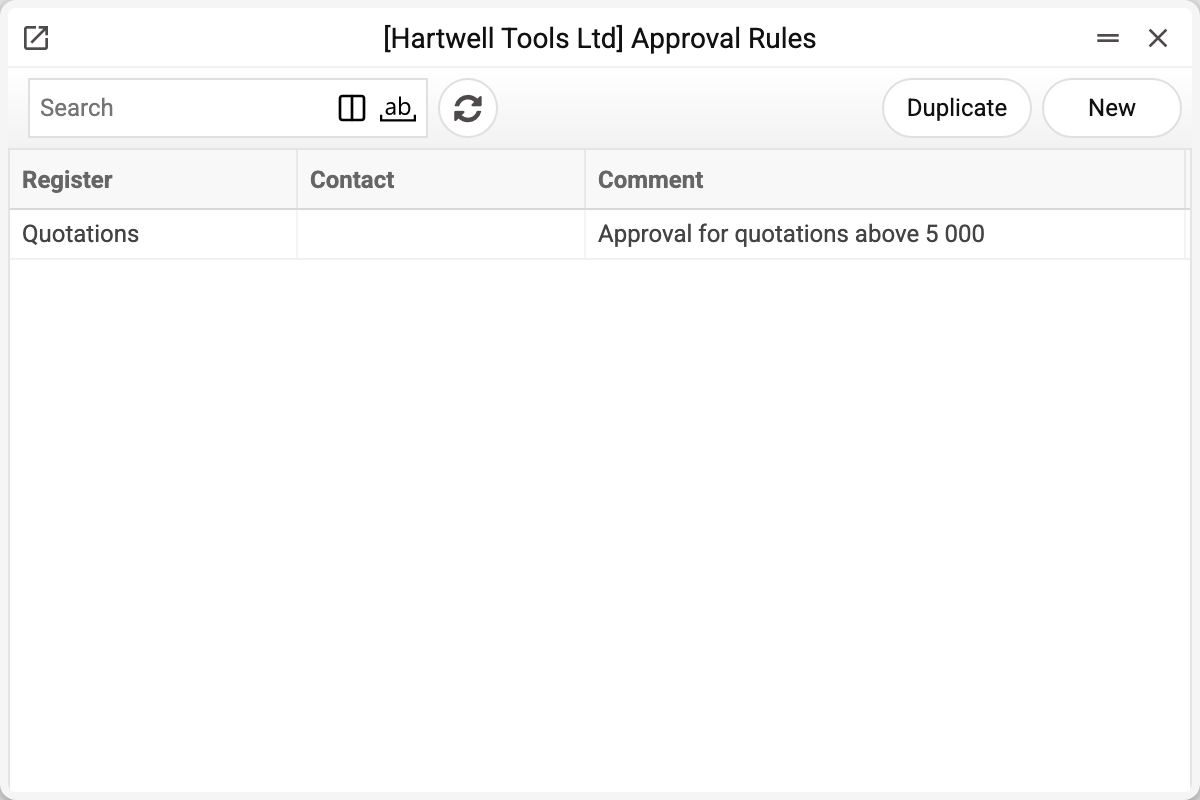
The journal shows the register the rule applies to, the contact and the comment. There is one rule here, for quotations, and that is the one we take apart.
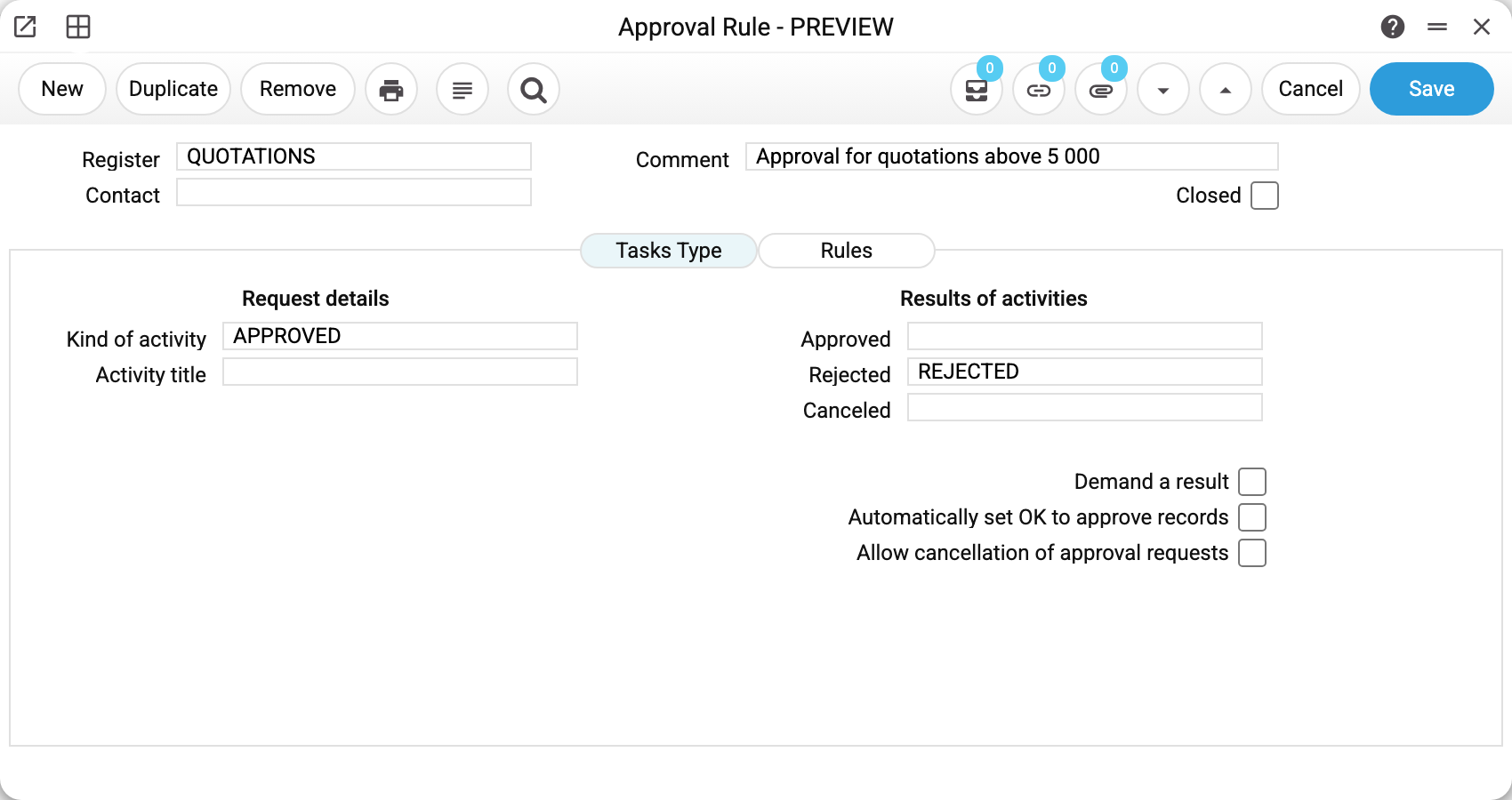
A rule for the QUOTATIONS register, comment "Approval for quotations above 5 000". It is a demo-company rule, and it approves nothing: the system checks rules only in the registers the Register field offers — "Payments", "Leave Application", "Vendor Payments", "Purchase Orders", "Invoices", "Cash Out" and "Cash In". Quotations (QUOTATIONS) have no approval.
On the Tasks Type tab the left side sets which task the approver gets, and the right side — which task results they answer with:
| Field | Value | Meaning |
|---|---|---|
| Kind of activity | APPROVED | the type of the task created for the approver |
| Approved | — | the "approved" result — empty here |
| Rejected | REJECTED | the "rejected" result |
The screenshot was taken before Approved became required: such a rule no longer saves — "Field "Approved" must be filled!". Rejected and Canceled may stay empty: then the rule simply has no such decision. A task closed with no result chosen decides nothing — the request waits until the approver sets a result.
Three switches on the right set how strict the procedure is: whether a result is required, whether approved records are OK'd automatically, and whether requests may be cancelled.
The second tab, Rules, holds the conditions themselves: who approves (the login in the Approver column), how they are alerted and whether a next level is needed. There is no amount threshold: the rule covers a document of any amount, and the figure in the comment is just text.
How it plays out
The document is booked — OK ticked and saved → the system checks the rule for its register → if there is no approval yet, it clears OK, saves the document as a draft, raises a task for the approver and reports "Confirmation request sent!" → the document can be booked once the approver has approved it. A draft saved without OK is not sent for approval; to send it without booking, use Approval request in the document menu.
The action types (APPROVED, REJECTED) are ordinary records in the action-types register. Kind of activity and Approved are required: without them the rule will not save, and a kind-of-activity code missing from the register is refused by the window ("This activity does not exist!").
Typical situations
Two levels of approval are needed. Two matrix rows: the first is the department head, with Next Level set to "Required" in that row; the second is the director. The director gets a task once the head approves, and the document passes once the director approves too. With "Not required" in the head's row the document can be posted once the head approves, and the director gets a task; but if the director sets "Rejected", the document will not be posted (if it was already posted, the rejection does not unpost it).
The rule won't create. Register, Kind of activity or Approved is empty. A Kind of activity code missing from the action types directory is refused by the window. Result codes (Approved, Rejected, Canceled) are not checked against the directory: a rule with a code that is not there is saved.
The approver closed the task, yet the document still waits. No Result was chosen in the task — that is not a decision, the request keeps waiting. Let the approver set a result; so that tasks are not closed without one, tick Demand a result in the rule.
An "All" level does not pass although everyone who has a task approved. An "All" level is passed only when every approver of the row has a task: if someone's open task was deleted, a new one is set for them, and the document waits for their decision. A single "Rejected" in an "All" level rejects the document even when the others approved: posting it again answers "Request rejected!" instead of sending a task to the one who rejected.
"Confirmation request sent!" every time, yet there are no tasks. The rule matrix has only rows where Type or Activity is "None": such rows are skipped, not a single task is created, and posting still clears OK. This happens only with a rule saved before 25.10.2026: an open rule without a single active row is no longer saved — "No row of the approval rule is active: fill in «Type», «Approver» and «Activity» in at least one row!". Add a row with the "User" type and the "One" or "All" activity, or close the rule (Closed): it can be closed without fixing its rows.
A second general rule for the same register is not saved. A register can have only one general rule (without a contact). This holds within a company: another company of the same database sets up its own rules.
Where to look next
- Mail texts — the other mechanism keyed to a document register.
- Number series — one more system setting around documents.