Documents Tree
The whole deal's history on one screen: which document spawned which, and how it all ended. Enter one document — the report unfolds the chain of related ones: order → shipment → invoice → payment, returns and corrections included. It is the fastest answer to "what actually happened with this order?" — faster than opening every document one by one.
Where to find it: Modules → Nominal Ledger → Reports → Documents Tree
Worked example
Sales order #5 (498.00):
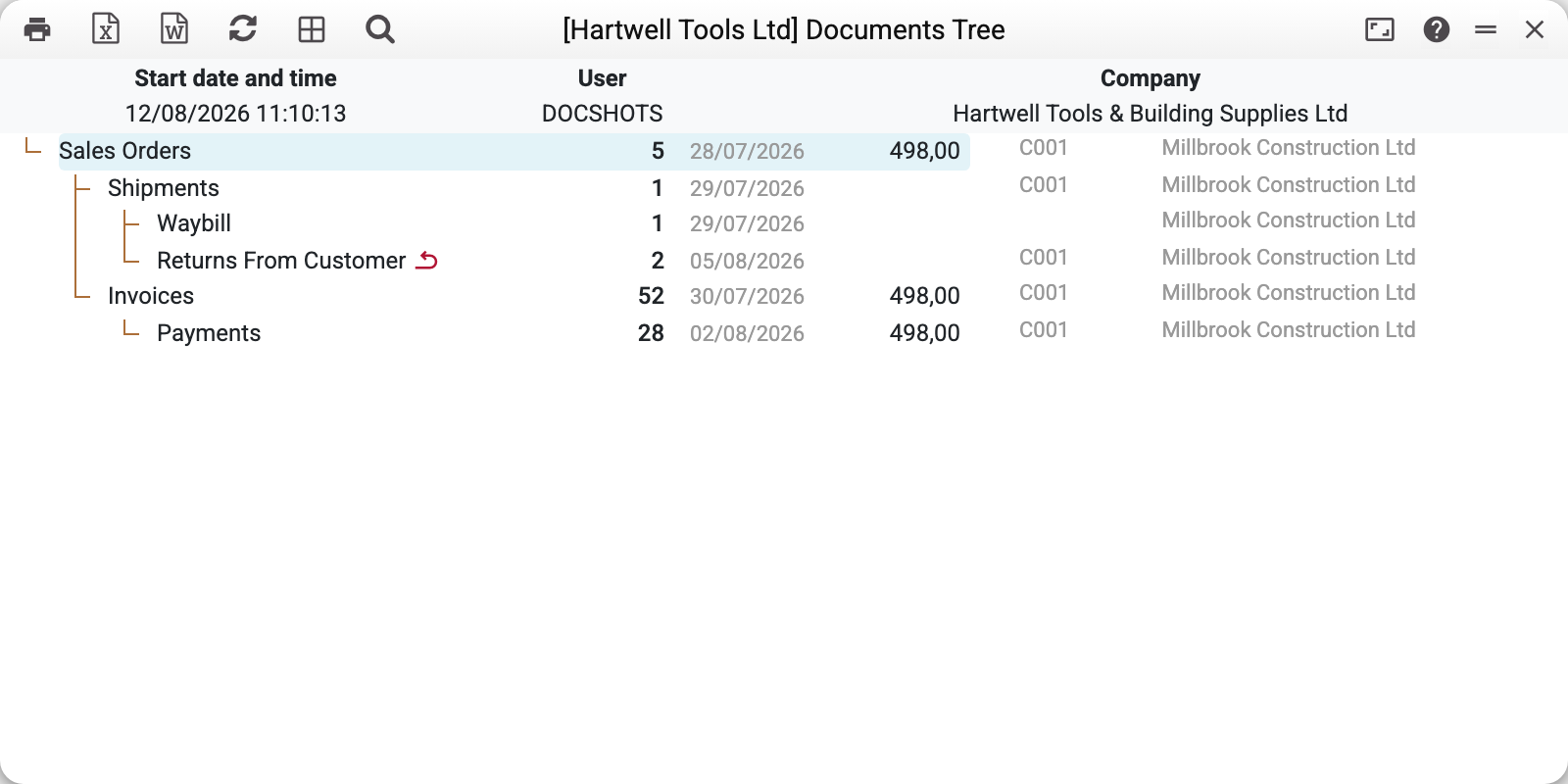
- The root is the order itself (highlighted), with its date, amount and counterparty.
- Two branches grow from it: shipment #1 (with a consignment note TTN #1 and a later return #2, marked with a red ↩ arrow) and invoice #52, settled by payment #28 for 498.00.
- Every row is clickable and opens the corresponding document. The right-hand columns show number, date, amount (next to it, smaller, the currency code when the document carries one), counterparty code and name.
The tree unfolds from ANY link: enter a shipment number — you will see both its parent order and its children.
Where the data comes from
The report follows the references between documents: the fields where a document keeps the number of the previous one (the order on a shipment and an invoice, the invoice on a payment and so on) — the "Create Shipment", "Create Invoice" buttons and the POS/service chains fill them in, but a number typed by hand counts too. On top of that come document links (the links button in a document window), and payments without an invoice are found by the prepayment number. Documents are shown in both directions from the one you entered: parents and children. The OK status is visible in the tree; non-OK documents are shown too — the tree is about links, not about posting.
What the report does not consider: documents with neither a reference nor a link (a standalone invoice typed in "based on" an order without its number will not appear — the system has nothing to hook it by); ledger postings and their amounts (the tree shows document totals, not accounting turnover).
Parameters
| Parameter | What it does |
|---|---|
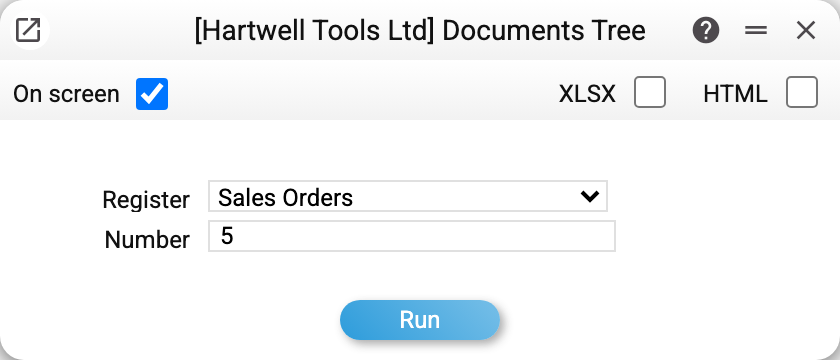
| Register | The document type to unfold from: Sales Orders, Shipments, Invoices, Waybill, VAT Invoices Issued, Returns From Customer; the purchasing branch — Purchase Orders, Goods Receipts, Vendor Invoices; plus Worksheets, Quotations, Projects and others |
| Number | The document number in the chosen register |
Payments are deliberately absent from the register list: one payment may settle several invoices at once, so a "tree from a payment" would be ambiguous. Unfold the tree from the invoice — or with the tree button in the payment window: it builds the tree from the selected payment row, and without a selected row answers "Select a row!".
A register that has no tree (for example, "Rental agreements" — their window has no tree button at all) is not built: "The document tree is not available for this document".
Common situations
The document definitely exists but is missing from the tree. Its reference to the previous document (the order or invoice number) is empty and it has no link. Type the number into the reference field, or create the next document with the button from the previous one, and the tree stays complete.
A return is visible but has no amount. Shipments and returns from customers are always shown without an amount — they are stock documents; look for money in the invoice and the payment. A goods receipt, Add Costs (and the purchase order under it), a return to supplier, a production and a production order show the cost price — and only to those allowed to see it; the amounts of a goods receipt, Add Costs and the order under it are in the base currency.
Under a foreign-currency order the goods receipt shows a very different amount. Under a 1,000 EUR order a goods receipt can show 41,000 — this is its cost in the base currency, and the code next to the amount is the base currency, not EUR. Returns to supplier and customs clearances are shown in the base currency the same way.
The entered number "is not found". Check that the right register is selected: number 5 exists among orders and among shipments alike — the tree unfolds from whatever "Register" says.